

Dropbox
About Dropbox
Cloud storage has become so common that most people don’t think much about how their files actually get from one device to another, but that wasn’t always the case. Before services like this existed, sharing files between computers meant emailing them to yourself, carrying around USB drives, or wrestling with FTP servers and complicated network setups.
Dropbox changed that landscape in 2008 with a deceptively simple proposition: a folder on your computer that automatically syncs with a folder on every other device you own, plus a copy in the cloud.
Founded by Drew Houston after one too many forgotten USB sticks, this software has grown into one of the largest cloud storage services in the world. The fundamentals haven’t changed much over the years, but the feature set has expanded considerably to address business workflows, team collaboration, AI-powered search, and various scenarios that go well beyond the original “files everywhere” pitch.
Folder-based sync that started the category
The defining feature of Dropbox remains the way it integrates with the file system. After installation, a special folder appears on your computer that behaves exactly like any other folder. You drag files into it, edit documents inside it, organize subfolders however you want, all using the standard file management tools you already know. Behind the scenes, the application quietly syncs everything to the cloud and to your other connected devices.
This file system integration is what separates this service from cloud storage services that only work through web interfaces. You don’t need to think about uploading or downloading. Save a document in your Dropbox folder, and it appears on your other computers and phones without any further action.
The sync runs in the background, handles conflicts when the same file gets modified on multiple devices, and resumes interrupted transfers when connections come back.
For users who’ve never thought about how this works, the magic is exactly that absence of friction. Files just appear where you need them, when you need them.
Smart Sync for selective local storage
A particularly useful feature for users with limited disk space is Smart Sync, which lets you keep files in your Dropbox folder visible without actually storing them locally.
The files appear in their usual locations, but they only download when you actually open them, freeing up significant disk space for users with large libraries that exceed their hard drive capacity.
In practice, this means you can have a 500GB Dropbox account synced with a 256GB SSD without filling up the drive. Files you haven’t accessed recently take up no local space, while frequently used files stay cached locally for fast access.
The system handles the decisions automatically based on your access patterns, although you can manually mark specific files or folders as always-local or always-online.
For users on laptops with smaller drives, this capability genuinely changes what’s possible to keep available across devices. Instead of choosing what to sync based on storage constraints, you can have everything available with the actual storage decisions handled invisibly.
Dropbox Dash and AI-powered search
A significant 2025 addition is Dropbox Dash, the AI-powered search system that extends well beyond just searching file names. The system can now search across connected apps, analyze video and audio content for relevant moments, and even generate drafts based on content stored in your account.
Enhanced search now includes the ability to find text within images, which means screenshots, scanned documents, and photos with visible text become searchable in ways that previously required separate OCR processing. For users who store significant amounts of visual content, this expansion of search capabilities reveals files that would otherwise be effectively invisible.
The AI search treats your file collection as searchable knowledge rather than just stored bytes, which represents a meaningful shift in how cloud storage relates to the work people actually do with their files.
File sharing without the email attachment dance
Sharing files larger than typical email limits used to involve elaborate workarounds, but the sharing functionality here makes it straightforward. Right-click any file or folder in your Dropbox, generate a shareable link, and send it through whatever channel makes sense. Recipients can view or download the content through a web browser without needing their own account.
For shared folders, you can grant edit access to specific users who can then collaborate on the contents directly. Changes anyone makes propagate to everyone else’s copy automatically, with version history available if someone modifies something you needed to preserve. The granularity of permissions covers most real-world scenarios from view-only sharing with external clients to full collaborative access among team members.
For business users, the link sharing includes options for password protection, expiration dates, and download restrictions, addressing the security concerns that arise when sensitive files travel outside your organization.
Version history and file recovery
A particularly valuable feature for anyone who has ever accidentally overwritten an important document is the version history that’s automatically maintained for files in your account. The service keeps previous versions of edited files for a period that varies by plan tier, allowing you to roll back to earlier versions when current ones turn out to be problematic.
Deleted files also remain recoverable for a period after deletion, which has saved countless users from accidental delete operations. For business users on higher-tier plans, the version history extends substantially longer, which matters for audit trails and compliance scenarios.
The recovery interface is straightforward enough that you don’t need IT support to use it. Right-click a file, view its history, and restore the version you actually wanted, all through the same interface used for normal file operations.
The simplified desktop app and 2025 changes
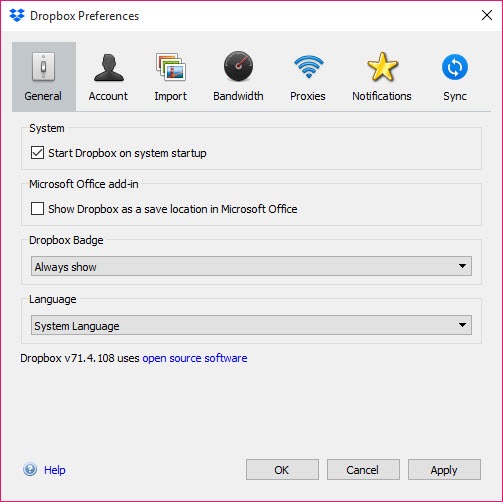
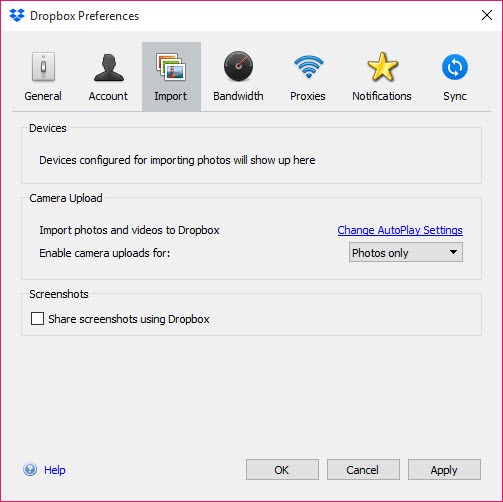
It’s worth knowing about a significant change introduced starting October 2025. The desktop application has been transitioned to a simplified version that retains core syncing and sharing capabilities while removing certain advanced features. Automatic backup management has been pared back, the Dropbox badge that flagged Microsoft Office file conflicts in real-time has been removed, and built-in screenshot editing is no longer part of the desktop experience.
Encrypted folders now require the web browser for access rather than working through the desktop app, and direct troubleshooting assistance within the “Manage hard drive space” panel has been reduced. The simplification aims to improve performance and support older operating systems, although users on outdated systems may find functionality more limited than it was previously.
For users who relied on those advanced features, the change has been controversial, with some workflows requiring adjustment to use the web interface for tasks that previously worked from the desktop app. For users who only used core sync and sharing, the changes are mostly invisible.
Company Directory and team features
Recent updates have also added a Company Directory feature that helps users identify and locate colleagues within an organization, mapping team structures and making it easier to find the right person for a particular task or question.
For businesses using the service as part of their broader collaboration toolkit, this directory functionality reduces the friction of working with people across departments or locations.
The new Sync & Storage dashboard provides a streamlined view of storage usage and sync status, replacing some of the older interface elements with a cleaner presentation of the information users actually need to monitor.
File naming flexibility and modern conveniences
Among the smaller but appreciated 2025 updates is support for emojis in file and folder names, which sounds trivial but addresses a long-standing annoyance for users who organize their files visually.
Combined with the various other modernization changes, the service has gradually adapted to how people actually use file systems today rather than how the original 2008 design assumed they would.
Dropbox Passwords discontinued
It’s worth mentioning that Dropbox Passwords was shut down as of October 28, 2025. Users who relied on this password manager feature need to migrate to alternative password management solutions.
For users who never used this particular feature, the change has no practical impact, but those affected should plan their migration if they haven’t already.
Conclusion
Dropbox has aged into one of the foundational cloud storage services that helped define the category. The combination of reliable file system integration, broad device support, AI-powered search through Dash, and strong sharing capabilities makes it a practical choice for users who want their files available everywhere without thinking much about how that happens.
The 2025 desktop app simplification represents a meaningful shift in direction, removing features that some users valued in pursuit of better performance and broader compatibility. For users primarily interested in core sync and sharing, the changes are mostly invisible improvements.
For users who relied on the more advanced removed features, alternative workflows or different services may be necessary. Either way, Dropbox remains one of the more polished and reliable options in a competitive cloud storage market.
Pros & Cons
- Folder-based sync integrates with the file system rather than requiring web interface
- Smart Sync allows large libraries on devices with limited disk space
- AI-powered Dropbox Dash searches across files, video content, and connected apps
- Strong file sharing with granular permission controls
- Version history protects against accidental overwrites and deletions
- Image text search makes visual content discoverable
- Company Directory helps locate colleagues within organizations
- Cross-device availability across phones, tablets, and computers
- October 2025 desktop app simplification removed several advanced features
- Free tier offers limited storage compared to competitors like Google Drive
- Higher-tier plans get expensive for casual users
- Encrypted folders now require web browser access rather than desktop app
- Dropbox Passwords discontinued as of October 2025 affecting users of that feature
Frequently asked questions
This software provides cloud storage and file synchronization across multiple devices. After installation, a special folder appears on your computer that automatically syncs with the cloud and your other connected devices, making files available wherever you need them without manual upload or download steps.
The fundamental concept of cloud-synced folders is similar across these services, but each has its own strengths. This service has historically offered some of the most reliable sync technology and broadest third-party app integration, while Google Drive integrates more tightly with Google Workspace and OneDrive integrates more tightly with Microsoft 365. Choice often comes down to which ecosystem you already use most.
Smart Sync lets you see all your files in your Dropbox folder without actually storing them locally on your device. Files only download when you open them, which is essential for users with large accounts on devices with limited disk space. You can have a 500GB account synced with a 256GB drive without storage conflicts.
Dash is the AI-powered search system that goes beyond simple file name searches. It can search across connected apps, analyze video and audio content for relevant moments, and even generate drafts from content stored in your account. The system has been significantly expanded in 2025 with text-in-image search and other capabilities.
The free tier provides limited storage that's adequate for casual use but insufficient for most serious applications. Paid plans offer dramatically larger storage allowances, with various tiers targeting personal, family, and business use cases. Storage requirements depend heavily on what you actually plan to store.
Yes, the link sharing functionality allows recipients to view or download shared content through a web browser without needing their own account. For sensitive content, additional options including password protection, expiration dates, and download restrictions provide control over how shared files can be accessed.
Dropbox Passwords was discontinued as of October 28, 2025. Users who relied on this password manager need to migrate their stored passwords to alternative solutions. The shutdown has no impact on users who didn't use this particular feature.
Yes, deleted files remain recoverable through version history for a period that varies by plan tier. The same applies to file modifications, where previous versions can be restored if current ones turn out to be problematic. This recovery has saved countless users from accidental delete or overwrite operations.
Files synced locally to your device work normally without internet, with changes queued for sync when connectivity returns. Files that exist only in the cloud (through Smart Sync) need internet access to download when you want to use them. For users who work offline frequently, marking specific folders as always-local ensures the content is available regardless of connectivity.
Files of essentially any practical size can be shared through this service, well beyond the typical email attachment limits that force workarounds for large files. Recipients access shared content through web links rather than downloading attachments, which sidesteps the size limits that affect email-based sharing.


