

Driver Talent
About Driver Talent
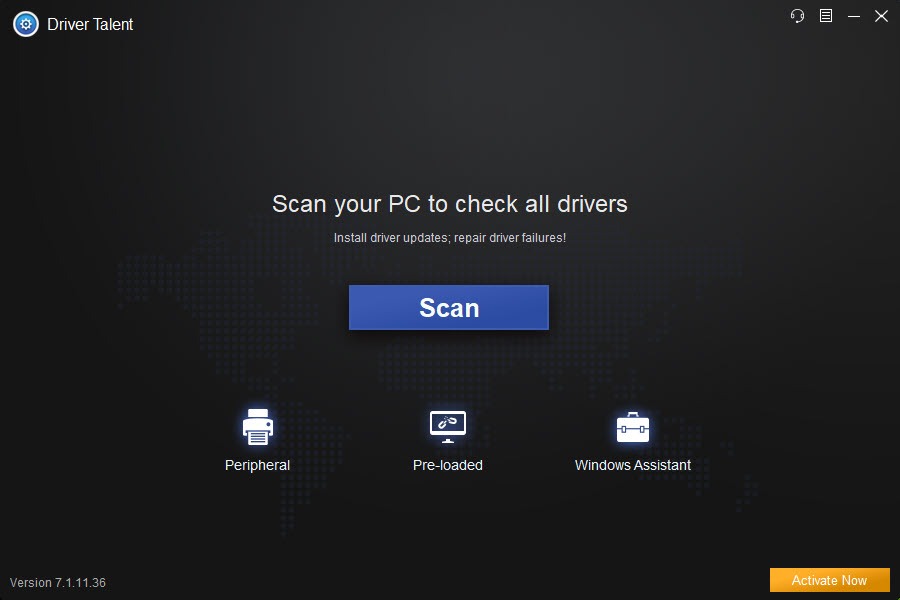
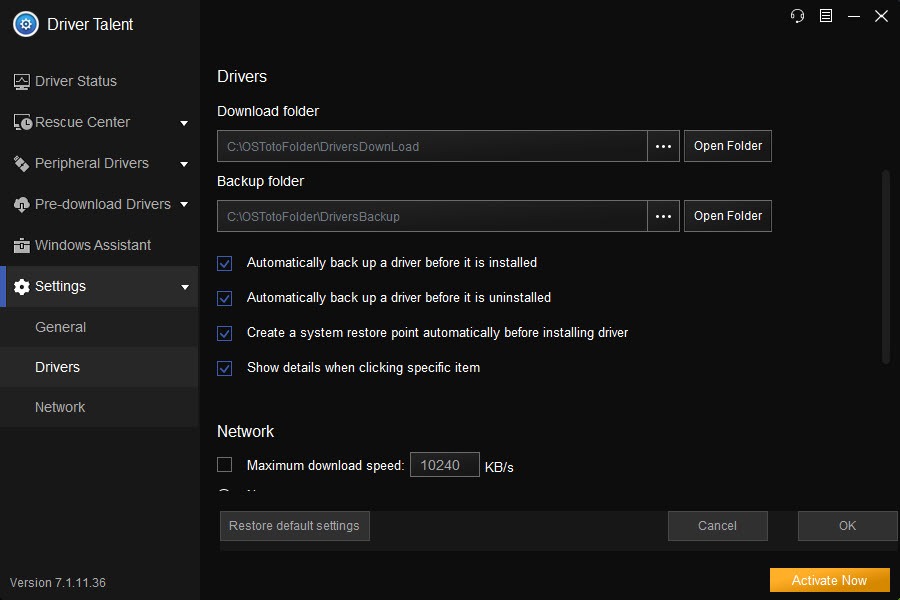
Driver Talent scans a computer for drivers that are missing, outdated, broken or mismatched, and offers to fix each one with a click. The scan runs on launch and lists every device with a status, a Download or Repair button beside the ones that need attention, and several versions of each driver to choose from rather than only the newest, which matters when the latest release of a graphics driver breaks something the previous one did not. Before it touches anything it backs the current driver up, and in the paid edition it also takes a system restore point, so the way back is always there.
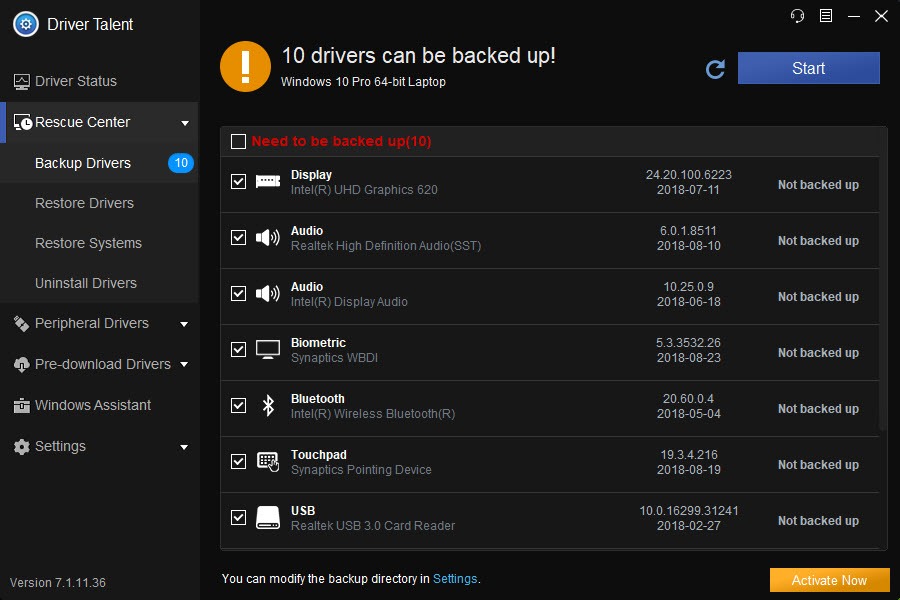
The second half of the program is management. A Rescue Center backs up every driver to a folder, restores them after a reinstall, and uninstalls a driver completely, removing the files the standard removal leaves behind so a clean reinstall actually starts clean. A pre-download feature fetches drivers in advance, for the machine you are on before a system change or for a different computer whose hardware you know, which is how a fresh installation on a machine with no working network adapter gets its drivers from a stick.
Driver Talent comes in a basic and a paid edition, with the feature line between them described below, and a separate edition built for network cards carries a driver library inside it for machines with no connection at all.
Scanning and choosing which version to install
Open Driver Talent and the Driver Status tab scans the hardware, reporting a list with the installed driver, its date and whether a newer or a corrected one exists. Each entry offers the recommended driver and a dropdown of alternatives, older stable releases included, and an option to set a driver as the one to keep so later scans stop nagging about it. Peripheral devices, printers, game components and the common runtimes appear in their own tabs, so a scan is not only the motherboard and the graphics card.
Downloads run inside the program, with installation following automatically or after a confirmation, and the drivers come from manufacturer sources with the certification flag shown. The basic edition scans and shows results, and the point at which it hands over to the paid one has moved between releases, so the current build’s own comparison is the thing to read before expecting a particular button to work. Treat the scan as the diagnosis and the button as a separate decision.
Backup, restore and the clean uninstall
The Rescue Center is the part that justifies installing even without ever updating a driver. Driver Talent Backup copies the installed drivers to a folder, all of them or a selection, which takes a minute and produces the one thing a reinstall of the system cannot do without. Restore puts them back, device by device or all at once, and the basic edition restores network drivers from that backup while the paid one restores the rest. Uninstall removes a driver and its leftovers completely, which is the fix for a graphics or audio driver that misbehaves after every ordinary update because fragments of the old one remain.
A hardware profile exports as a list, for a support ticket or for the pre-download feature on another machine. For a driver backup tool that packs everything into one self-running installer, Driver Genius does that trick, and the two overlap heavily on the backup side, with this one ahead on the clean uninstall and that one ahead on the single-file restore.
Pre-download, and the fresh-install problem
Reinstalling a system leaves a machine with no drivers, which is where Driver Talent earns its keep, and often no working network to fetch them, and that is the problem pre-download solves. On the machine you are about to wipe, the program downloads the drivers it will need afterwards and saves them to a folder, which goes onto a stick and comes back after the reinstall. For a different machine, export its hardware profile, load it here, download the matching drivers and carry them across.
The Driver Talent network card edition is the same idea with a library built in. It carries wired and wireless adapter drivers inside the installer, so it goes onto a stick, runs on the machine with no connection, installs the adapter, and from there the main edition fetches everything else.
Technicians keep it on the bench stick for that single moment, beside a driver installer that works offline from hardware IDs, and it is the feature that gives the program a reason to exist beside the many updaters that assume a working connection.
Where it stands beside the alternatives
Against Driver Booster, the most popular updater, this one offers a smaller published database and a less polished interface, and it answers with the pre-download and the offline network edition, which that tool lacks. Against the system’s update service and the hardware makers’ own utilities, which together cover most machines well enough, it offers a single view and a backup that neither gives, and it earns its place on a bench rather than on every desk.
Where it asks care
Driver updaters as a category deserve suspicion, and Driver Talent is no exception, since a driver that works is a driver to leave alone, and installing every update a tool offers causes more problems than it solves. The sensible use is a scan when something is wrong, a backup before any change, and the choice of a known stable version rather than the newest. The basic edition’s limits have shifted over time, so a feature that worked unpaid in one release may not in the next, and the interface prompts for the paid edition.
The installer has at times offered extra software, which the setup screens deserve reading for. None of that touches the backup and the pre-download, which are the reasons to keep it.
Conclusion
Driver Talent suits anyone who reinstalls systems and wants the drivers waiting on a stick, technicians who need a network adapter working on a machine with no connection, and users who want a backup of every driver before they touch anything. The pre-download and the network card edition are the features that set it apart, and the clean uninstall fixes the driver that never quite goes away.
It is less compelling as a routine updater, where the leading tool has the bigger database and the system’s own service does most of the work, and its basic edition is a moving target. Back up first, update only what is broken, prefer the stable version, and reach for it when the next reinstall is coming.
Pros & Cons
- Scan lists every driver with several versions to choose from, not only the newest
- Backs up the current driver before every change, with a restore point in the paid edition
- Complete uninstall removes driver leftovers for a clean reinstall
- Pre-download fetches drivers for this machine or another before a reinstall
- Network card edition installs adapter drivers on a machine with no connection
- Hardware profile export for support or for pre-downloading elsewhere
- Basic edition's limits have moved between releases and prompts for the paid one
- Smaller published driver database than the leading updater
- Installer has offered extra software at times
- Updating working drivers for the sake of it is a risk the tool does not discourage
Frequently asked questions
Yes, through pre-download, which saves drivers to a folder for a stick, and through the network card edition, which carries adapter drivers inside it to get the connection working first.
Yes. The current driver is backed up before every install, and the paid edition also creates a system restore point.
Yes. Each device offers the recommended driver and a dropdown of alternatives, including earlier stable releases, with an option to keep a chosen one.
Scanning, backup, uninstall and the restore of network drivers from backup. The line to the paid edition has moved between releases, so check the current build's comparison.


I have been using this for a year. It has been helpful.