

dnSpy
About dnSpy
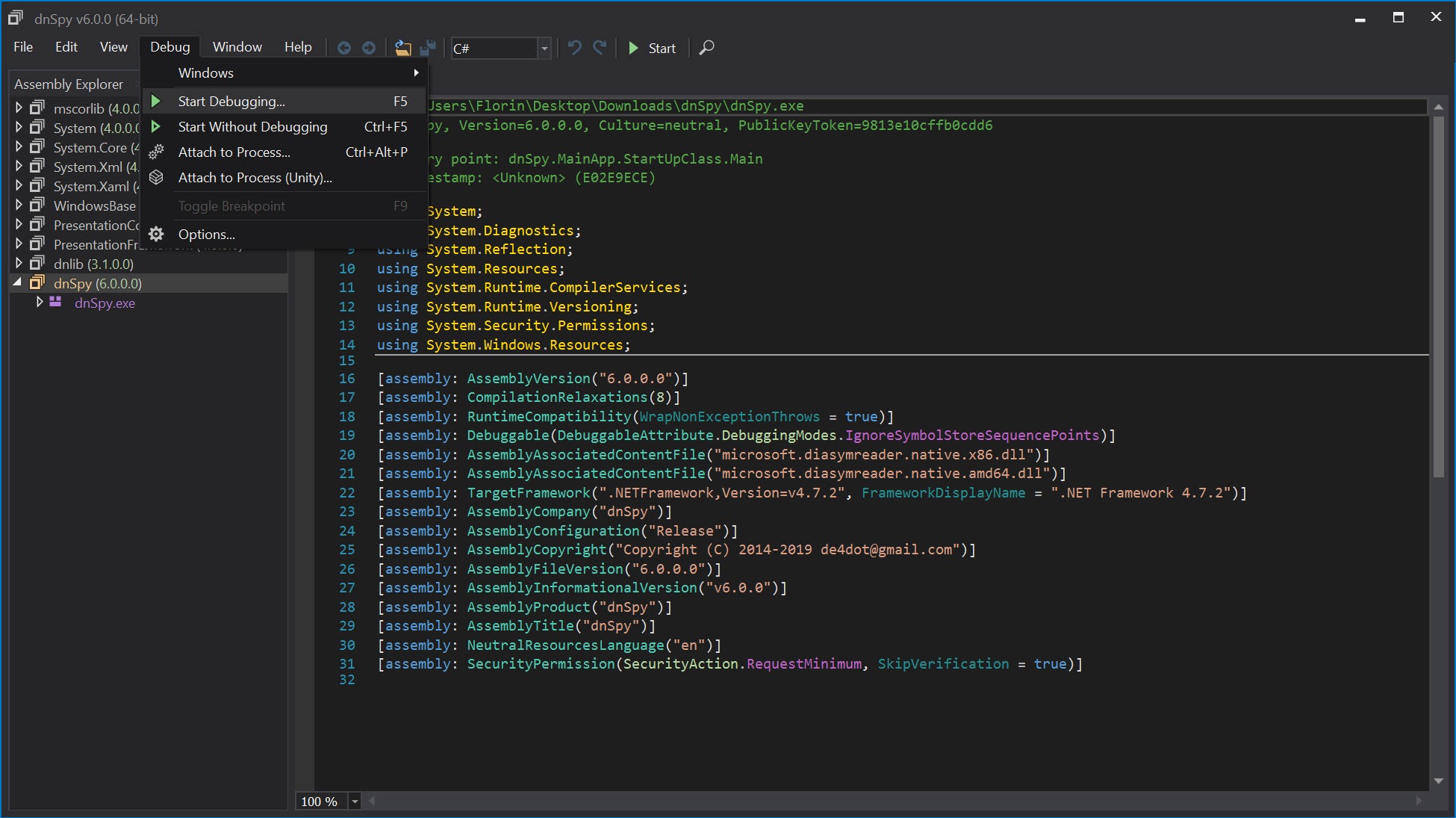
dnSpy is a .NET debugger, decompiler, and assembly editor that lets you take any compiled .NET application (DLL or EXE) and not only see what it actually does at the source level but also modify the running code without rebuilding from source. The decompiler reverses compiled .NET assemblies back to readable C# or Visual Basic source code that closely resembles what the original developer wrote.
The debugger steps through the decompiled code as if you had the original Visual Studio project, with breakpoints, watches, locals inspection, and call stack views all working against assemblies you don’t have source code for. The assembly editor lets you modify the decompiled code, save changes, and run the modified version, with the application handling the IL (Intermediate Language) recompilation behind the scenes.
The combination is unusual enough to be worth pausing on. Most decompilers (ILSpy, JetBrains dotPeek, Telerik JustDecompile) show you what compiled code looks like as source. Most debuggers (Visual Studio, WinDbg) need source code or symbol files to be useful. Few tools combine both into one application, and even fewer let you edit the decompiled code with on-the-fly recompilation.
The result is a tool that handles scenarios other tools struggle with, including reverse engineering closed-source applications, debugging production crashes when you don’t have the original development environment, modifying Unity game assemblies for mods, and analyzing malware written in .NET languages.
The original project by 0xd4d was archived in 2020, with the active development continuing through community forks led by dnSpyEx, which adds support for newer .NET versions and various improvements while maintaining the same fundamental capabilities. Both versions remain free under their respective open-source licenses.
The decompiler and what it actually produces
The decompiler reads compiled .NET assemblies and reconstructs source code that resembles what the original developer wrote. Unlike disassemblers that show you the underlying assembly instructions or IL listings that show low-level intermediate code, the output here is high-level C# or VB.NET that’s readable like normal source code. Variable names that the compiler optimized away get reasonable placeholder names. Control flow structures (loops, conditionals, exception handling) get reconstructed into the high-level syntax rather than appearing as low-level branch instructions.
The reconstruction quality varies based on what the original code looked like. Code compiled with debug information produces better decompilation results because variable names and other context survive into the compiled assembly. Code compiled with release optimizations produces less readable output because the compiler may have inlined methods, restructured control flow, and removed information that makes reconstruction cleaner.
Obfuscated assemblies (where the original developer applied tools to deliberately make decompilation harder) produce the worst results, with method names becoming meaningless single letters and control flow getting tangled in ways the decompiler can’t always cleanly reverse.
For typical commercial .NET applications, the decompiler output is readable enough to understand what the code does even when individual variable names aren’t optimal. Logic flow, method relationships, and class structures all come through clearly.
Reading decompiled code feels different from reading original source (you notice the placeholder names, the occasional unusual structure), but the comprehension is functional rather than just possible.
Assembly editing and the on-the-fly recompilation
The editing capability is what genuinely separates this software from pure decompilers. After the decompiler produces readable source, you can modify that source through the integrated editor (which has syntax highlighting and IntelliSense-style assistance). When you save changes, the application recompiles the modified source back to IL, replaces the original method’s IL in the loaded assembly, and the modified code is now what runs.
The practical applications get interesting quickly. Patch a bug in a production application without rebuilding from source. Add logging statements to a method that’s behaving unexpectedly to understand what’s happening at runtime. Modify validation logic to bypass restrictions during testing or analysis. Inject custom behavior into existing applications without modifying the original developer’s source repository.
The recompilation works at the method level, which means you can modify individual methods without affecting the rest of the assembly. Edit method A, save changes, and only method A’s IL changes in the loaded assembly. Other methods continue running their original code. This granularity matters for substantial assemblies where you want surgical modifications rather than wholesale changes.
The trade-off is that the modified code has to fit within the constraints of what valid IL allows. Adding new fields or methods to existing classes works in some scenarios but produces issues in others depending on how the assembly’s metadata interacts with the changes. For complex modifications, working at the IL level directly (which the application also supports) sometimes produces more reliable results than relying on C# recompilation.
The built-in debugger
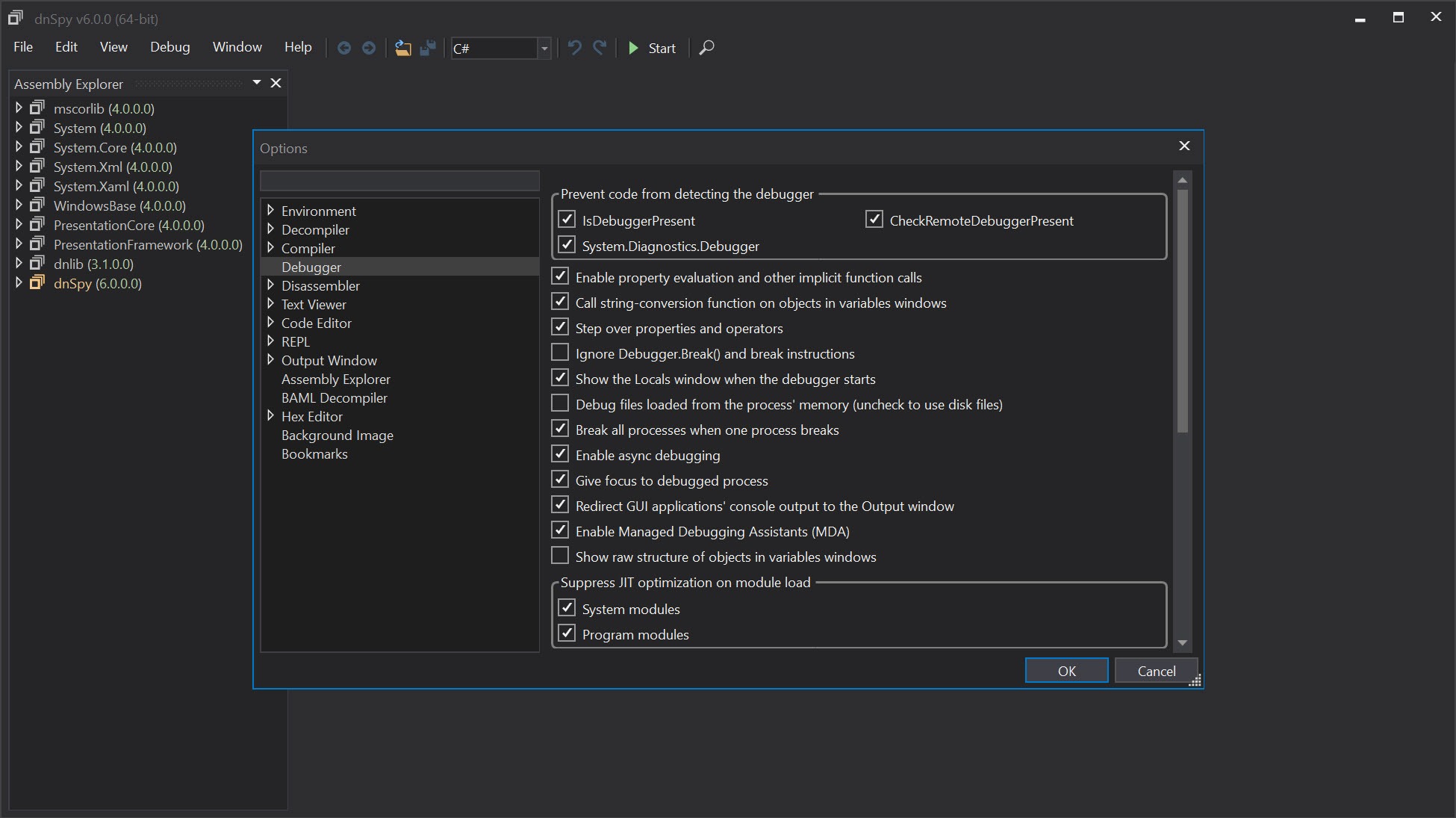
The debugger handles .NET applications including ones without source code or symbol files. Attach to a running .NET process, or start a .NET application under the debugger’s control, and the application’s code becomes inspectable at the same level you’d get with full source-and-symbols access in Visual Studio. Breakpoints set in decompiled source get hit when the application reaches the corresponding compiled IL. Variable values appear in watch windows. Call stacks show the chain of method invocations.
For developers debugging production issues where the deployed application doesn’t include debug symbols, this capability is genuinely valuable. Standard debuggers either refuse to work without symbols or produce limited information when they do. The application’s approach of decompiling the running code on the fly produces useful debugging context regardless of whether the original developer included debug information.
The debugger supports the standard debugging operations including step into, step over, step out, run to cursor, and various others. Conditional breakpoints fire only when specific expressions evaluate to true.
Tracepoints log information without stopping execution, useful for tracing application behavior without modifying the code itself. Module-level controls let you debug specific assemblies while ignoring others, useful when you only care about one part of a complex application.
For .NET Framework, .NET Core, and .NET 5+ applications, the debugger handles the runtime version differences automatically. Mono and Unity applications work through their respective .NET runtime implementations, with the debugger adjusting its behavior to match what each runtime exposes.
The cross-runtime support matters because .NET applications today run across substantially different runtime implementations, and debugging tools that only handle one runtime version produce gaps for users working across multiple platforms.
Assembly Explorer and module-level browsing
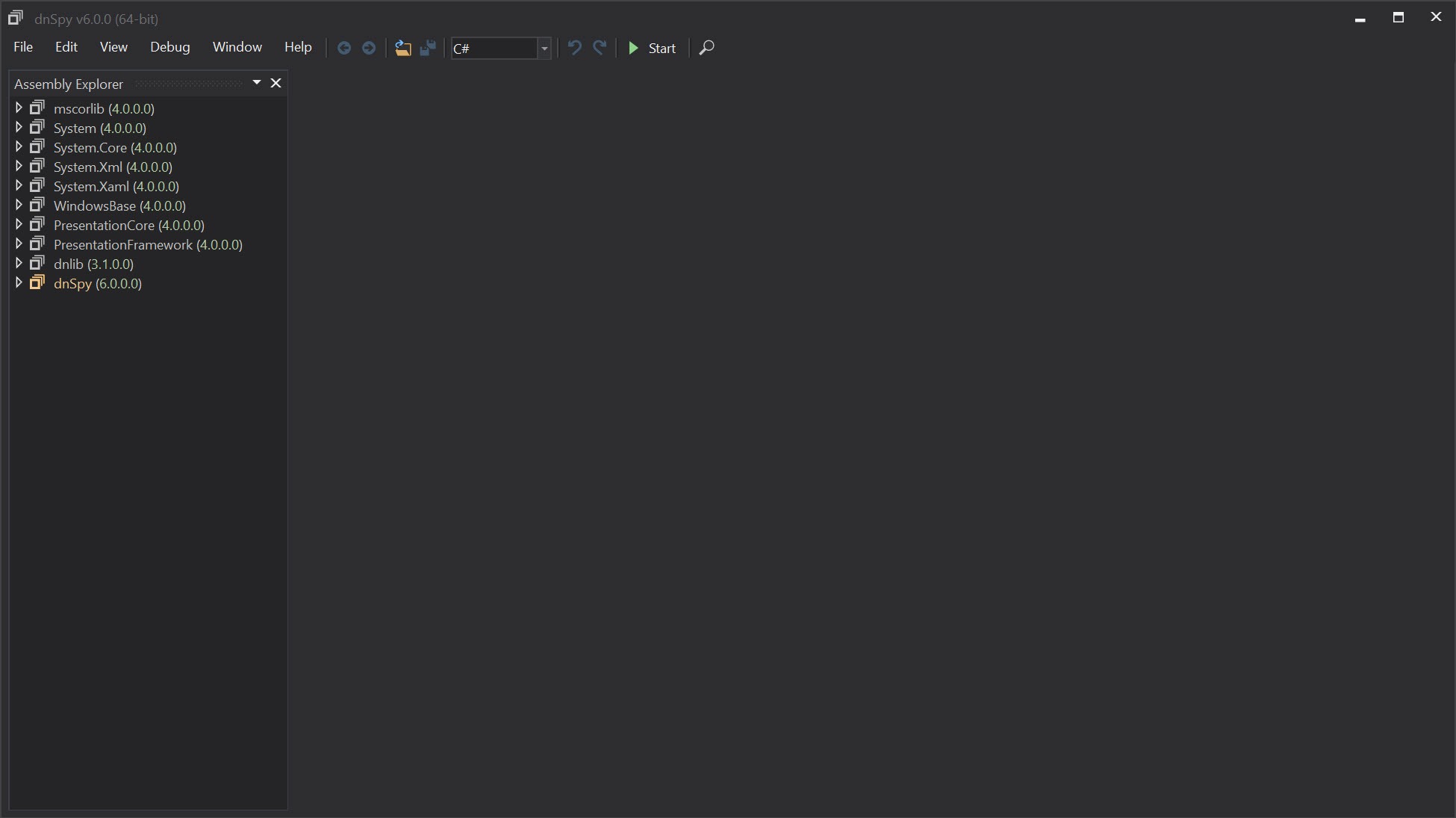
The Assembly Explorer panel shows loaded assemblies as a hierarchical tree. Each assembly contains modules, each module contains namespaces, each namespace contains types (classes, interfaces, structs, enums), each type contains members (methods, properties, fields, events). Navigate down the hierarchy to find specific code, or use the search function to locate types or members by name across all loaded assemblies.
For users investigating large applications with hundreds of assemblies and thousands of types, the Explorer’s organization makes navigation manageable. The hierarchical view matches how .NET assemblies are actually structured, which means understanding the navigation matches understanding the code organization. Click any type to see its decompiled source. Click any method to jump directly to that method’s code.
The cross-reference functionality finds every place that references a specific type or member. Right-click a method and choose Find Usages, and the application returns every other method that calls it. For understanding how parts of a complex application connect, these cross-references produce navigation paths that pure decompilation alone doesn’t surface.
The search supports both simple name matching and regex patterns for more sophisticated queries. Find every method named “Process” across the entire application. Find every type whose name matches a specific pattern. Find every string literal containing specific text. The search options cover the practical investigation scenarios that arise during reverse engineering or code review work.
Hex editor for lower-level inspection
The integrated hex editor provides byte-level access to assemblies for users who need to work below the level the high-level decompiler exposes. View the raw bytes of any module. Examine the PE header structure that wraps the .NET content. Inspect the metadata streams that the .NET runtime uses internally. Modify specific bytes for unusual scenarios that the high-level editor doesn’t address.
For most users, the hex editor is something they rarely need. The decompiler and assembly editor handle the typical scenarios, with the hex view being useful only when working at the metadata level or dealing with unusual assembly structures. For users doing deep reverse engineering work or investigating malformed assemblies, the hex editor provides the access that high-level tools alone don’t offer.
The hex view ties back to the higher-level views through cross-references. View a method in the decompiler, switch to hex view, and the cursor lands on the byte range that contains that method’s IL. The integration matters because it lets users move between abstraction levels without losing their place in the assembly being analyzed.
Use in Unity game modding
Unity games are built on the Mono runtime and ship as .NET assemblies, which makes them accessible to dnSpy and the community of modders who use it. Open a Unity game’s Assembly-CSharp.dll file (which contains the game’s compiled scripts), and you can read the game’s logic, modify behaviors, add features, or change values that the developer didn’t expose through normal mod APIs.
For games without official mod support, this approach is often the only practical way to add modifications. Edit the compiled assembly directly to change how systems work. Add new functionality by modifying existing methods or injecting custom code. Save the modified assembly back to the game’s installation folder, and the next time the game runs, your modifications are active.
The community of Unity game modders has built substantial tooling around this software, including mod loader frameworks (BepInEx, MelonLoader) that integrate with the assembly modification approach. For users who want to modify Unity games without learning the full reverse engineering workflow, these mod loader tools simplify the process while still using dnSpy as the underlying engine for understanding and modifying game code.
The same approach works for Unity engine code itself. The Mono runtime DLLs that ship with Unity games can be examined and modified through the same workflow, useful for investigating engine behavior or implementing low-level modifications that affect how the engine itself operates.
Use in malware analysis
The malware analysis use case has been a substantial application area for years. Malware written in .NET languages presents a specific reverse engineering challenge that dnSpy handles well. The decompilation produces readable code showing what the malware actually does, the debugger lets analysts step through suspicious behavior in controlled environments, and the assembly editor enables analysts to modify samples for testing specific scenarios.
For security researchers investigating .NET malware, the combination of capabilities matches what their work actually requires. Static analysis through the decompiler reveals the malware’s structure and apparent behavior. Dynamic analysis through the debugger reveals what actually happens when the code runs, including any anti-analysis tricks the malware uses. Modification through the editor lets researchers neutralize specific behaviors to study other parts of the sample without triggering the parts they want to disable.
The same capabilities that make the application useful for legitimate analysis also make it useful for malicious purposes. Attackers have used the application to study security software for vulnerabilities, modify legitimate applications to add malicious behavior, and analyze targeted systems’ deployed software for attack opportunities.
The dual-use nature is inherent to reverse engineering tools generally rather than being specific to this software.
The original project versus dnSpyEx
The development history is worth understanding because it affects what users encounter today. The original dnSpy project by developer 0xd4d was extremely popular for years, accumulating substantial features and community goodwill. In late 2020, the developer archived the original repository and stopped active development without a public explanation, leaving the project in a state where it worked for current scenarios but wouldn’t keep up with new .NET versions.
The community responded with multiple forks. dnSpyEx emerged as the most actively-developed continuation, adding support for newer .NET versions (.NET 6, 7, 8, 9), incorporating community contributions, and fixing bugs that affected the original. The fork maintains the same fundamental architecture and most of the same code, with changes focused on keeping the application current with .NET ecosystem evolution.
For users today, the choice between original and dnSpyEx is mostly about what .NET versions you need to handle. For older .NET applications and Unity games using older Mono versions, the original works fine. For newer .NET applications including current .NET 9 code, dnSpyEx is necessary because the original doesn’t support the newer assemblies. Most users gradually migrate to dnSpyEx as their work involves more current .NET code.
Plugins and extensibility
The application supports plugins that extend its functionality beyond the built-in capabilities. Community plugins cover scenarios like deobfuscating assemblies that use specific commercial obfuscation tools, integrating with specific reverse engineering workflows, adding output formats the base application doesn’t support, and various other specialized capabilities.
For users with specific workflows that the base application doesn’t fully address, the plugin system provides extensibility without requiring forks of the application itself. The plugin API exposes substantial portions of the application’s functionality, which means plugins can implement sophisticated behavior rather than being limited to surface-level customization.
The plugin ecosystem isn’t as large as some other reverse engineering tools have accumulated, but the available plugins cover most common needs. For users with very specific requirements that no existing plugin addresses, writing custom plugins is feasible for developers comfortable with .NET development.
Considerations and limitations
The original project’s archival created uncertainty that affected user trust. The community forks have continued development reliably, but the original developer’s silence and the lack of transparent ownership of the project caused some users to look for alternatives. For users who specifically want actively-developed software with clear governance, the situation isn’t ideal even though dnSpyEx works fine for the current technical scenarios.
Obfuscated assemblies produce frustrating results. Modern .NET obfuscators (commercial tools used to deliberately make decompilation harder) can produce assemblies where the decompiler output is essentially unreadable. Method names become single letters or random strings. Control flow gets restructured to confuse decompilation algorithms. String literals get encrypted at the bytecode level. For users dealing with heavily obfuscated code, the application alone is sometimes insufficient, with deobfuscation tools needed before useful decompilation is possible.
The IL-level edits that work for simple modifications can produce subtle issues for complex changes. Modifying a method to call a method that doesn’t exist works at the IL level but fails at runtime. Adding fields to types that are serialized produces compatibility issues with previously-serialized data. Changes that affect type hierarchies sometimes break in unexpected ways. For substantial modifications, testing thoroughly catches issues before they cause problems in production scenarios.
Some specific .NET features remain incompletely supported. Generic types with complex constraints sometimes decompile imperfectly. Async methods with elaborate state machines produce readable but not always intuitive code. Expression trees and dynamic features can produce decompilation that’s technically correct but harder to read than typical code. The application handles the bulk of typical .NET code well, with edge cases occasionally producing rough output.
The application has been targeted by malicious distribution campaigns where attackers create fake versions containing malware. Users encountering this software through unfamiliar sources should verify what they’re actually running before trusting it with sensitive analysis work. The legitimate versions from the original repository or active forks are safe, with the issue being entirely about distribution rather than the software itself.
Conclusion
For reverse engineers, malware analysts, security researchers, Unity game modders, and developers troubleshooting .NET applications without source code, dnSpy delivers a combination of capabilities that no other free tool fully matches. The decompiler produces readable source from compiled assemblies, the debugger handles applications without symbols or source, and the assembly editor with on-the-fly recompilation enables modifications that pure decompilers and pure debuggers can’t support.
Active development through dnSpyEx keeps the application current with .NET ecosystem evolution, providing a reliable tool for current work despite the original project’s archival.
The reasons to consider alternatives are mostly about specific scenarios. Users who only need decompilation find ILSpy or dotPeek serving the use case adequately without the additional complexity. Users dealing with heavily obfuscated code need deobfuscation tools alongside whatever decompiler they choose. Users who want commercial support and integrated tooling benefit from JetBrains products that include dotPeek alongside their broader ecosystem.
Users who want to avoid the uncertainty around the original project’s archival may prefer alternatives with clearer development governance. But for users whose work specifically benefits from combined decompilation, debugging, and editing of .NET code, this software remains the practical standard, with capabilities that genuinely don’t exist in alternative tools at any price point.
Pros & Cons
- Decompiles .NET assemblies to readable C# or VB.NET source
- Built-in debugger works with assemblies that don't have source code or symbols
- Assembly editor with on-the-fly IL recompilation enables runtime code modification
- Assembly Explorer organizes loaded assemblies into navigable hierarchy
- Cross-reference search finds usages of types and members across loaded code
- Integrated hex editor for byte-level inspection when needed
- Compatible with .NET Framework, .NET Core, .NET 5+, Mono, and Unity assemblies
- Plugin system supports community extensions for specialized workflows
- Active development continues through community forks like dnSpyEx
- Free under open-source license without commercial restrictions
- Original project archived in 2020 with development continuing only through community forks
- Heavily obfuscated assemblies produce decompilation output that's difficult to read
- Newer .NET versions require dnSpyEx rather than the original project
- IL-level edits can produce subtle runtime issues that aren't obvious during editing
- Has been targeted by malicious distribution campaigns through fake versions
- Some .NET features (generics with complex constraints, async state machines) decompile imperfectly
Frequently asked questions
This software is a .NET debugger, decompiler, and assembly editor combined into one application. It reverses compiled .NET assemblies (DLL and EXE files) to readable C# or VB.NET source code, debugs running .NET applications without requiring source code or symbols, and lets users modify the decompiled code with on-the-fly IL recompilation that produces working modified assemblies. The original project by 0xd4d was archived in 2020, with active development continuing through community forks led by dnSpyEx.
The application handles three main capabilities. The decompiler reads .NET assemblies and produces high-level source code that resembles the original. The debugger attaches to running .NET processes and provides full breakpoint, stepping, and inspection capabilities even without source or symbols. The assembly editor lets users modify decompiled source code, with the application recompiling changes back to IL and patching the loaded assembly so modified code runs immediately.
Common use cases include reverse engineering closed-source .NET applications to understand how they work, debugging production crashes when the deployed application lacks debug information, modifying Unity game assemblies for mods, analyzing malware written in .NET languages, patching bugs in legacy applications without rebuilding from source, and adding logging or diagnostic code to existing applications for troubleshooting. Each use case combines some subset of the decompilation, debugging, and editing capabilities.
dnSpyEx is the active community fork that continued development after the original project was archived in late 2020. It adds support for newer .NET versions (.NET 6, 7, 8, 9), incorporates community contributions, and fixes bugs that affected the original. The fork maintains the same fundamental architecture and capabilities, with changes focused on keeping the application current with .NET ecosystem evolution. For users working with current .NET code, dnSpyEx is generally the appropriate choice over the original archived project.
The application reads compiled .NET assemblies through the standard metadata format that all .NET assemblies share. The decompilation engine analyzes the IL (Intermediate Language) bytecode and the metadata that describes types, methods, and other structures, then reconstructs higher-level source code. The debugger uses the .NET runtime's debugging APIs to attach to running processes. The editor recompiles modified source code back to IL using the same compilation process the original developer's compiler used.
ILSpy is a pure decompiler that shows decompiled source without the debugging or editing capabilities this software provides. For users who only need decompilation, ILSpy is lighter and serves the use case adequately. dnSpy adds debugging and editing on top of the decompilation, which produces a more capable tool for users who need those capabilities. The decompilation quality is broadly similar between the two because they share substantial code through the ICSharpCode decompiler library that both build on.
dotPeek is JetBrains' .NET decompiler, which integrates with their broader development tool ecosystem. It produces good decompilation results with a polished interface and integrates with ReSharper for users in that ecosystem. dnSpy offers the editing and debugging capabilities that dotPeek doesn't provide, which is the central differentiator. For users who only need decompilation and prefer the JetBrains tooling experience, dotPeek is appropriate. For users who need editing and debugging alongside decompilation, this software covers more ground.
The assembly editor lets users modify the decompiled source code of a .NET assembly, with the application recompiling changes back to IL and replacing the original method's IL in the loaded assembly. Common applications include patching bugs in production code without rebuilding from source, adding logging or instrumentation to existing applications for diagnostics, modifying behavior for testing or analysis purposes, and creating modifications to existing applications when source code isn't available or practical to rebuild.
Heavily obfuscated assemblies produce poor decompilation output because obfuscators deliberately restructure the compiled code to confuse decompilation algorithms. Method and variable names become meaningless. Control flow gets tangled. String literals get encrypted. For these scenarios, the application alone is often insufficient, with deobfuscation tools (de4dot and similar) needed before useful decompilation is possible. Less aggressive obfuscation may produce output that's readable but more difficult than unobfuscated code.
Yes, this is one of the more popular use cases. Unity games ship as .NET assemblies (typically Assembly-CSharp.dll containing the game's compiled scripts), which the application can decompile, debug, and modify. Combined with mod loader frameworks like BepInEx or MelonLoader, the application provides the foundation for substantial Unity game modifications. The same approach works for Unity engine code itself for users who want to modify how the engine operates rather than just the game scripts.


