

DJUCED
About DJUCED
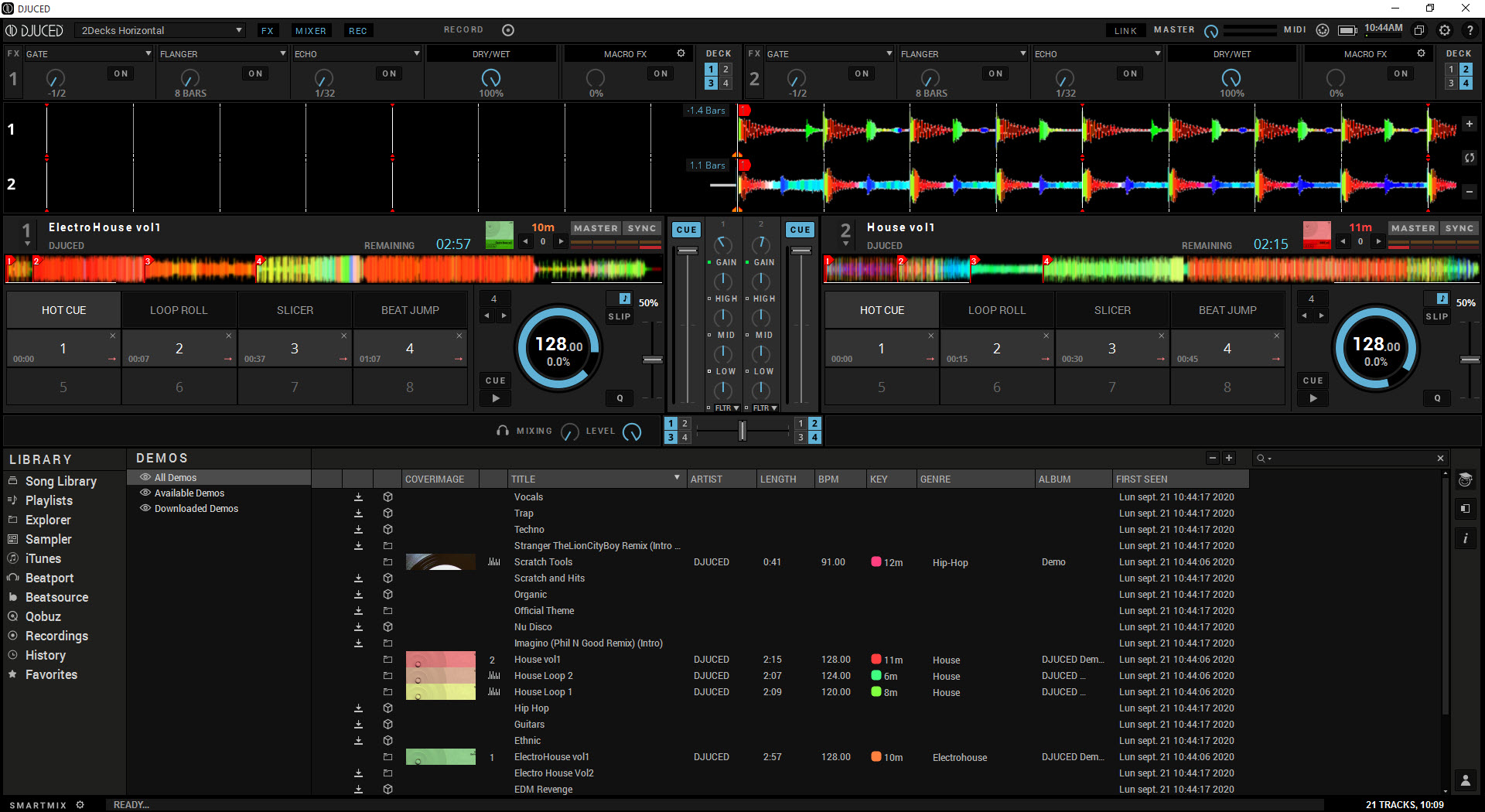
DJUCED is a free DJ software that ships from Hercules and runs on essentially any DJ controller you’d plug into your computer. The application gives you two or four virtual decks with full waveform displays, BPM detection and beatgrid analysis, hot cues, loops, samplers, effects, and a mixer section that mirrors the layout of physical DJ hardware.
Drop your music library into the browser panel, drag tracks onto decks, and you’re mixing within minutes. The interface is built to teach beginners while staying capable enough that intermediate DJs don’t outgrow it after their first few sets.
What separates this from its competitors is the combination of price (free for the standard version), hardware compatibility (works with controllers from Hercules, Pioneer DJ, Numark, Reloop, Roland, Denon DJ, and various others rather than locking to one brand), and the integrated DJ Academy learning system that walks new users through actual mixing techniques rather than just feature menus.
The free tier covers core mixing capabilities. DJUCED PRO adds professional features including VST plugin support, stem separation for isolating vocals and instrumentals from any track, advanced effects routing, and various other capabilities that match what paid alternatives like Serato DJ Pro and Rekordbox offer at substantially higher subscription prices.
Two and four deck mixing with full waveform display
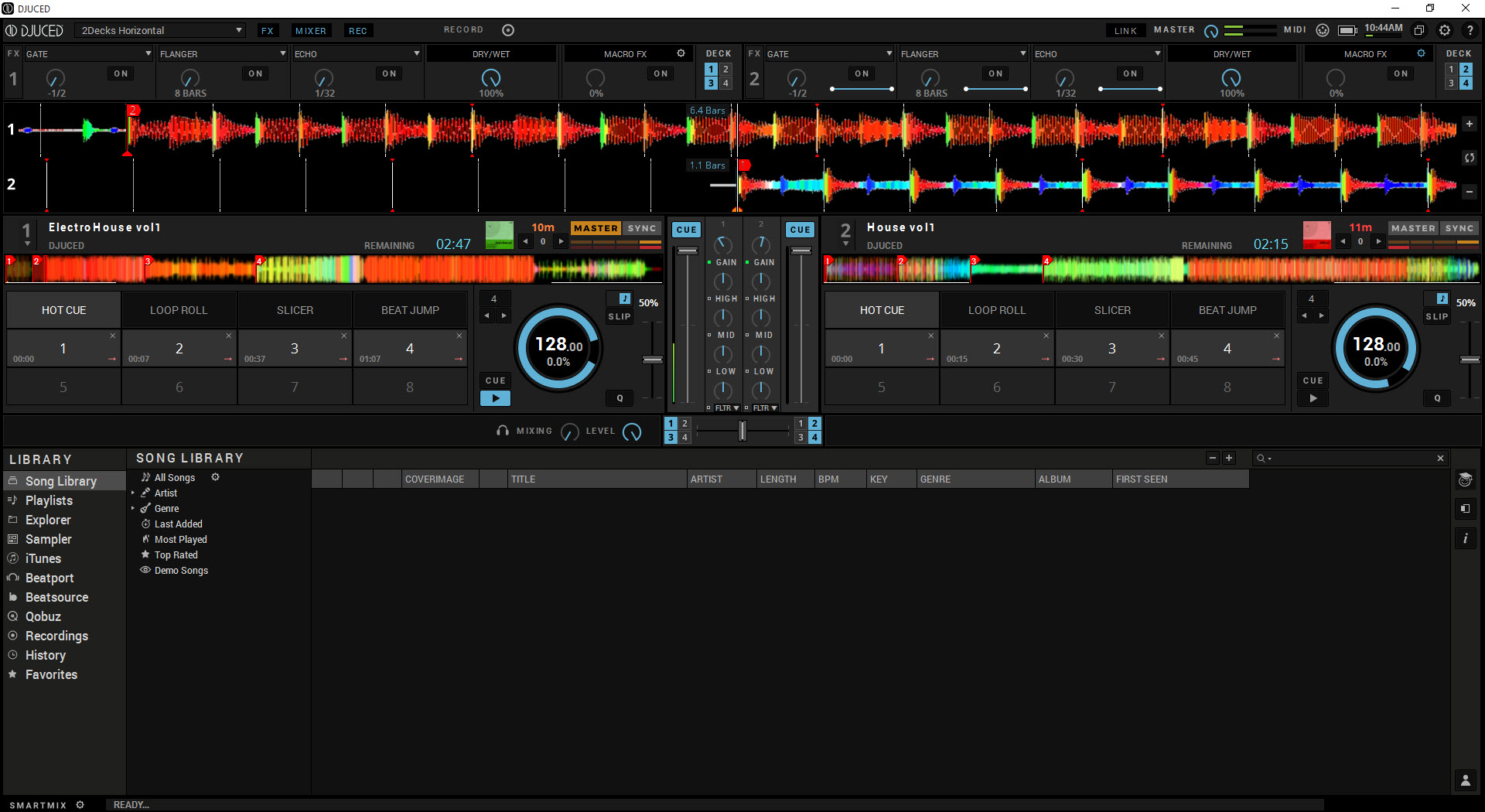
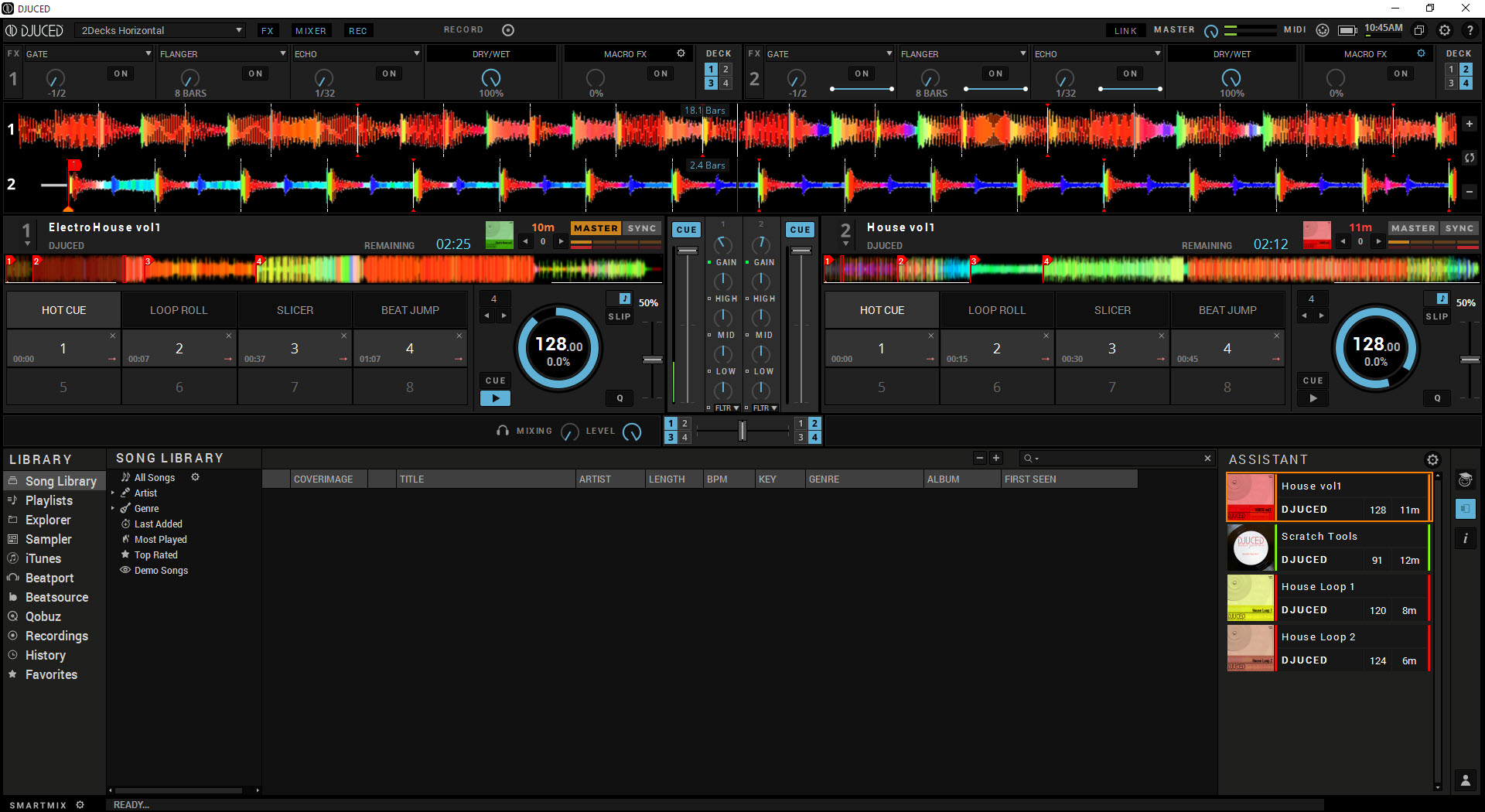
The main interface is built around the two-deck and four-deck mixing layouts standard in DJ software. The two-deck mode shows full-size waveforms for both tracks, optimal for new users learning to beatmatch and transition. The four-deck mode adds two more decks for users running more complex setups, useful for layering tracks, doing remixes on the fly, or running a four-deck physical controller that exposes all four decks through hardware controls.
The waveform display itself is more useful than it sounds at first. Each track shows up as a colored visualization with low frequencies, mid frequencies, and highs displayed as separate color bands.
You can see the structure of a track at a glance: the breakdown sections, the buildup, the drops, the outro. For DJs preparing transitions, this visual structure tells you exactly where the energy peaks and valleys are without needing to listen all the way through.
The beatgrid overlay shows where the application has identified beat positions, with vertical lines aligned to the actual beats in the track. When two tracks are loaded with their beatgrids matched, you can see them lined up visually as well as hear them aligned.
For learning to beatmatch, having the visual reference alongside the audio shortens the learning curve substantially compared to working purely by ear.
BPM detection and the sync workflow
Automatic BPM analysis runs when you import tracks, calculating the tempo of each track and storing it in the library. The detection is generally accurate for clean electronic music with consistent tempos and works well for most pop, dance, and house tracks. For genres with more variable tempos (live recordings, certain rock and jazz), the detection sometimes produces values that need manual correction.
The Sync function locks two decks to the same tempo automatically, which removes the manual beatmatching work that traditional DJing required. Press Sync, and the second deck adjusts its tempo and beat alignment to match the first deck.
For beginners, this is the difference between being able to mix at all versus being completely lost in your first session. For experienced DJs, Sync handles the mechanical work and frees attention for higher-level decisions about track selection and energy management.
The application supports manual beatmatching too, with the pitch faders, jog wheels, and tempo controls working exactly as they would on physical equipment. Users who want to learn traditional DJ skills without the safety net can ignore the Sync button entirely. Users who want efficiency rather than manual challenge can lean on automatic synchronization. The workflow accommodates both approaches without forcing one or the other.
Hot cues, loops, and the sampler
Hot cues let you mark specific points in a track for instant recall during mixing. Set a cue at the start of a vocal, the drop, or any other meaningful point, and the cue button jumps the playhead back to that exact position whenever you press it. For creative mixing where you’re juggling multiple tracks and recalling specific moments, hot cues are essential rather than optional.
The looping system supports automatic loops at standard musical lengths (1 beat, 2 beats, 4 beats, 8 beats, etc.) and manual loops where you set the in and out points yourself. Loop manipulation in real time lets you extend a section of a track for as long as you want, useful both for transitioning between tracks and for creating live remixes.
The auto-loop sizes follow musical structure, which means loops you create automatically respect the underlying beat structure rather than producing weird off-beat results.
The sampler holds short audio clips you can trigger during a mix. Drum hits, vocal samples, sound effects, anything you want to layer over your mixing. The standard configuration provides several sample slots accessible through dedicated buttons, with the ability to load your own samples or use the included content.
For DJs who want to add live remix elements rather than just transitioning between full tracks, the sampler turns the experience into something closer to live music production.
Effects and the FX section
The built-in effects rack includes the standard DJ effects: filters, echoes, reverbs, flangers, phasers, and various others. Effects can be applied to individual decks or to the master output, with parameters adjustable in real time through dedicated controls.
The implementation is solid rather than spectacular, matching what other DJ software offers in the same price range without trying to compete with dedicated effects plugins from companies like Native Instruments or Output.
For users wanting more sophisticated effects processing, DJUCED PRO adds VST plugin support, which means you can load any VST-compatible effects plugin into the FX rack. Suddenly you have access to thousands of professional effects from third-party developers, including the same ones used in studio production. For DJs who want their live sets to incorporate more sophisticated sound design, this VST support fills a gap that the free tier doesn’t address.
The effects routing in PRO also supports more complex configurations than the basic version, including parallel effects chains, send/return routing, and various other patterns familiar from studio mixing.
Whether you need this depth depends on whether your DJing is closer to traditional track-blending or closer to live remix performance. Most users do fine with the standard effects. Users pushing the creative envelope benefit from the PRO additions.
Streaming integration with Beatport, Beatsource, TIDAL, and Qobuz
The application includes built-in streaming integration with Beatport (the dance music store), Beatsource (focused on DJs across genres), TIDAL (high-fidelity streaming), Qobuz (high-resolution audio streaming), and SoundCloud Go+. Sign in with your account on any of these services, and their full catalogs become browseable directly within the application’s library panel. Drag a track from the streaming source onto a deck, and it loads and plays just like a local file.
The streaming integration matters substantially for DJs without enormous personal music libraries. Instead of needing to purchase or download every track you might want to play, you can pull from millions of tracks across the integrated services as needed.
For genres like dance music where Beatport is essentially the standard catalog, this integration provides immediate access to the same tracks that professional DJs are playing.
Spotify is notably absent from the integration list. Spotify ended its DJ app integration partnership across the industry in 2020, removing access for DJUCED along with Serato, Traktor, and other DJ software simultaneously. The change affected the entire DJ industry rather than this software specifically.
Users wanting Spotify-style streaming access for DJing need to use one of the integrated alternatives or maintain a local music library.
Stem separation in DJUCED PRO
Stem separation is one of the more impressive recent additions to DJUCED PRO. The technology uses AI models to separate any track into its component stems (vocals, drums, bass, melody/other) in real time during playback. You can then mute, solo, or process each stem independently, which opens creative possibilities that weren’t practical without the original multi-track recordings.
The practical applications get interesting quickly. Pull the vocals from one track and lay them over the instrumental of another. Mute the drums from a track during a transition while keeping the harmonic content intact.
Solo just the bass line for a specific transition technique. Create live mashups in real time with stem-level control rather than full-track mixing.
The quality of stem separation depends on the source material. Modern productions with clean stems separate cleanly, while heavily compressed or older recordings produce more artifacts. Real-time processing also has computational costs, with stem separation running smoothly on modern hardware but potentially struggling on older systems.
Users with capable hardware get a feature that significantly expands creative possibilities. Users with older systems may find the feature less reliable.
Hardware controller compatibility
The hardware compatibility list extends well beyond Hercules’ own controllers, despite the application coming from Hercules. Pioneer DJ controllers including the DDJ-FLX series, DDJ-400, DDJ-SB3, and various others map natively without configuration. Numark controllers, Reloop controllers, Denon DJ controllers, Roland DJ controllers all work through built-in mapping support. For users who already own a controller from another brand, this software works with their existing hardware rather than requiring a Hercules purchase.
The MIDI mapping system handles controllers that aren’t pre-mapped, letting you assign physical knobs, faders, and buttons to specific software functions through a learn-mode interface.
For unusual or custom controllers, this means you can still get hardware control even when no native mapping exists. The mapping editor isn’t as polished as some competitors offer, but it covers the practical scenarios.
For users without any DJ controller, the application works entirely through keyboard and mouse, though the experience is substantially less satisfying than working with physical hardware.
DJ software is fundamentally designed around physical controls, with the mouse-only experience being more useful for learning the interface and practicing track selection than for actual performance mixing.
DJ Academy and the learning system
The integrated DJ Academy is a structured learning system that walks new users through actual DJ techniques. Tutorials cover beat-matching, track selection, transition techniques, EQ usage, FX application, and various other skills, with each lesson combining instructional content with practical exercises you complete inside the application.
For complete beginners, this learning integration matters substantially. Most DJ software assumes you know what you’re doing and provides reference documentation rather than instruction. DJUCED‘s approach treats teaching as part of the product rather than something users need to figure out elsewhere through YouTube tutorials and trial and error.
The Academy doesn’t replace formal DJ training or hands-on practice, but it provides a structured starting point that other DJ software doesn’t offer.
The lessons are paced appropriately for actual learning, with progression that builds on earlier concepts rather than throwing everything at you at once. Users who complete the basic tutorial sequence have working knowledge of how to mix tracks competently, which is more than can be said for users who download other DJ software and try to figure it out from the interface alone.
Recording your mix
The application includes built-in recording functionality that captures whatever the master output is producing. Click record before you start mixing, work through your set, click stop when you’re done, and the recording saves as a WAV or MP3 file you can listen to or share. The implementation is straightforward and produces files at standard quality without requiring any audio interface configuration.
For DJs building their portfolios, getting feedback on practice sessions, or sharing live sets with friends, this recording capability eliminates the need for separate recording software. The captured audio includes everything you did during the session, with the same quality the audience would hear if you were performing live.
Some users specifically use the recording feature to evaluate their own mixing skills, listening back to identify timing issues, EQ problems, or transition awkwardness that wasn’t obvious during the actual mix.
Considerations and limitations
The free tier is genuinely capable for most users, but the absence of Spotify integration affects users committed to that streaming service. The 2020 industry-wide change ended Spotify DJ access across all major DJ software, which means switching to a different DJ application doesn’t fix the issue. Users wanting Spotify access for DJ purposes need to maintain local files or use the integrated alternative streaming services.
PRO features cost money, and the gap between free and PRO has widened across recent years as Hercules has moved more advanced features behind the paid tier. Stem separation, VST plugin support, and various other capabilities are PRO-only. Users wanting those features need to pay, with the alternative being to stick to the free tier and accept the more limited capability set.
The Hercules brand association sometimes produces assumptions that the application is locked to Hercules controllers, which isn’t accurate. The misconception affects user adoption among people who already own non-Hercules controllers and assume this software won’t work with their hardware. Verifying that your specific controller is supported takes a quick check of the compatibility list, but the assumption persists.
Some advanced DJ workflows are better supported in dedicated competitors. Serato DJ Pro has stronger ecosystem integration with vinyl control systems and longer history in professional DJ contexts. Rekordbox has tighter integration with Pioneer DJ’s hardware ecosystem and is essentially required for working with Pioneer’s professional CDJs.
DJUCED is excellent for the broader market of users with controllers from various brands, but specific professional contexts favor specific other applications.
Conclusion
For users learning to DJ or running setups with controllers from various brands, DJUCED delivers serious DJ capability at a price point that’s hard to argue with. The combination of two and four deck mixing, BPM detection and sync, hot cues, loops, effects, integrated streaming, and the DJ Academy learning system covers what most users actually need to get started and progress through intermediate skill levels.
The hardware compatibility extends well beyond Hercules’ own products, which makes the application useful regardless of which controller you’ve purchased.
The reasons to consider alternatives are mostly about specific professional contexts. Users committed to Pioneer DJ’s professional CDJ ecosystem benefit from Rekordbox’s tighter integration. Users doing vinyl-control DJing with DVS systems often prefer Serato. Users wanting absolutely maximum capability and willing to pay accordingly may find Traktor Pro 3 or Serato DJ Pro fitting their needs better.
But for the broader market of users who want capable DJ software without subscription costs and with broad hardware support, this application remains one of the most practical options available.
Pros & Cons
- Free standard version covers core DJ mixing capabilities adequately
- Compatible with controllers from Hercules, Pioneer DJ, Numark, Reloop, and many other brands
- Two-deck and four-deck modes accommodate different mixing styles
- BPM detection and sync make beatmatching accessible to beginners
- Hot cues, loops, sampler, and effects cover standard DJ workflow needs
- Streaming integration with Beatport, Beatsource, TIDAL, Qobuz, and SoundCloud Go+
- Built-in DJ Academy provides structured learning for new users
- Recording functionality captures full mix sessions without separate software
- PRO version adds stem separation, VST plugin support, and advanced effects routing
- No Spotify integration since the 2020 industry-wide DJ app change
- Advanced features locked behind PRO subscription
- Some assume Hercules brand association limits to Hercules controllers only
- Vinyl control and DVS support more limited than dedicated competitors
- Mapping editor for unmapped controllers less polished than alternatives
- Stem separation in PRO requires capable hardware for smooth real-time processing
Frequently asked questions
This software is a DJ application developed by Hercules that supports two and four deck mixing, BPM detection, hot cues, loops, sampler, effects, and integrated streaming from Beatport, Beatsource, TIDAL, Qobuz, and SoundCloud Go+. It works with DJ controllers from Hercules, Pioneer DJ, Numark, Reloop, Denon DJ, Roland, and many other brands. The standard version is free, with a PRO upgrade adding stem separation, VST plugin support, and advanced effects routing.
Both are capable DJ applications with overlapping features, but they target somewhat different users. Serato DJ Pro has stronger ecosystem integration with vinyl control systems (DVS) and a longer history in professional DJ contexts, with most pro DJs using Serato or Rekordbox. DJUCED is more accessible for beginners, includes the DJ Academy learning system, and the standard version is free where Serato Pro requires a subscription. For users learning DJing or working with non-Pioneer hardware, this software is generally the better starting point. For users already in the Serato ecosystem or doing vinyl-control work, Serato remains appropriate.
Rekordbox is Pioneer DJ's official DJ software, with the tightest possible integration with Pioneer's professional CDJ players and DJM mixers. For users working in professional club environments where Pioneer hardware is standard, Rekordbox is essentially required for compatibility. DJUCED is more flexible across hardware brands and substantially more accessible for beginners, with the standard version being free where Rekordbox has both free and paid tiers. The choice often comes down to whether you're working with Pioneer pro hardware (Rekordbox) or with any of various controller brands at home or in lighter performance contexts (this software).
Drag your music files or folders into the library panel, or use the import function in the menu. The application analyzes imported tracks for BPM and beatgrid information, then makes them available in the library browser. Supported formats include MP3, WAV, AIFF, FLAC, OGG, M4A, and various others. You can also access streaming catalogs directly through the integrated services if you have accounts with Beatport, Beatsource, TIDAL, Qobuz, or SoundCloud Go+.
No. Spotify ended its DJ app integration partnership across the industry in 2020, removing access for all major DJ software simultaneously including this application. The change wasn't specific to this software, with Serato, Traktor, Rekordbox, and others all losing Spotify integration at the same time. For streaming access during DJing, you can use the integrated alternatives (Beatport, Beatsource, TIDAL, Qobuz, SoundCloud Go+) or maintain a local music library.
Click the record button before starting your mix to begin capturing the master output. Work through your set normally, with the recording continuing in the background. Click stop when you're done, and the application saves the recording as a WAV or MP3 file in the configured location. The recorded file contains everything that came through the master output during the session, ready to listen to or share without needing separate recording software.
PRO is the paid upgrade tier with features beyond what the free standard version offers. The additions include stem separation (real-time AI separation of any track into vocals, drums, bass, and melody stems), VST plugin support (load any VST-compatible effects plugin into the FX rack), advanced effects routing, and various other professional capabilities. Users whose mixing involves these features benefit substantially from the upgrade. Users whose mixing fits within the standard feature set don't need PRO to use the application productively.
Yes, through the SoundCloud Go+ integration. Sign in with your SoundCloud Go+ subscription account in the application's settings, and the SoundCloud catalog becomes browseable directly in the library panel. Free SoundCloud accounts don't have DJ access (this is a SoundCloud restriction rather than this software's limitation), with the Go+ subscription being required for the streaming-to-DJ-software integration to work.
The compatibility list covers controllers from Hercules, Pioneer DJ, Numark, Reloop, Denon DJ, Roland DJ, and various other manufacturers. Specific models with native mapping include the Pioneer DDJ-400, DDJ-FLX series, DDJ-SB3, and others, plus the entire Hercules controller lineup. For controllers without native mapping, the MIDI learn function lets you map physical controls to software functions manually. Users uncertain whether their specific controller is supported should check the official compatibility list before assuming.


