

Cryptermite
About Cryptermite
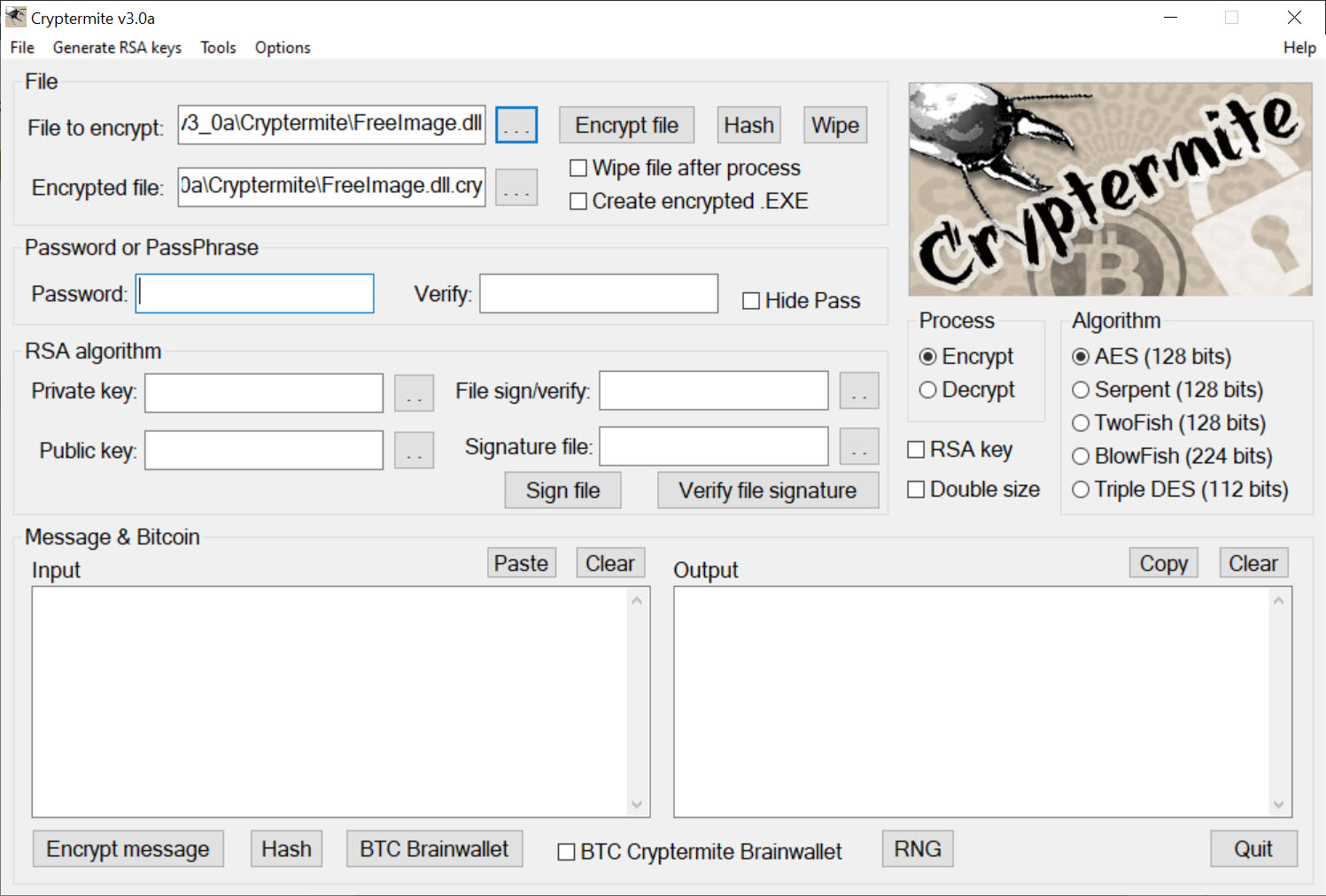
Cryptermite locks up your private data with strong encryption, covering both the files on your disk and the text you send to other people. Point it at a document and it scrambles the contents into something unreadable without the right password. Paste in a message and it returns ciphertext you can drop into an email or a chat. The single tool handles the two things most people actually want protected, stored files and the words they send, and then keeps going well past that baseline.
What sets it apart from a one-trick encryptor is breadth. Alongside file and text encryption it bundles a secure chat system, a way to hide files inside images, a hash generator, and more, all in a portable package you can run from a USB stick. T
hat ambition is a double-edged thing, and worth flagging up front. The interface packs a lot into one window and can feel busy at first glance. But if you only want to encrypt a file or a message, those controls sit right at the top and the rest stays out of your way until you go looking for it.
Choosing how strong, and in what form
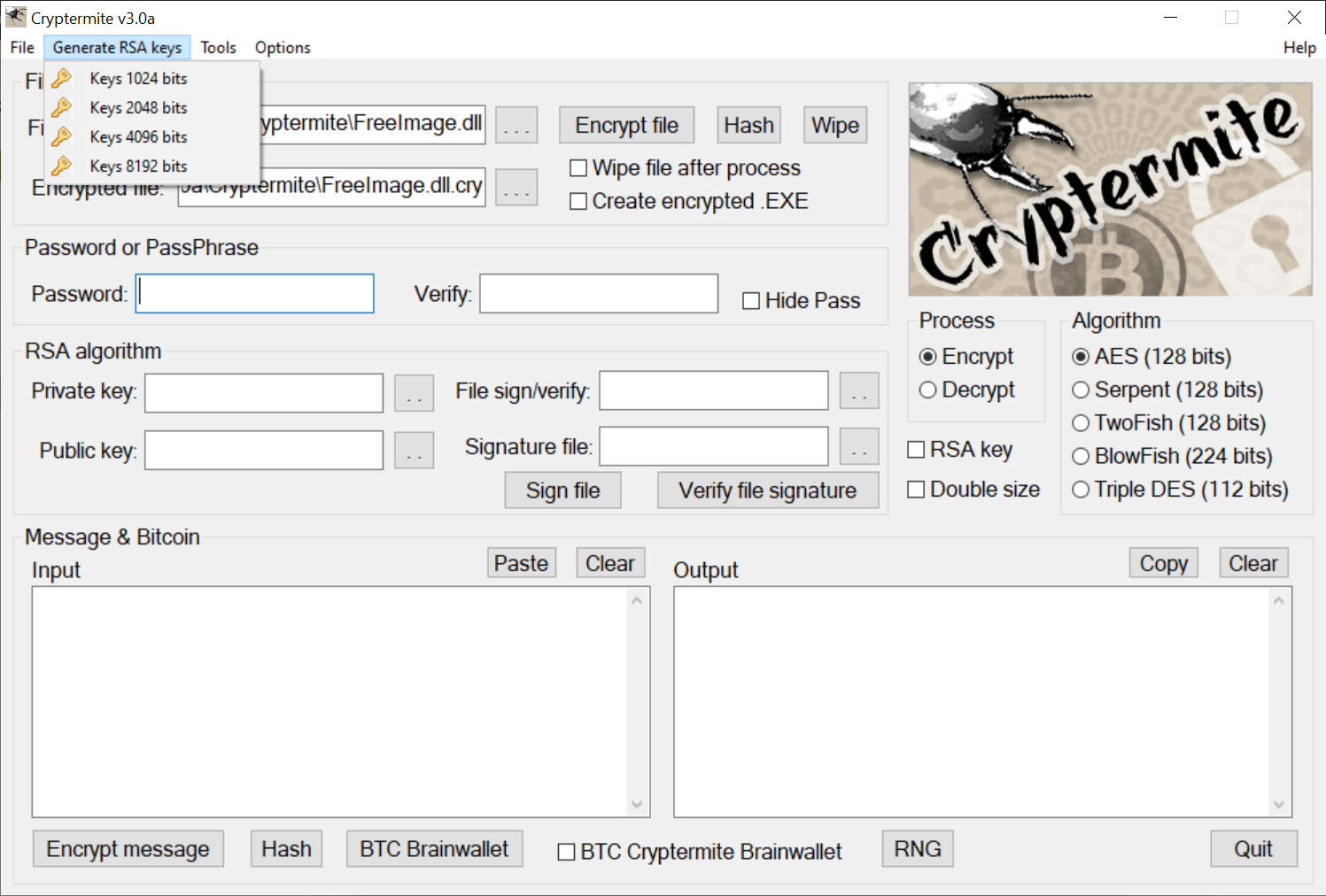
When you encrypt a file, you are not stuck with a single method. The application offers several established algorithms, including AES, Serpent, Twofish, Blowfish, Triple DES, and RSA, so you can pick the cipher you trust for the job. You set a password, choose the algorithm, and Cryptermite scrambles the file into something useless to anyone without the passphrase.
The output format is where it gets interesting. An encrypted file is saved with a distinct extension, but you can instead produce a self-decrypting executable. That second option matters when you are sending a protected file to someone who does not have any encryption software of their own.
They run the file, enter the password you shared separately, and the contents unlock, with no extra program to install on their end. For a tool that competes with single-algorithm utilities, that flexibility in both cipher and output is a real point in its favor.
A focused file encryptor like AxCrypt keeps the process leaner if you only ever need straightforward file protection.
Encrypting text you can paste anywhere
Text encryption works on a copy-and-paste basis, which is what makes it practical for messaging. You type or paste your message, click to encrypt, and Cryptermite hands back a block of ciphertext. Drop that into an email, a forum post, or a chat app, and only someone with the password can turn it back into readable words. The carrier does not matter, because the encryption happens before the text ever leaves the application.
This approach sidesteps a common frustration. Most email and messaging services offer no real protection for the content you send through them, and adding it usually means trusting the platform to do it for you. Encrypting the text yourself first means the words are already protected no matter where they travel.
For keeping sensitive notes encrypted on your own machine rather than sending them, a dedicated tool like Crypto Notepad is built around that single task, and a plain text-file encryptor such as Crypt It handles quick encrypt-and-decrypt jobs on text documents.
Hiding files in plain sight with steganography
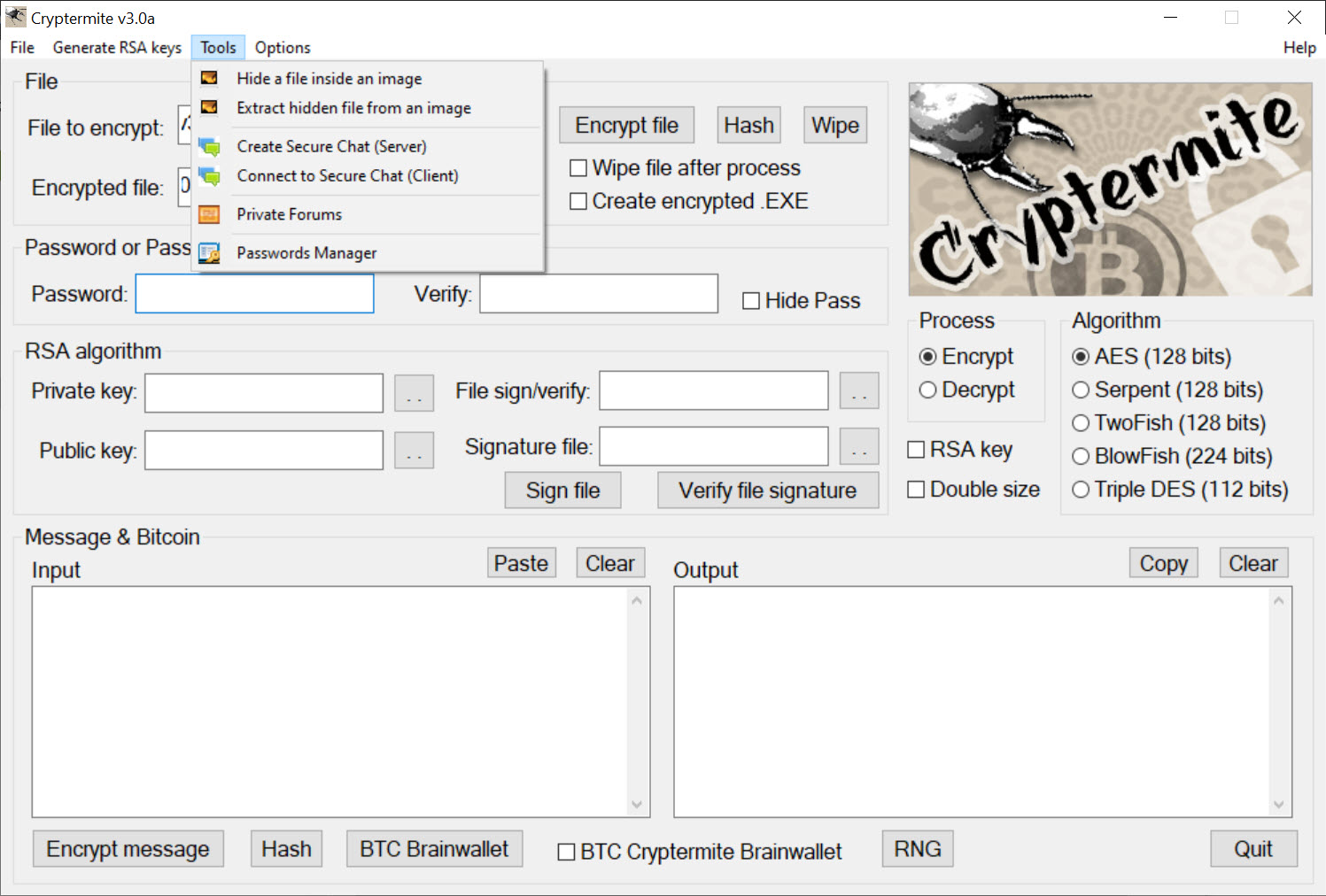
One of the more unusual features is steganography, which hides a file inside an ordinary-looking image. Rather than producing an obviously encrypted blob that announces it has something to protect, Cryptermite leaves you with a normal picture that quietly carries your data within it. To anyone glancing at it, the image is just an image.
This is a different idea from encryption, and the two work well together. Encryption makes data unreadable, while steganography makes the existence of the data unobvious in the first place. Combine them and you have a file that is both hidden and scrambled, which raises the bar considerably for anyone trying to find or read it.
It is the kind of capability that separates this tool from the everyday encryptor, even if most users will reach for it only occasionally.
Secure chat, hashing, and the extras
The feature list keeps going. There is a secure chat with file transfer that runs point-to-point with strong encryption, so two parties can talk and swap files directly without routing the conversation through a third-party server. Private forums extend the same protected approach to conversations that do not happen in real time.
A hash generator rounds things out, producing checksums for messages and files across the common algorithms, which is useful for verifying that a file has not been altered. There is a password manager bundled in as well, plus secure file wiping for permanently destroying data rather than just deleting it. Not everyone will use every one of these, and that is fine.
The point is that the routine jobs, file and text encryption, are simple, and the deeper toolbox is there when a more involved task calls for it. For whole-drive protection rather than individual files, a heavier tool like VeraCrypt handles encrypted volumes and containers instead.
Conclusion
Cryptermite is for the privacy-minded user who wants one tool to handle a range of encryption needs rather than collecting a separate utility for each. The choice of algorithms, the self-decrypting output, and the paste-ready text encryption cover the everyday jobs cleanly, while the steganography, secure chat, and hashing tools give it depth that most simple encryptors lack. If you value having those capabilities together, it delivers.
The trade-off is a crowded interface that asks a little patience before it feels familiar, and a feature set that most people will only partly use. Neither undercuts the core, which encrypts files and messages reliably with strong, well-known ciphers.
For anyone who regularly needs to protect what they store and what they send, and who appreciates the extra tools sitting alongside, it is a capable and genuinely versatile choice.
Pros & Cons
- Encrypts both files and text messages from a single application
- Offers multiple algorithms, including AES, Serpent, Twofish, Blowfish, Triple DES, and RSA
- Can output a self-decrypting file for recipients who have no encryption software
- Text encryption produces paste-ready ciphertext for any email or chat app
- Steganography hides files inside images for an extra layer of concealment
- Bundles secure chat, hashing, a password manager, and secure file wiping
- The interface is busy and can overwhelm someone who only wants basic encryption
- The breadth of extra features is more than many users will ever need
- Security still depends entirely on choosing and protecting a strong password
- Encrypted output is only as useful as the recipient's ability to decrypt it
Frequently asked questions
It encrypts both files and text messages. You can scramble a document into an unreadable file, or paste in a message and get ciphertext back that you can send through email or a chat app, with only the password holder able to read it.
It supports several established ciphers, including AES, Serpent, Twofish, Blowfish, Triple DES, and RSA. You choose which one to apply when you encrypt, so you can use the algorithm you trust most for a given file or message.
Yes, if you choose to. Besides saving an encrypted file with its own extension, the application can create a self-decrypting executable. The recipient runs it, enters the password, and the contents unlock without needing any encryption program installed.
Steganography hides a file inside an ordinary image, so the data is concealed rather than just scrambled. The picture looks normal to anyone viewing it, while quietly carrying your file. Paired with encryption, it both hides and protects the data.
Yes. It also includes a point-to-point secure chat with file transfer, private forums for offline conversations, a hash code generator for verifying files, a password manager, and secure file wiping, all in one portable package.


