

Commander4j
About Commander4j
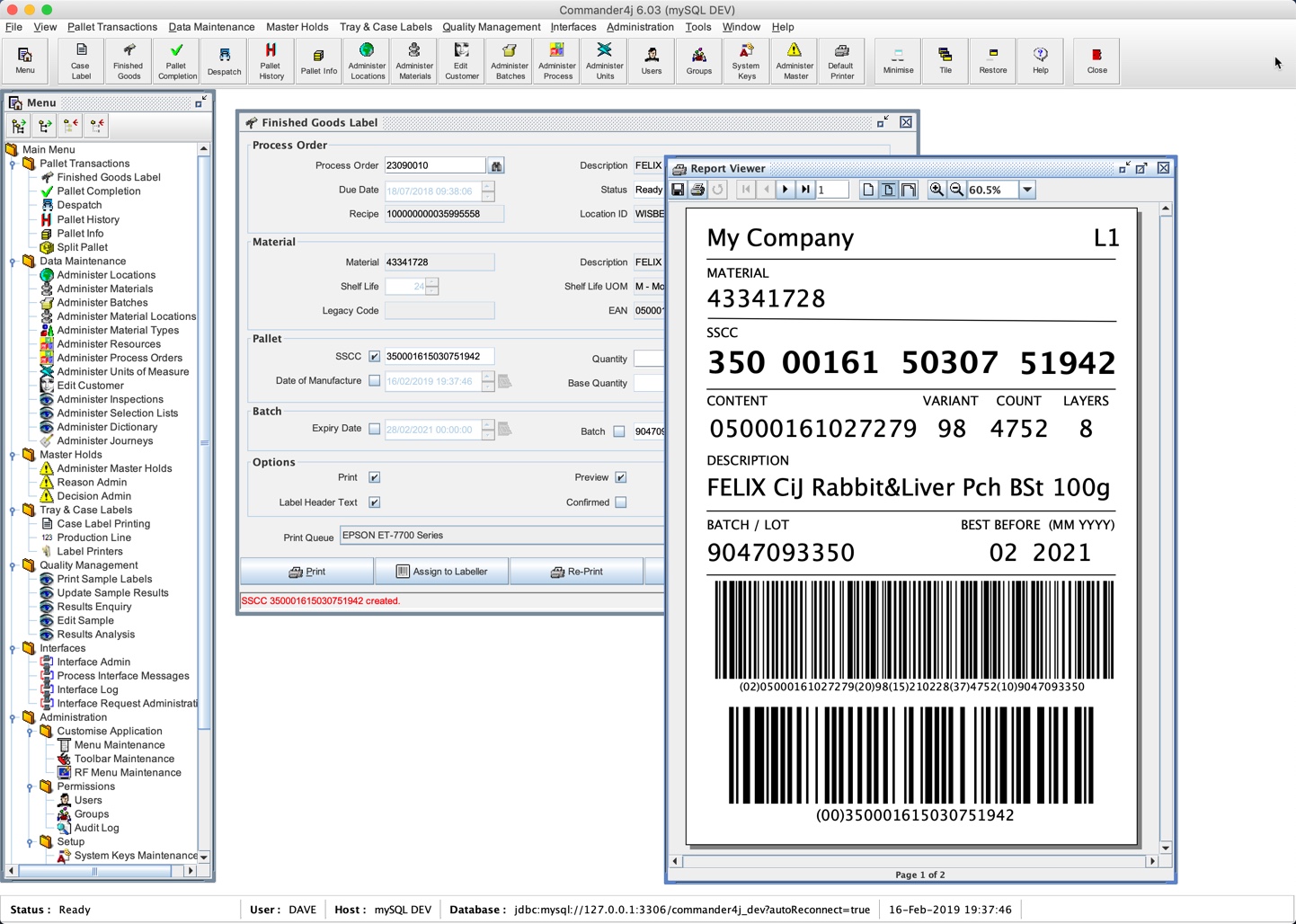
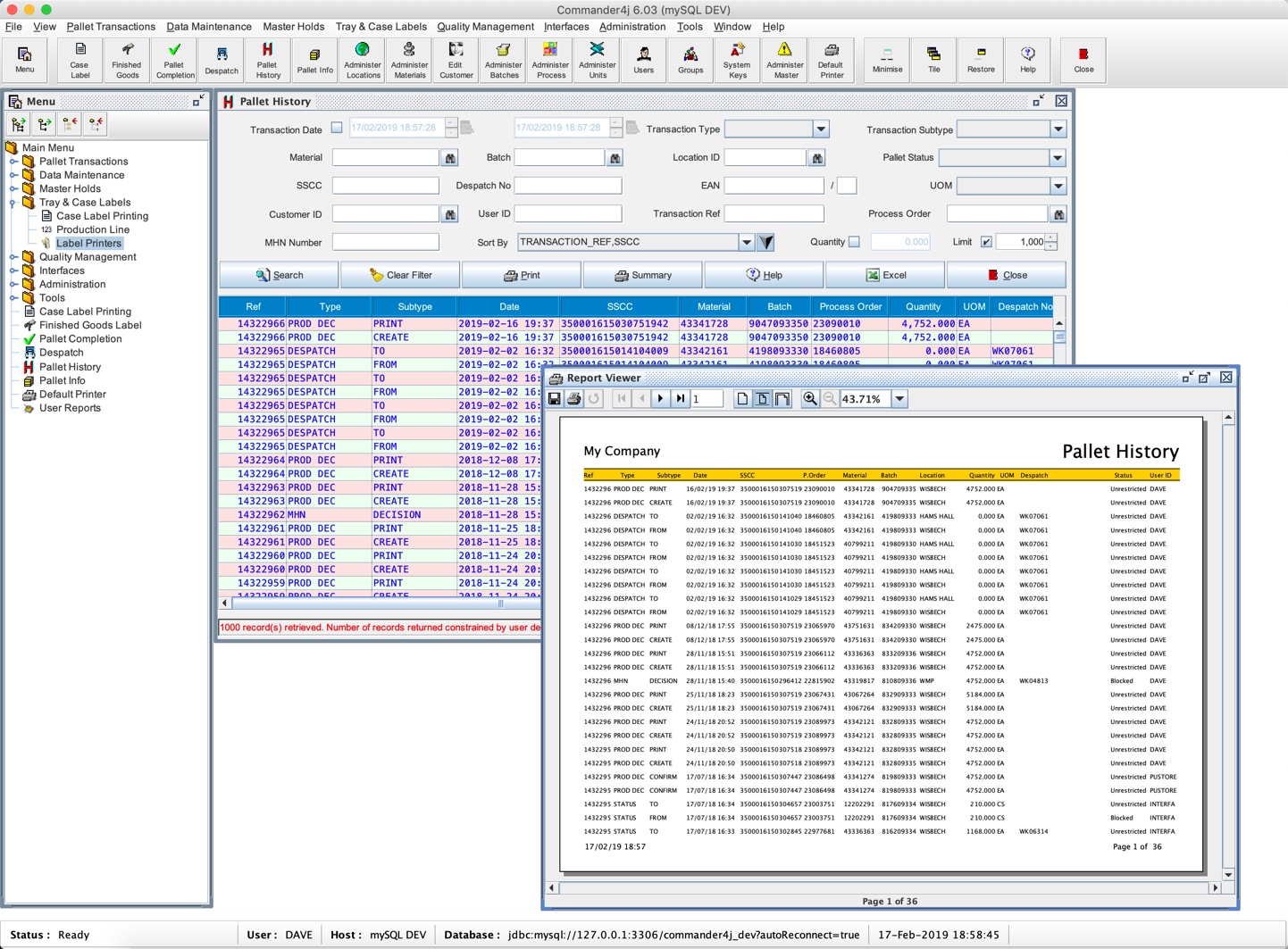
Most labelling software prints a label and stops there. Commander4j treats the label as a record, writing every pallet it produces into a database so the question of what was made, when, and against which order has an answer months later.
That Commander4j distinction is the whole point. A factory has to be able to say which pallets came from which batch, and a printer alone cannot answer that.
Before considering any of it, there is a requirement that separates this from ordinary software.
It needs a database before it does anything
Here is the practical Commander4j barrier, and it is a category rather than a criticism. This is not a program you install and open. It expects a database server to exist first, with the common ones supported, and the application connects to that rather than keeping its own file.
The runtime it is built on has to be present too, since the whole thing is written for a cross-platform environment rather than compiled for one system.
That is ordinary for a system of this kind and it is startling for anybody expecting an installer and a window. Somebody evaluating it needs to set up infrastructure before seeing a single screen.
For the simplest supported arrangement, meaning one machine with everything on it, MySQL is the database most people use to get started.
One machine, or a whole production line
The Commander4j scaling story is unusually well documented, and it explains who this is for.
At its simplest it runs on one computer with a local database, with data typed in by hand, printing finished goods labels and producing reports. That is a small operation with a printer and somebody who cares about traceability.
Put the database on a server and any number of workstations can run the client against it, which is the same system covering a whole site.
Beyond that come the wireless barcode terminals used on a warehouse floor, working through browser pages rather than needing the desktop application installed on each one.
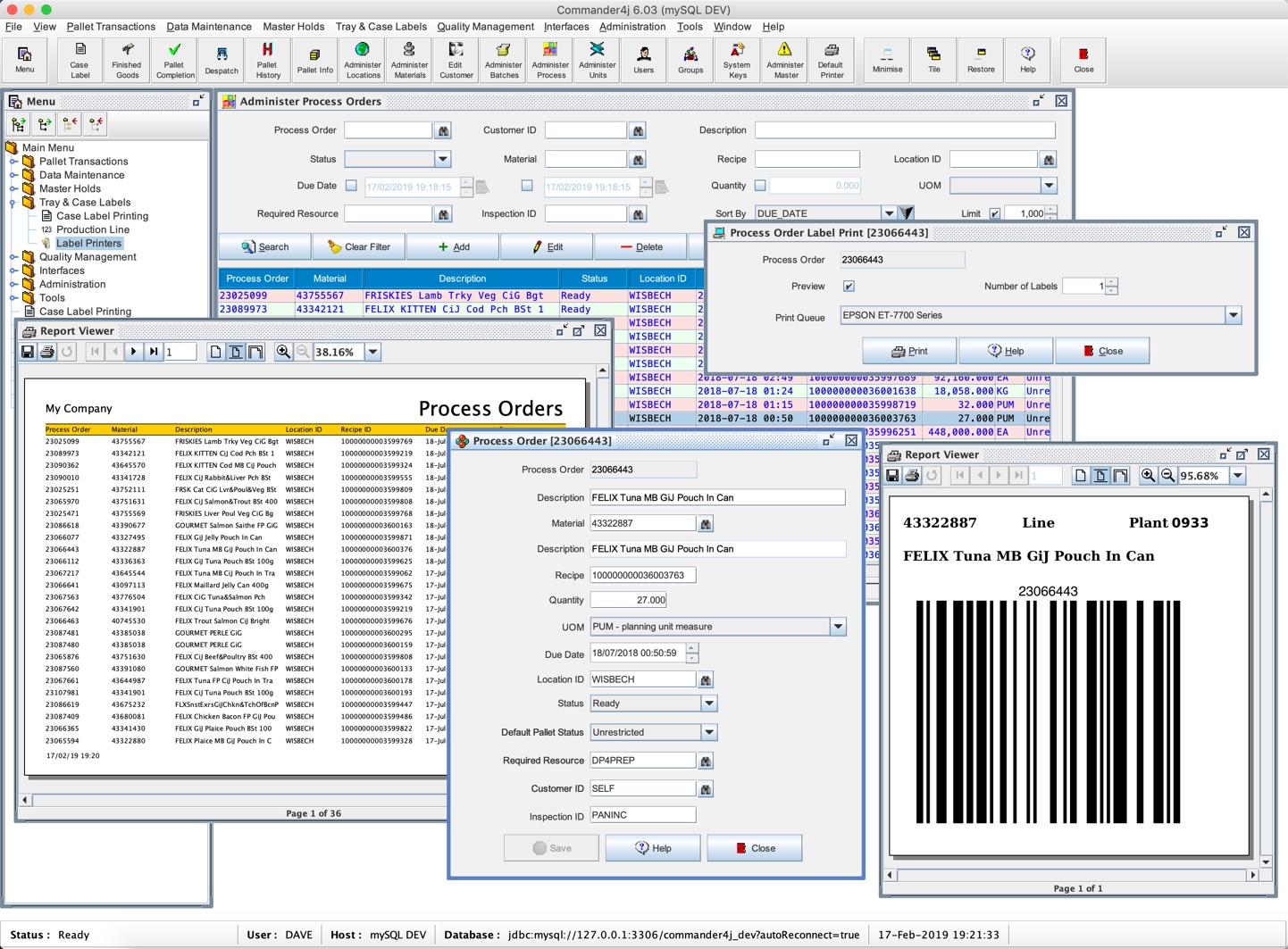
The furthest extension is automatic labelling machinery. The database supplies everything a labeller needs to print, and standard messages let the labeller report back what it printed, so labels applied automatically appear in the records without anybody typing anything.
That progression from one desk to an automated line, using the same system throughout, is the reason a small operation might choose it despite the setup.
Confirmed and unconfirmed, which is the clever part
The Commander4j concept to understand, because it models something real that most systems ignore.
A pallet record can be created two ways, either when the software prints its label or by a message from external machinery. Either way, the record can be marked confirmed or left unconfirmed.
Confirming triggers an outgoing message telling the wider business system that a pallet of a given product exists against a given order. That is what updates stock figures elsewhere.
The reason to leave it unconfirmed is the interesting bit. Printing a label is not the same as having a pallet. Labels fail to print, print wrongly, or print for something that then does not get made. Somebody who confirms on printing is telling the business system about stock that may not exist.
So the sensible arrangement separates the two. Print the label, leave it unconfirmed, and confirm it when somebody has physically seen the pallet, using a handheld scanner or the desktop application.
That gap between a printed label and an actual pallet is where inventory errors come from in real factories, and building it into the workflow rather than assuming it away is a mark of software written by somebody who has been in one.
The barcodes are the standardised kind
The codes Commander4j produces are the ones supply chains actually require rather than generic ones.
Each pallet carries a unique serial number in the format the standards bodies define for shipping containers, which is what makes a pallet identifiable beyond your own site rather than only inside it.
Scanning that number is how transactions are performed against a pallet, meaning confirming it, moving it, or recording something about it, which is why the handheld terminals matter.
For labels that are design work rather than production records, LabelJoy handles the sheet and barcode side without any of the database apparatus.
It has grown beyond labelling
The Commander4j scope now covers several things a production office would otherwise track on paper. Weight checks record what a pallet actually weighed against what it should have, which catches short or over-filled output before it leaves.
Waste logging records what was scrapped and why, which is the data nobody keeps and everybody wants at the end of a quarter.
Quality control records sit alongside, attached to the batch rather than in a separate file, which is the whole argument for having one system rather than several.
Who this suits
Being direct, since the Commander4j audience is narrow and specific. A small or medium food, drink or manufacturing operation that has to demonstrate traceability, prints pallet labels, and cannot justify a commercial system will find something here that would otherwise cost a great deal.
Anybody wanting to print labels without a database, without a runtime and without configuring a server wants a different program entirely.
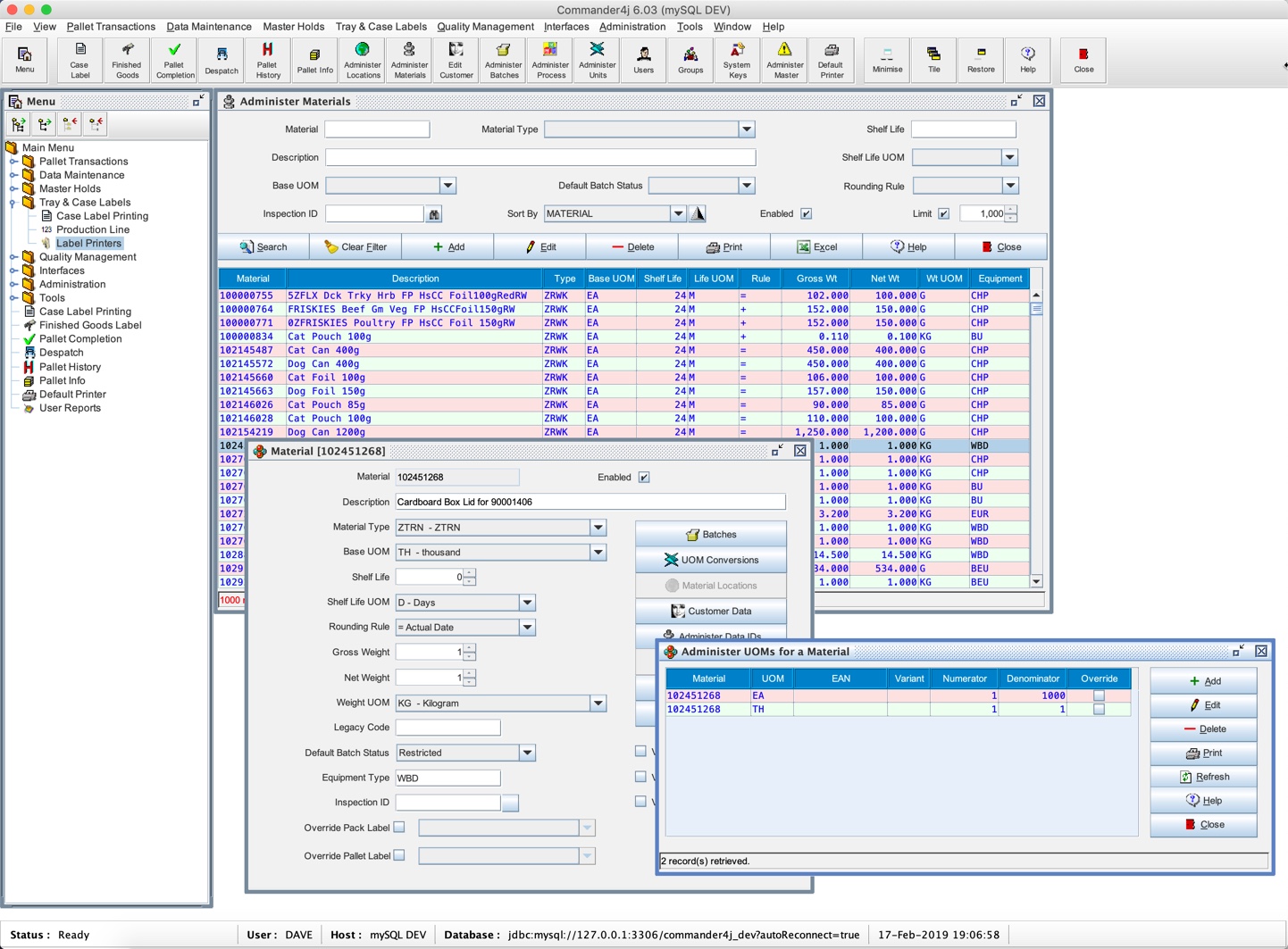
The database side needs someone comfortable with it, and a client for querying the tables directly is what that person will use when something needs checking.
Conclusion
Commander4j is a production traceability system that happens to print labels, rather than labelling software that happens to keep records. The confirmed and unconfirmed distinction alone shows it was built by somebody who knew that a printed label and an existing pallet are different things.
Judge it on the infrastructure rather than the features. A database server and a runtime have to be in place before you see anything, which puts it out of reach for a casual look and makes it remarkable value for an operation that properly needs traceability and was expecting to pay for it.
Pros & Cons
- Every label printed becomes a record, so traceability is a query rather than a hope
- Scales from one machine to a site with automatic labelling machinery
- Confirmed and unconfirmed states model the gap between a label and a pallet
- Standardised shipping container codes, recognised beyond your own site
- Weight checks, waste logging and quality records attached to the batch
- Works with the common database servers rather than requiring a specific one
- Free, for a job that commercial systems charge heavily for
- Requires a database server and a runtime before it will start
- Not an install-and-open program, so evaluating it means building infrastructure
- The audience is narrow, meaning production operations rather than offices
- Somebody comfortable with databases is needed on hand
- Excessive for anybody who only wants to print labels
Frequently asked questions
A database server and the runtime environment it is built on. It connects to a database rather than keeping its own file, so the infrastructure comes first and there is no way around that for an evaluation.
Confirming sends a message telling the wider business system the pallet exists. Leaving it unconfirmed lets somebody physically verify the pallet first, which matters because a printed label is not proof that anything was made.
Yes, with a local database, typing data in by hand and printing labels. That is the documented simplest arrangement, and the same system extends to a server and many workstations later.
Weight checks, waste logging and quality control records, all attached to the batch, which is the argument for keeping them in one system rather than in separate files.


