

Colibri Browser
About Colibri Browser
Colibri Browser is a web browser without tabs. Open a page and it fills the window. Want another page, and you either replace the one you have or open a second window. Instead of a tab strip and a bookmarks bar there is one list, called Links, where any page can be saved with a click and reopened later.
That list is meant to stand in for tabs and bookmarks and history at once. The engine underneath is Chromium, so pages look and behave as they do in Chrome. Everything around the page has been taken away.
That makes it the opposite of Vivaldi and the other power-user browsers, which pile tools on. Colibri Browser bets that the tab strip is the problem. Most people keep forty tabs open as a to-do list and read none of them, and a saved list you actually revisit is better than a row of unread icons.
Whether that bet pays depends entirely on how you already browse, and the article below tries to help you decide before you sign up. Sign up you must, because the browser will not open without an account.
Links, Lists and Feeds
Links is the whole organising system. Right-click a page or press the button in the title bar and it joins the list. The list is stored on the maker’s server against your account, so the same list appears on a second machine after signing in. Lists are folders for Links, for the point where fifty saved pages need sorting by topic.
Feeds subscribes to a site’s RSS feed from the same right-click menu and shows new entries in the start view, which turns the empty first screen into a small reader.
There is also a Pinboard, a blend of bookmark and note where a saved page can carry your own text, and a Viewer that opens articles and media in a stripped presentation. Put together, these replace the tab strip for reading-heavy work.
For anything involving three pages at once, a form on one and a reference on another, they do not, and you end up with three windows and the taskbar.
The interface that disappears
The start view shows an address box with Links, Lists and Feeds below it. Type a site’s name rather than its address and Colibri Browser takes you there directly. Once a page opens, the address bar vanishes too, leaving back and forward arrows and a reload button in the title bar and the page owning the rest of the screen. On a laptop this is the most content per inch any browser offers.
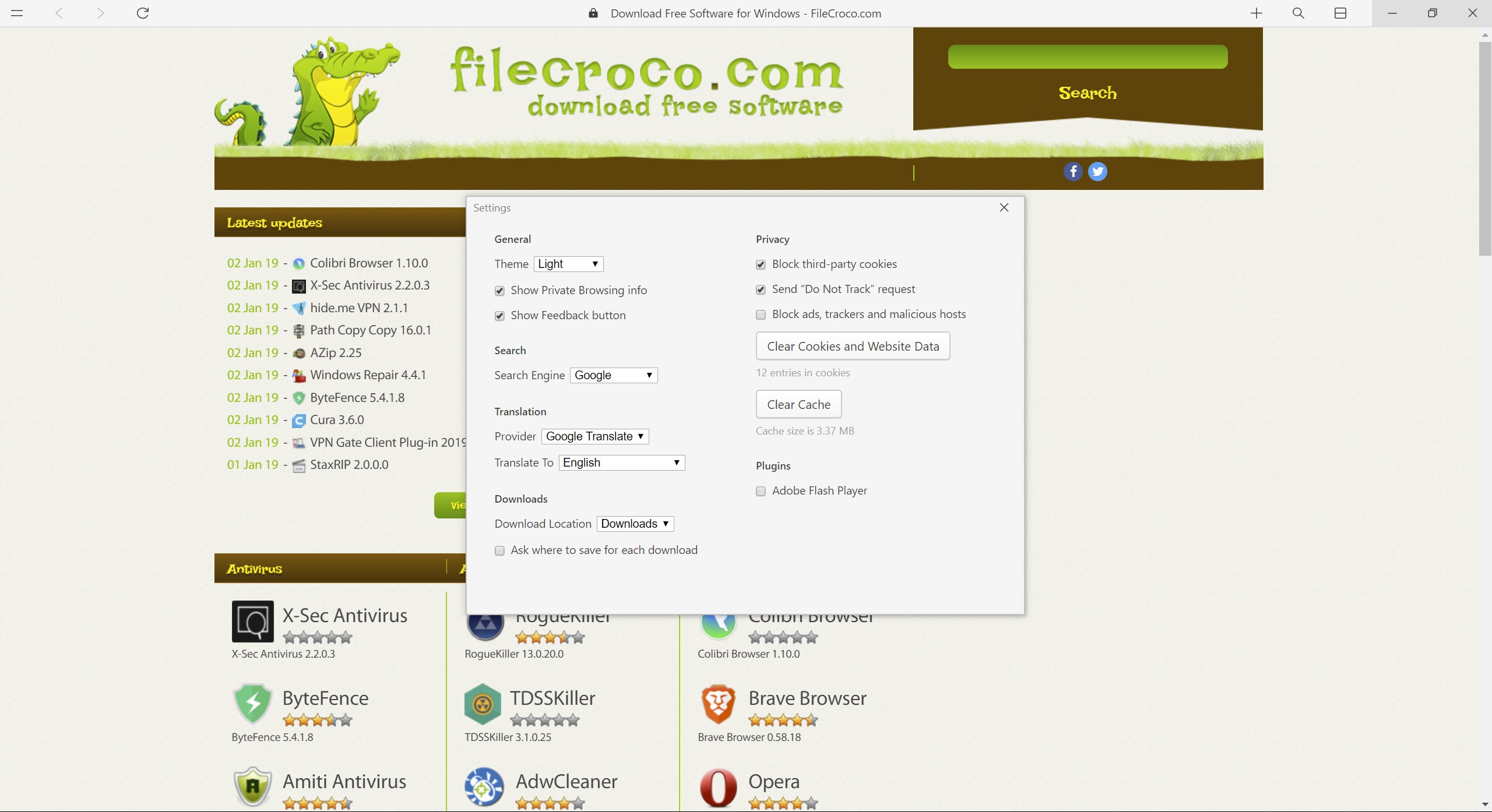
Customisation is a light and a dark mode. There is no theme system, no way to move or resize the interface elements, and no extensions of any kind, despite the Chromium base. An ad blocker, a password manager or a translation add-on cannot be installed, and the browser’s own settings cover only the default search engine, the translation provider for foreign pages and the download folder.
Privacy settings and the account question
Third-party cookies can be blocked and a Do Not Track request sent, and a private mode opens a window that forgets its session when closed. That is the whole privacy panel. The larger point is structural. Your saved pages, your lists and your feed subscriptions live on the maker’s server, not on your disk, and signing in is mandatory.
The reading list of everything you meant to come back to sits with a stranger rather than in a local file. For some people that is the sync they wanted. For others it is a reason to close the window.
What it is not
Colibri Browser is not a replacement for a full browser and does not claim to be. There is no extension platform, no history view in the usual sense, no tabs to restore after a crash and no sync of passwords. The pages themselves work, because the engine is current Chromium, but everything a modern browser wraps around the page is absent by design.
People who tried it and stayed tend to run it beside another browser, using this one for reading and the other for work.
Conclusion
Colibri Browser is for the reader who opens the same twenty sites, saves articles for later and wants the page and nothing else on screen. Used that way, beside a conventional browser for everything else, it is calm in a way no tabbed browser manages.
Anyone who needs an ad blocker, a password manager or two pages side by side should not bother. Anyone uneasy about a reading list held on someone else’s server has their answer before the account form. It is an idea worth trying for an afternoon and a home for very few.
Pros & Cons
- Page fills the entire window with no tab strip or bookmarks bar
- Links, Lists and Feeds keep a reading list that syncs through the account
- Built-in feed reader on the start screen
- Type a site name and go, with no address to remember
- Account required before the browser will open
- No extensions at all, so no ad blocking or password manager
- Saved pages live on the maker's server
- Multiple pages mean multiple windows
Frequently asked questions
Yes, but each page needs its own window. There are no tabs, so parallel browsing means several windows switched through the taskbar.
No. Although it is built on Chromium, there is no extension support of any kind, and the maker has not added it.
On the maker's server, tied to your account. They appear on any machine where you sign in and are not kept as a local file.


