

ClamWin Antivirus
About ClamWin Antivirus
ClamWin Antivirus is an on-demand virus scanner. Point it at a file, a folder or a whole drive, press scan, and it checks everything against a signature database that updates itself several times a day, reporting what it finds and moving infected files to quarantine or deleting them.
A scheduler runs the same scans at set times, a right-click entry scans any file from the file manager, and an add-in for the desktop mail client scans incoming messages and strips infected attachments. The engine underneath is the open-source engine that filters mail on a great many servers, wrapped in a plain desktop window.
What it does not do matters as much as what it does, and it says so on its own front page. There is no real-time protection. Nothing watches files as they are opened, downloaded or run, so a piece of malware is caught only when a scan reaches it, by hand or by schedule, and by then it may already have run.
ClamWin Antivirus is therefore a second-opinion scanner and a clean-up tool rather than a guard, and that is the role it fills well.
The sections below describe the scanning, the scheduling, the mail add-in and the engine, and then say plainly where a machine needs something else.
Scanning files and drives
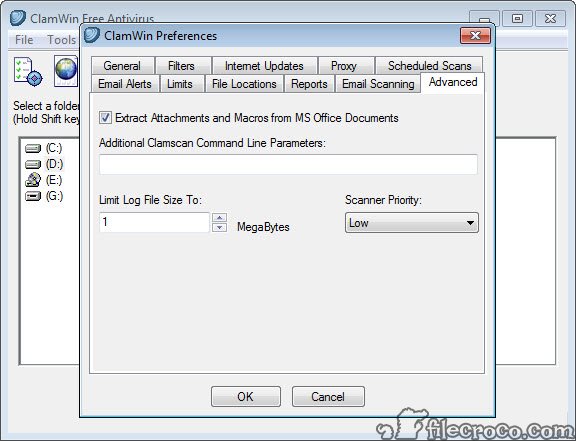
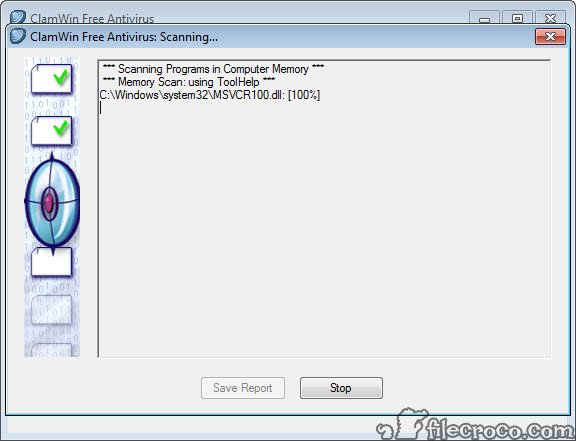
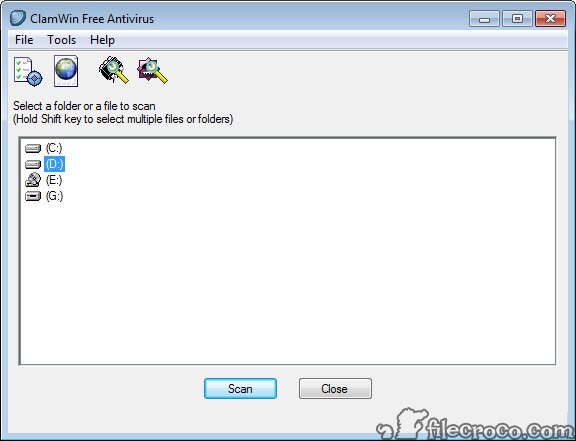
The ClamWin Antivirus window is a tree of the computer’s drives and folders with a scan button. Tick a drive, a folder or a single file and the scan walks through it, with a progress window listing each file as it goes and a report at the end. Archives are opened and scanned, with limits on size and depth. Memory can be scanned for running processes, which is the first thing to do on a machine suspected of infection, since a process in memory is the live threat.
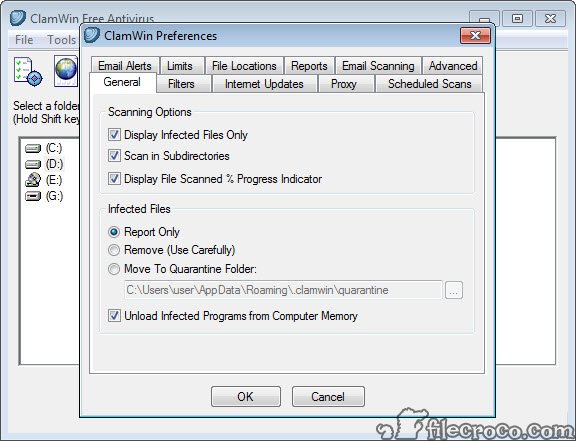
Detected files are moved to a quarantine folder by default, where they sit harmlessly until restored or deleted, or they can be removed outright or reported only. The right-click entry in the file manager scans whatever is selected, which is the everyday use, checking a download before opening it.
Scanning is slow compared with the commercial engines, which is why the scheduler exists.
Scheduled scans and automatic updates
The ClamWin Antivirus scheduler runs any scan daily, weekly or at an interval, at a set time, against the folders you name, and a second schedule keeps the signature database current, with updates fetched several times a day by default. A scan in the small hours covers the machine while nobody is using it. Multiple schedules can target different folders, so the downloads folder is checked daily and the archive drive monthly.
Automatic updates are the piece that keeps the tool useful, since an on-demand scanner with old signatures misses everything recent. The updater runs quietly from the tray, with a manual update button for the moment before a deliberate scan.
On a portable installation the schedules and automatic updates are disabled, since a stick moves between machines, and both scanning and updating are started by hand.
The mail add-in and the file manager entry
The ClamWin Antivirus add-in for the desktop mail client scans every message as it arrives and every message sent, removing attachments that match a signature before the message reaches the inbox. For a household that still receives files by mail, that is a real line of defence. The add-in supports the client’s older releases and has not kept pace with the newest ones, which is a limit for anyone on a current mail client.
The right-click scan entry and the add-in together cover the two places files most often arrive, and they are the parts of the program that act without being asked. Everything else waits for a click or a schedule, which is the honest description of an on-demand scanner and the reason it pairs with a resident one rather than replacing it.
The engine, the signatures and detection
The ClamWin Antivirus engine is shared with a server-side scanner used on mail gateways around the world, and its signatures are maintained by a large community and a dedicated team, updated several times daily. It detects the common viruses and worms, trojans, and the macro malware that travels in documents, and it reads inside archives and the formats mail attachments use. The engine itself has gained heuristic detection over time, though it remains signature-led.
Independent tests have placed its detection below the commercial engines and its false positive rate above them, and that gap is the honest centre of any assessment. It catches most of what is known and little of what is new, which is adequate for a second opinion and inadequate as the only defence.
Malwarebytes occupies the second-opinion role with a behaviour-based engine and finds a different set of things, and the two are often run one after the other on a troubled machine.
The technician’s stick
A portable ClamWin Antivirus build runs from a USB stick with no installation, carrying its own signatures, which is the form most technicians use it in. Plug the stick into a machine that is behaving strangely, scan memory and the system drive, and clean what is found, all without installing anything on the patient. Sophos Virus Removal Tool plays the same role with a different engine, and carrying both on one stick is common sense.
That portable role suits the engine’s character. Slow scanning matters less when the machine is on a bench, the absence of real-time protection does not matter at all, and the open source terms mean the stick can be copied for every technician without a thought.
Updating the signatures on the stick before each visit is the one habit that keeps it useful.
Where it stops
The absence of real-time protection in ClamWin Antivirus is not a missing feature but the design, and a machine with only this installed is unprotected between scans. There is no web filter, no firewall, no phishing protection and no behaviour monitor. Scans are slow, false positives are more frequent than on commercial engines, and the mail add-in lags current clients.
The interface is plain and the settings dialog assumes you know what an archive depth limit is. For always-on protection, a maintained engine such as Kaspersky Antivirus or the system’s built-in guard belongs underneath, with this tool scanning on top.
Conclusion
ClamWin Antivirus suits anyone who wants a second opinion on a machine that already has a real-time guard, and technicians who want a scanner on a stick that installs nothing and can be copied freely. The scheduled scans, the right-click check and the memory scan do that job, and the open engine behind it is trusted on mail servers everywhere.
It is not protection on its own, and anyone relying on it alone is relying on luck between scans. Keep a resident antivirus underneath, schedule a night-time scan, carry the portable build for the bench, and it earns its place as the scanner you run when you want another set of eyes.
Features & benefits
Pros & Cons
- On-demand scanning of files and folders, whole drives and memory, with quarantine
- Scheduler for scans and signature updates several times a day
- Right-click scan from the file manager and a mail add-in that strips infected attachments
- Open-source engine shared with mail gateways worldwide
- Portable build for a technician's stick with no installation
- Runs beside any resident antivirus without conflict
- No real-time protection, so threats run until a scan reaches them
- Detection below commercial engines and more false positives
- Slow full-drive scans
- Mail add-in supports only older releases of the client
Frequently asked questions
No. It scans only when you start a scan or a schedule runs. Something that arrives between scans is not caught until the next one.
Yes. With no resident component there is nothing to conflict with, and running it as a second opinion beside a real-time guard is its intended use.
Yes, through an add-in for the desktop mail client that scans incoming and outgoing messages and removes infected attachments, on the client's older releases.
Yes. The portable build carries its own signatures and runs without installation, with scans and updates started by hand.


