

Cent Browser
About Cent Browser
Anybody who keeps forty tabs open has a different relationship with a browser than somebody who keeps four. Cent Browser is built for the first group, taking the standard engine and adding the tab handling, mouse control and memory behaviour that heavy users otherwise assemble from extensions.
Cent Browser settles site compatibility through the engine underneath, which is the one every major browser now uses. Pages render identically and extensions from the usual catalogue install normally.
What differs is everything around that, and two of the additions are things no mainstream browser offers at all.
A private tab, not a private window
The feature to understand first, because it solves a problem the standard approach handles clumsily.
Browsing privately normally means opening a separate window, which then holds all your private browsing while your ordinary session continues elsewhere. Switching between the two means switching windows.
In Cent Browser an individual tab can be private while its neighbours are not. One tab signed out and keeping nothing, sitting alongside tabs where you are signed in, in the same window.
That covers the everyday case properly. Checking how a page looks to somebody not signed in, using two accounts on one service, or opening a link you would rather not attach to your session, all without rearranging your windows.
Lazy session loading
The second distinctive Cent Browser capability, and it matters more the more tabs you keep.
Restoring a session normally means the browser loading every tab at once, which on forty tabs produces a minute of grinding and a large amount of memory consumed by pages you are not looking at.
Lazy loading restores the tabs as titles and loads each one only when you click it. The session comes back instantly, the memory is spent on what you are actually reading, and the tabs you never return to cost nothing.
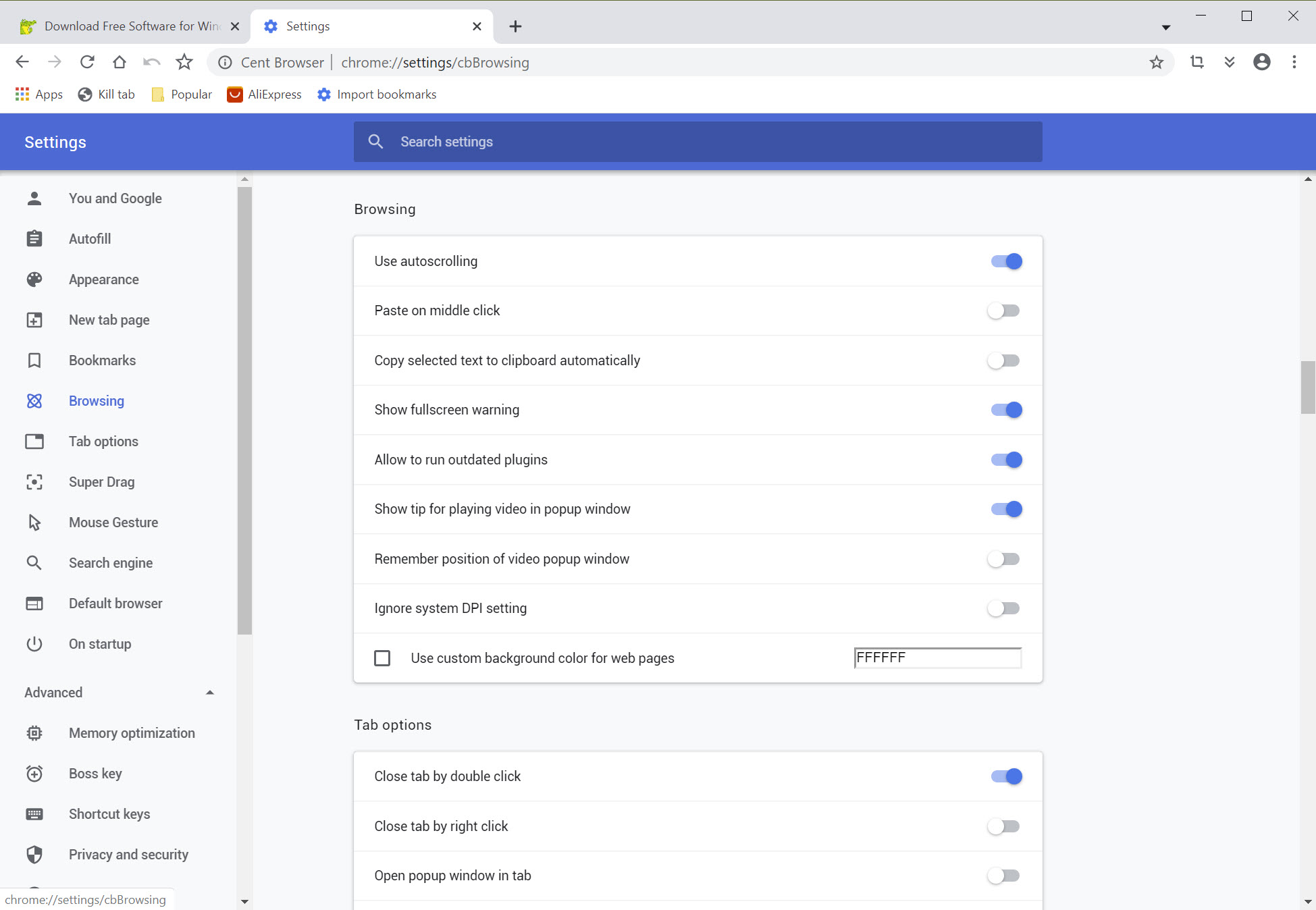
Automatic memory optimisation works alongside it, releasing memory from tabs left idle, which is the same idea applied during a session rather than at the start of one.
Together those two are the strongest argument here, since they address the specific way heavy tab users actually suffer.
For tab management taken further still, a maintained browser built around stacking, tiling and a sidebar is the option with an organisation behind it.
Mouse gestures, configured properly
Cent Browser builds gestures in rather than leaving them to extensions, and the configuration goes deeper than the extensions people usually install.
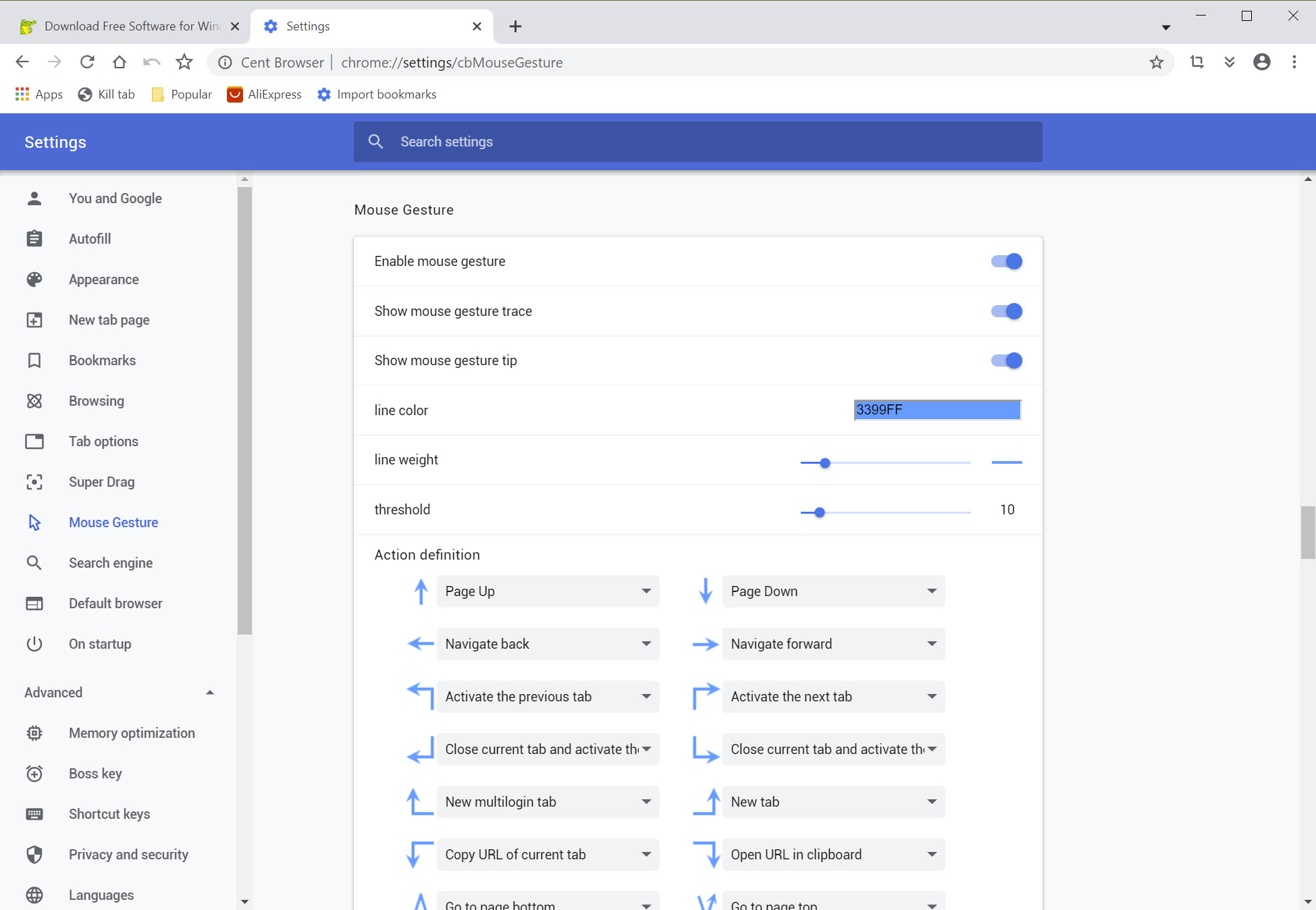
Holding a mouse button and moving in a pattern triggers an action, and the patterns are yours to define. Cycling tabs, copying an address, simulating a key press, reloading, and returning are all assignable.
The details are where the built-in version wins. The trace colour, its width and the movement threshold before a gesture registers are all adjustable, which sounds trivial until an extension keeps firing gestures when you meant to select text.
Super drag pairs with it, so dragging a link opens it and dragging selected text searches for it, without a menu in between.
There is a key for hiding the browser instantly too, which people use for the obvious reason.
Running it from a stick
The whole browser runs from a folder, including a stick, with settings and profile travelling alongside.
That matters for anybody working across machines they do not own, since the browser they configured comes with them and leaves nothing behind.
One caveat sits in the change history. Moving a portable profile between computers has previously caused saved passwords and cookies to be lost, which was fixed, and remains a reason to keep a copy of anything important rather than trusting a profile that travels.
The support situation
Being direct about the practical Cent Browser weakness, because it is what the community complains about.
The discussion forum around it is largely inactive, with old threads broken and few people answering. Somebody who hits a problem will find considerably less written about it than for any mainstream browser.
Update cadence is the related concern people raise. Releases arrive, and not on a schedule anybody can rely on, which for a browser matters more than for other software because the engine underneath receives security fixes constantly and a fork has to carry them across.
That is the standing consideration with any fork rather than a fault unique to this one, and Slimjet faces exactly the same arithmetic from a different starting point.
Where it fits
The Cent Browser audience is specific and it is a real one.
Somebody with a permanent wall of tabs, who works by mouse rather than keyboard, and who wants that behaviour built in rather than assembled from extensions gets a browser shaped around how they already work.
Somebody who keeps a handful of tabs and clicks the back button will not notice most of this, and would be better served by something with a large organisation shipping security fixes on a schedule. Firefox maintains its own engine, so its fixes are its own rather than inherited.
Conclusion
Cent Browser is a browser built by somebody who keeps too many tabs open, for other people who do the same. Private tabs alongside ordinary ones, and sessions that restore instantly instead of loading forty pages nobody asked for, are both properly better answers than the mainstream browsers offer.
Weigh the maintenance question honestly against that. The support community around it has gone quiet, releases arrive when they arrive, and every security fix in the engine reaches you only after somebody carries it across. If the tab handling solves a daily irritation for you, that is a reasonable trade, and if it does not, a browser with an organisation behind it is the safer daily choice.
Pros & Cons
- An individual tab can be private while its neighbours stay signed in
- Lazy session loading restores tabs instantly and loads them on demand
- Automatic memory release from tabs left idle
- Mouse gestures built in, with trace and threshold properly configurable
- Super drag opens links and searches selected text without a menu
- Fully portable, with the profile travelling alongside
- Same engine, so sites and extensions behave as they do elsewhere
- The support forum is largely inactive, so problems are yours to solve
- Update cadence is unpredictable, which matters most for a browser
- Security fixes reach you after the upstream engine releases them
- Moving a portable profile between machines has caused data loss in the past
- Most of the additions only matter to people with a great many tabs
Frequently asked questions
A single tab browsing privately while the other tabs in the same window keep your ordinary session. That avoids the usual arrangement of a whole separate window for private browsing, and suits using two accounts on one service.
It restores a saved session as tab titles and loads each page only when you click it. A large session comes back at once instead of grinding through every tab, and memory goes to the pages you actually read.
Yes. It uses the same engine as every major browser, so extensions from the usual catalogue install and run, and site compatibility is unaffected.
Releases do arrive, without a schedule anybody can rely on. For a browser that matters, since the engine underneath receives security fixes constantly and a fork has to carry them across before you get them.


The best browser I’ve ever used!