

BlueGriffon
About BlueGriffon
BlueGriffon lets you build a web page the way you would write a document. Type on the page, drag an image in, pick a heading style, and the HTML is written underneath for you. Switch to the source view and there it is, clean and easy to read. Edit it by hand if you like. Switch to the dual view and both sit side by side, the picture above and the code below, each updating as the other changes. The rendering comes from the same Gecko engine that powers Firefox, so what the editor shows is what that browser will show. No surprises on publishing day.
That is the pitch, and for a long time it was one of the few honest answers to the question of how to make a web page without learning everything first. BlueGriffon also edits EPUB books, with the full ebook edition reaching into metadata and structure, and it carries a CSS editor, an SVG drawing tool, an equation editor and a spell checker.
One thing has to be said before any of it. The project was discontinued, its source code released for anyone who wants it, and the last release is the one that will ever exist. It still installs and still works. The sections below cover what it does and where the frozen state shows.
Visual editing and the dual view
The default BlueGriffon view is a page you type on. Headings and paragraphs go in from the toolbar, and so do lists and links, images and tables, and the markup they produce follows the standards rather than the tag soup older visual editors were known for. Tables resize by dragging their rulers. Forms get dialogs for every field type the HTML specification defines. Audio and video drop in as native elements, not as plugins.
The source view shows the code the visual view wrote, and you can edit it directly. Dual view splits the window so both are visible at once, which is the mode people learn from. Make a change in the picture and watch the code appear. Make a change in the code and watch the picture move. Several documents open in tabs, a print preview shows how a page will look on paper, and the whole thing works offline on plain files in a folder.
For the same idea pushed much further, with frameworks and a WordPress theme builder, Pinegrow Web Editor is the maintained successor in spirit.
The CSS editor
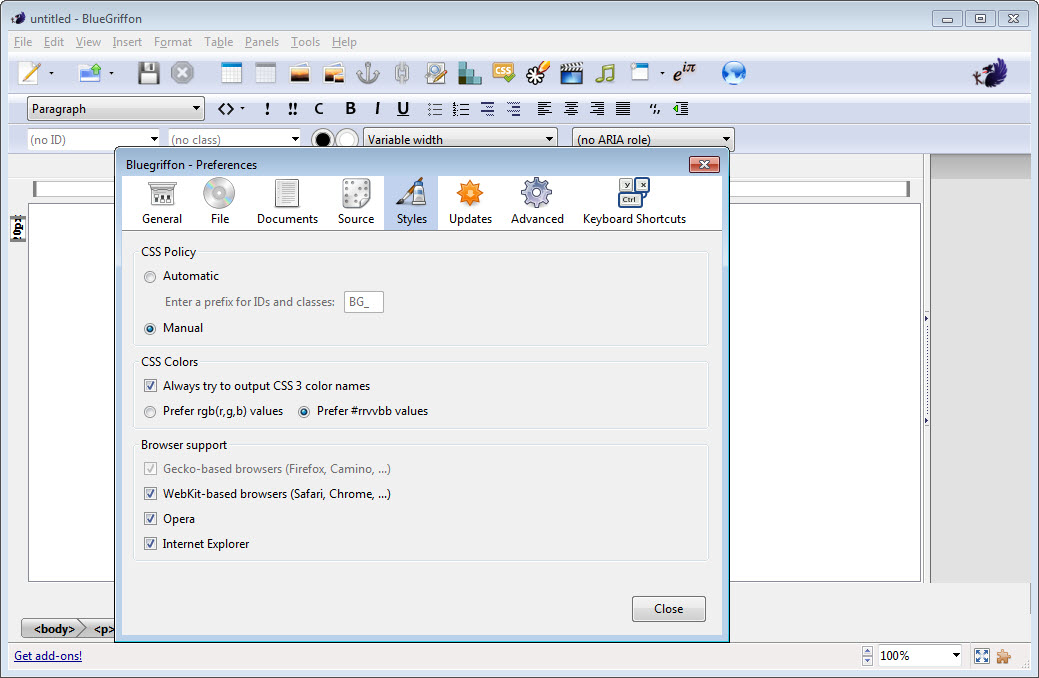
Styling has its own BlueGriffon panel. Select an element and the panel shows the rules that apply, with controls for fonts and colours, for margins and borders, and for backgrounds and positioning, and a box for anything the controls do not cover. Rules can be written inline, in the page’s own style block or in a linked stylesheet, and the editor keeps track of which. It parses CSS with its own engine, so it understands the properties Gecko supports rather than a fixed list.
A Pro version of the CSS editor arrived as a paid add-on, with media queries laid out visually alongside shadows and transforms. A Responsive Design feature let a page be previewed and edited at phone and tablet widths. Those add-ons belonged to the paid tiers and are now frozen with the rest.
The basic CSS panel in the core editor is enough for a hand-built site, and for anyone who already writes CSS it is faster than typing.
EPUB books
BlueGriffon opens and saves EPUB files, which is rarer than it sounds. An ebook is a bundle of HTML pages, a stylesheet and a table of contents, and here it is edited like any other document, page by page, with the same visual and source views. Chapters are added and reordered, styles applied, and images placed. A finished book then goes to Calibre for conversion to other readers’ formats and a place on the shelf. The full ebook edition went further into metadata, cover handling and the newer EPUB structure, and it was the tier publishers reached for.
Even the core editor makes a readable ebook from a set of pages. That is more than most web editors ever attempted.
SVG, equations and the extras
An SVG editor is built into BlueGriffon, a drawing tool for vector shapes that go straight into the page as inline graphics. It is a basic one, fine for a logo or a diagram and nothing like a full illustration program. An equation editor turns typed formulas into properly laid-out mathematics, which the sciences and the classroom appreciate. A spell checker, a find-and-replace across the source, and a page properties dialog for titles and descriptions, plus the page language, round out the kit.
Add-ons once extended all of this, from a template manager to a project panel, and most of them were paid. They are archived now, and some depend on a registration that is no longer issued, so what the core editor offers out of the box is the honest description of the product as it stands.
Where the frozen state shows
The engine inside BlueGriffon is the Gecko of the last release, not the Gecko of today. Pages built here render as that engine renders them, so a newer CSS feature may not preview correctly even though every current browser supports it. The interface is dated, with dialogs and toolbars from an earlier generation of desktop software. There is no live preview in an external browser beyond the usual open-in-browser command, and no site-wide management, since it edits one page at a time.
Development is over. No bugs will be fixed, no standards added, and the paid add-ons are no longer offered. What remains is a stable editor that writes clean HTML, which is exactly what a beginner needs and what many visual editors never managed. For a classroom, a personal page or a small site that does not chase the newest CSS, that is still useful.
For a modern responsive site, it is a step on the way to a maintained tool rather than the destination, and for ebooks specifically, Sigil is the editor still being developed.
Conclusion
BlueGriffon suits beginners who want to build a web page by typing on it and see the code it produces. It suits teachers introducing HTML, and anyone keeping a small personal site or a simple ebook who values clean markup over the newest effects. The dual view remains one of the best ways ever shipped to learn how a page is put together.
It is frozen, its engine is behind the browsers, and its paid extras are gone. Use it for what it still does well, which is learning and small pages, and move the serious work to a maintained editor when a site starts to demand what this one can no longer preview.
Pros & Cons
- Visual and source views, plus a dual view, on the same document with Gecko rendering
- Writes clean, standards-based HTML rather than tag soup
- CSS panel with visual controls for fonts and colours, and for layout
- Opens and saves EPUB ebooks page by page
- Built-in SVG drawing and equation editor
- Works offline on plain files, with tabs and print preview
- Discontinued, with no fixes or new standards coming
- Rendering engine frozen at the last release, so newer CSS may not preview
- Paid add-ons and the ebook edition are no longer offered
- Dated interface and no site-wide management
Frequently asked questions
No. The project was discontinued and its source code released. The last release still installs and works, but nothing will be fixed or added.
Yes. The markup follows the standards rather than the bloated code older visual editors produced, and the source view lets you check and edit it directly.
Yes. It opens and saves EPUB files page by page with the same views as a web page. The full ebook edition with metadata tools was a paid tier and is no longer offered.
The editor renders with the Gecko engine of its last release, so a newer CSS feature that current browsers support may not preview correctly here.


