

BakadoPlayer
About BakadoPlayer
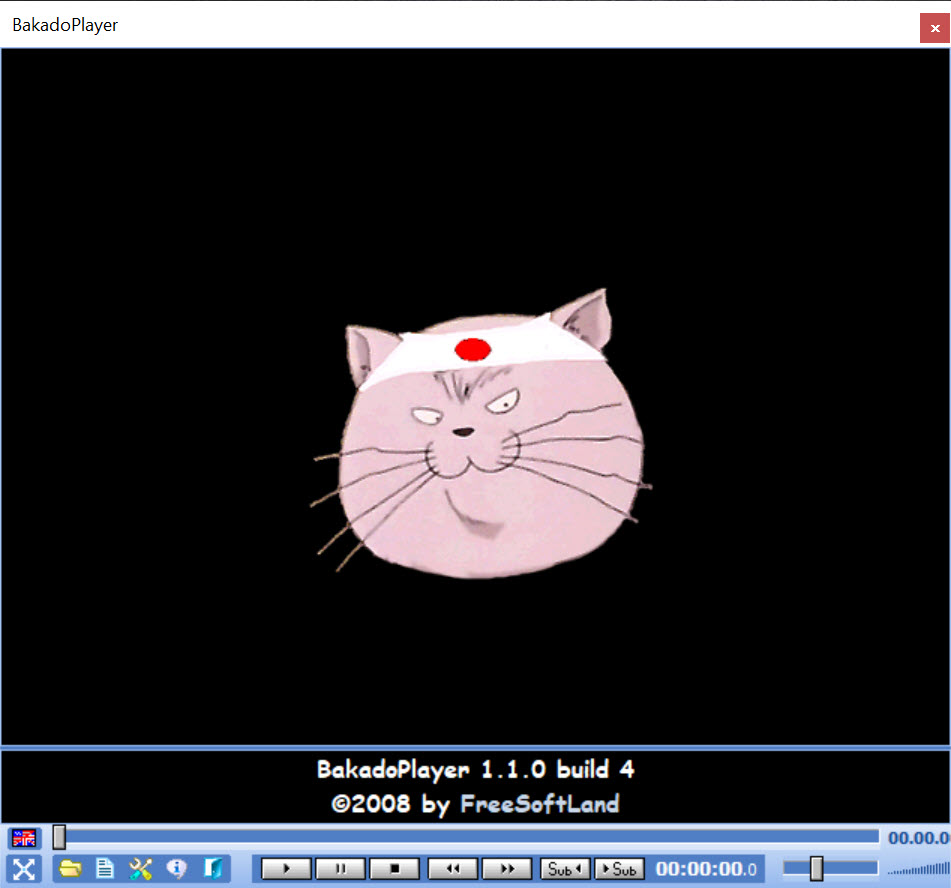
BakadoPlayer is a video player that refuses to draw subtitles over the picture. The window is split in two. The film plays in the upper area, and the subtitles appear in their own panel underneath, sized however you like, in whatever font and colour you choose. Nothing ever covers a face or a caption burned into the frame, and a long line of dialogue never gets cut off at the edge of a widescreen image.
That one idea solves a problem every other player treats as a compromise. Load two subtitle files, say the original language and a translation, and most players stack them on top of each other or let you pick one. BakadoPlayer lays them out in the panel side by side or line by line so both read cleanly at once.
Language learners and people watching with someone who reads a different language are the audience, and for them the layout is the whole point.
The subtitle panel and multiple languages
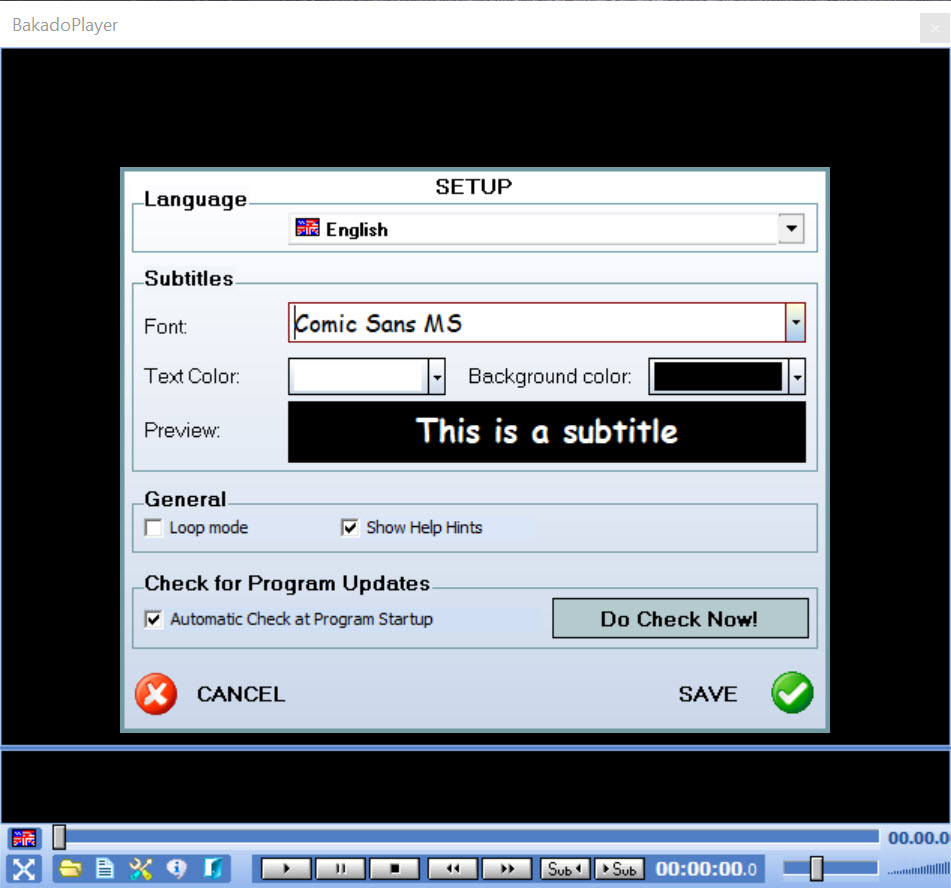
Drag a subtitle file onto the window and it appears in the panel. Drag another and the panel makes room. SRT, SUB, SSA and ASS files are all accepted, and text is read as UTF-8, so scripts in non-Latin alphabets display correctly rather than as question marks. Font and colour apply per file, which is how you tell the two languages apart at a glance.
The panel’s height is adjustable, so a film with sparse dialogue gets a slim strip and a fast-talking comedy gets more room. Fullscreen keeps the split, giving the picture the width of the display with the subtitles beneath it, which is unusual and, once you are used to it, hard to give up.
The subtitle list and moving through a film by dialogue
Every line of the loaded subtitles appears in a BakadoPlayer list that can be detached into its own window. Click a line and playback jumps to that moment, which is a different way to move around a film. Instead of scrubbing a timeline looking for a scene, you scroll the dialogue until you find what you remember someone saying. Previous and next buttons, and the arrow keys, step through lines one at a time.
For anyone studying a language, that BakadoPlayer list is a study tool. Step through a scene line by line, replay a sentence until it makes sense, and move on. A subtitle preview shows the text before you commit to loading a file, which helps when a folder holds six near-identical downloads.
Timing corrections still belong in a subtitle editor before the file comes here.
What plays, and what does not
The player relies on the media framework built into the system rather than shipping its own decoders. That keeps it small and means it plays exactly what the system can already decode and nothing more. On a machine without a codec pack, a fair number of modern container formats will refuse to open, and the fix is installing a codec pack rather than changing anything in the player.
That dependency is also its weakness against the big players. There is no hardware acceleration to speak of, no audio track switching, no chapter support, no playlist, no video filters and no subtitle timing adjustment.
If a subtitle file runs a second early, the correction has to happen in a subtitle editor before loading it here.
Keyboard, languages and the small touches
Playback and subtitle navigation both have keyboard shortcuts, so the mouse can stay out of it during a film. The interface itself is translated into several languages including Chinese, Spanish and German, with support for adding translations in other scripts. There is an update checker, and the whole thing runs from a folder if you prefer.
It is an old-fashioned program in look and in scope. The controls are basic and the window has no theme options. Against PotPlayer it loses on every feature except the one it was built for, and that one it does better than any of them.
Conclusion
BakadoPlayer suits language learners, people watching with someone who reads a different language, and anyone tired of subtitles covering the bottom of the picture. The separate panel, the multi-file layout and the clickable dialogue list serve that audience in a way the mainstream players do not attempt.
As a general video player it is thin. Codec support depends on what the system has, and the feature list stops at the subtitle problem. Keep a full-featured player for everything else and open this one when the subtitles are the reason you are watching.
Pros & Cons
- Subtitles sit in their own resizable panel below the video, never over it
- Several subtitle files load together and display without overlapping
- Subtitle list jumps playback to any line of dialogue
- Per-file font and colour to distinguish languages
- Reads UTF-8 text so non-Latin subtitles display correctly
- Depends on system codecs, so many modern formats need a codec pack
- No subtitle timing adjustment or audio track switching
- No playlist, chapters or video filters
- Basic, dated interface
Frequently asked questions
Yes. Load both files and the panel arranges them without overlap, each with its own font and colour.
It uses the system's own decoders. Install a codec pack and the file will play if the system can then decode it.
No. Adjust the timing in a subtitle editor and reload the file.
Yes. Fullscreen keeps the split layout, with the picture above and the subtitle panel beneath.


