

AutoPatcher
About AutoPatcher
Patching a machine requires a connection, and some machines do not have one. That circularity is the problem AutoPatcher was built to break, by moving the downloading to a computer that is online and the installing to one that is not.
The situations are more common than they sound. A freshly installed system whose network adapter has no driver yet. A machine on an isolated network for security reasons. A workshop bench with no wiring. A laptop somewhere the connection is metered or unusable. In each case the updates exist and the machine cannot reach them.
Two halves, and a stick between them
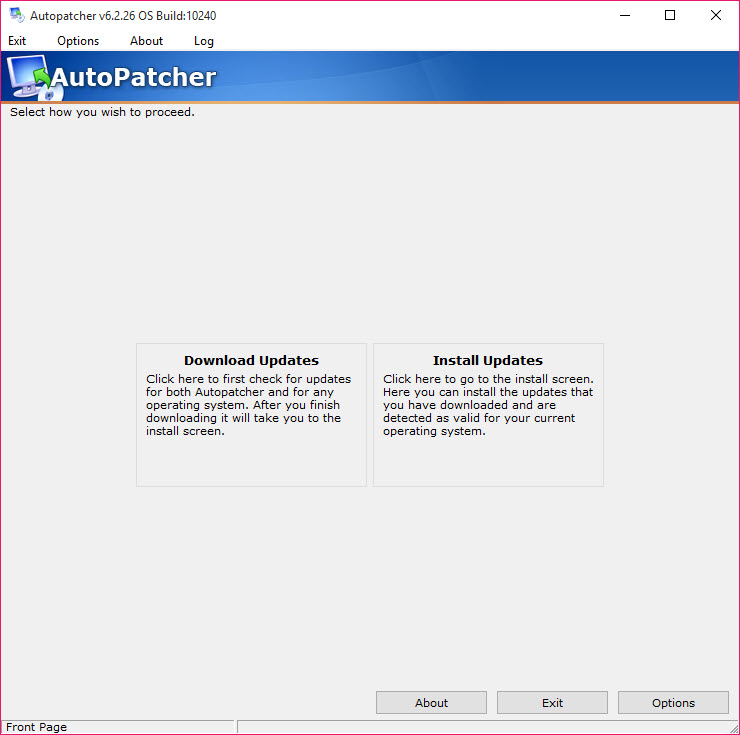
The arrangement is straightforward. One component runs on a connected computer and collects what is needed. The other runs on the target machine and installs offline, reading from whatever removable drive you carried it on.
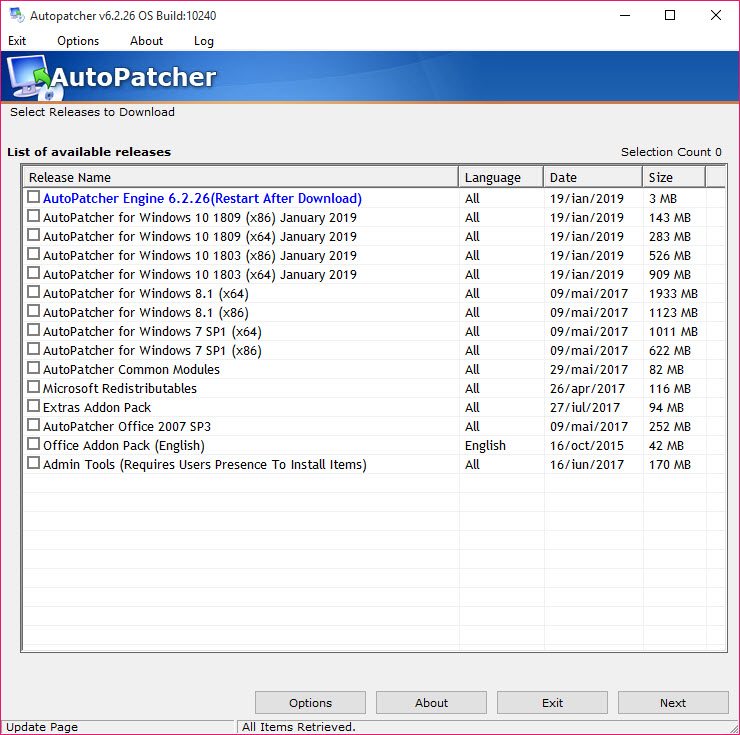
Selection happens at the collection stage. Modules cover different system generations and languages, so you gather what applies to the machine you are fixing rather than everything in existence, and individual updates can be included or left out.
On a connected machine that simply wants control over what installs, this is the wrong tool entirely, and a utility for picking individual updates on a live system does that job directly.
The driver problem it sits beside
Anybody who has rebuilt a machine knows the specific frustration this addresses. The installation finishes, the network adapter is unrecognised, and the driver for it would be one download away if downloading were possible.
Patches and drivers are the same problem wearing different clothes, and both need solving before a fresh machine is usable. Snappy Driver Installer carries driver packs the same way this carries updates, and the two together turn a stick into a complete recovery kit.
Fetching rather than carrying copies
One design detail explains both the tool’s legitimacy and its fragility.
AutoPatcher does not ship the patches. It downloads them from the official update servers at collection time and assembles them locally, so what you carry is a package you built rather than a redistribution of somebody else’s files.
That is the correct arrangement and it has a consequence. What can be collected depends entirely on what those servers still offer, so an update withdrawn or a generation retired stops being available regardless of what the tool would like to fetch.
Why you should probably use something else
The honest position is that this belongs to a previous era of the problem. Development stopped, coverage extends only to the system generations it knew about, and a machine running anything current will find nothing useful.
The premise remains completely valid though, which is why maintained tools do the same job. WSUS Offline Update is the direct descendant of this idea, collecting updates on a connected machine and building media that patches an offline one, with current generations covered.
Applications are the other half nobody plans for. The system might be patched and every program on it a year out of date, and Patch My PC handles that side, though it needs a connection to do it.
Conclusion
AutoPatcher solved a genuine problem with an obvious idea executed well. Collect on the machine that can, install on the machine that cannot, carry the difference on a stick. Anyone who has stared at a freshly installed system with no network driver understands immediately why the tool existed.
The idea outlived the software. Development stopped and the coverage froze, so a current machine gets nothing from it, and a maintained equivalent does the same work with the generations people actually run.
Keep the approach in mind, pair whatever you use with an offline driver pack, and remember that patching the system leaves every application on it exactly as out of date as it was.
Pros & Cons
- Separates collecting updates from installing them, so an offline machine can be patched
- Selection by system generation and language avoids gathering irrelevant material
- Individual updates can be included or excluded rather than taking everything
- Downloads from the official servers rather than redistributing copies
- The finished package travels on removable media to as many machines as needed
- Solves the specific dead end where a fresh installation cannot reach the network
- No longer developed, so newer system generations are not covered
- What it can collect depends on the official servers still offering those updates
- Requires a second, connected machine to prepare anything
- Does nothing for third-party applications, which age just as badly
- Superseded by maintained tools built on exactly the same idea
Frequently asked questions
Patching a machine that cannot reach the update service. One component gathers updates on a connected computer, and the other installs them on the offline machine from removable media.
No. It fetches them from the official update servers when you collect, and assembles a package locally. What you carry is something you built rather than a redistribution of the patches themselves.
No. Development stopped, and the system generations it understands are older ones. A machine running anything current needs a maintained tool built on the same approach.
Only the generations it has modules for. Beyond those it has nothing to offer, which is the practical limit on a tool that is no longer being extended.


