

Auto Key Presser
About Auto Key Presser
Auto Key Presser is a lightweight utility designed to automate the pressing of keys on your keyboard. Ideal for gamers, software testers, and users dealing with repetitive tasks, this tool simplifies workflows by simulating keypresses at customizable intervals.
Whether you’re farming resources in a game, performing repetitive data entry, or running macros in software testing, Auto Key Presser provides a straightforward solution to automate your keyboard inputs.
Automate Key Presses
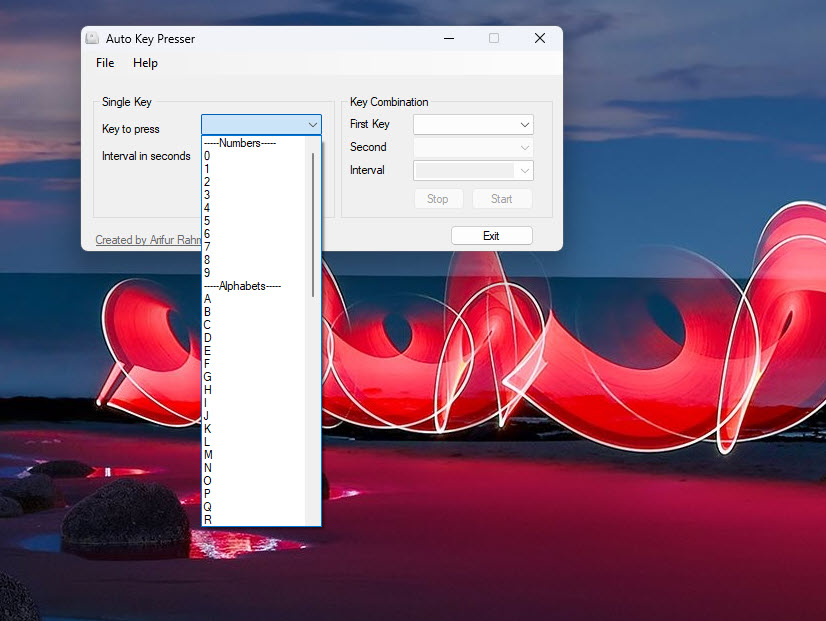
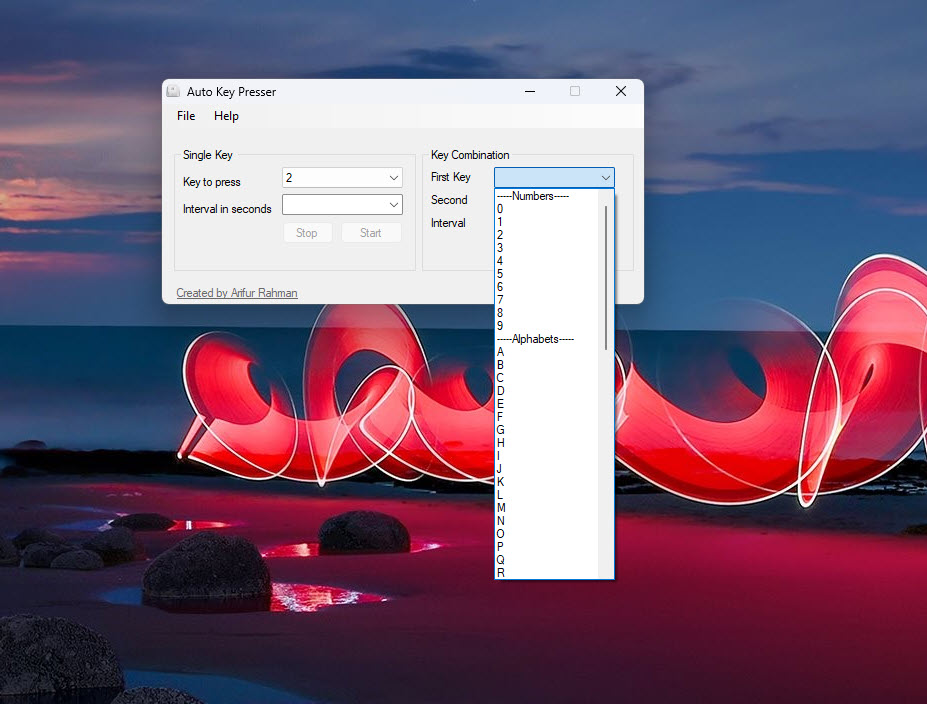
The primary function of Auto Key Presser is to simulate key presses at user-defined intervals. Users can specify which key (or combination of keys) should be pressed and how frequently, making it perfect for repetitive tasks that require constant input.
This feature is particularly useful in scenarios where manual key pressing would be time-consuming or tedious, such as in games that require repeated actions or automation scripts for testing software.
Customizable Settings
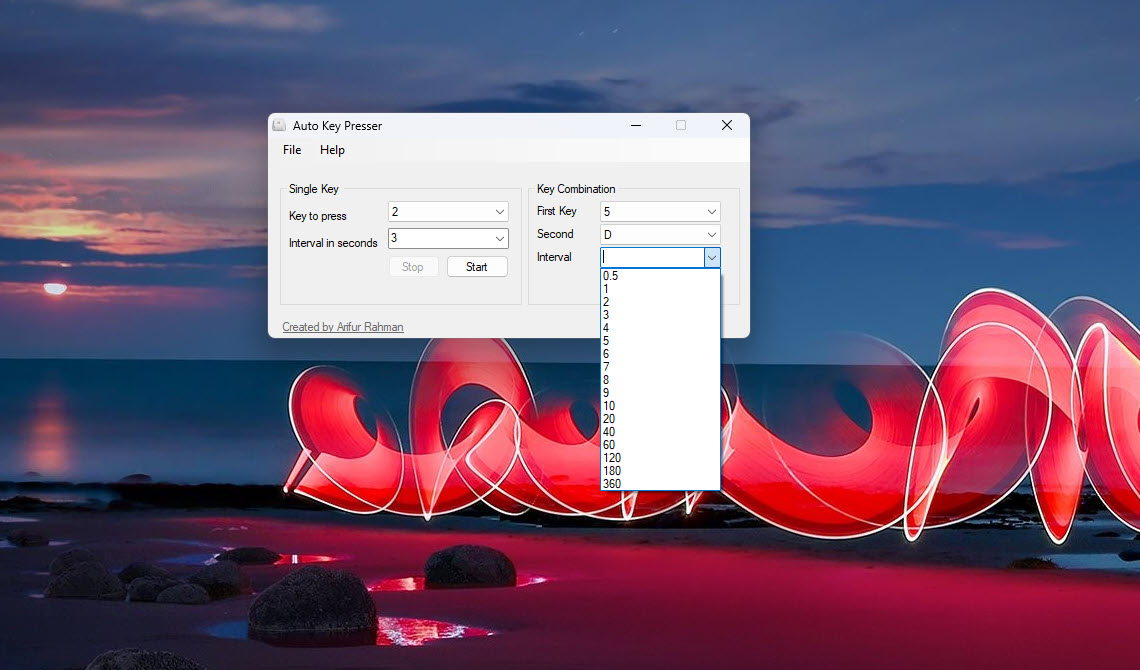
Auto Key Presser allows users to customize key press intervals, duration, and the number of repetitions. You can configure it to press a single key continuously or set up a sequence of keys for more complex tasks.
The flexibility in timing and key selection ensures that the tool adapts to various use cases, whether for gaming, productivity, or testing.
Simple and User-Friendly Interface
The software is designed with simplicity in mind. Its intuitive interface makes it easy to set up automation tasks, even for users with no technical expertise.
The main dashboard allows a quick selection of keys, interval settings, and start/stop controls, making the process effortless.
Lightweight and Resource-Friendly
Auto Key Presser is lightweight and runs in the background without consuming significant system resources.
This ensures smooth operation even during resource-intensive tasks like gaming or running multiple applications.
Compatibility with Games and Applications
The tool works seamlessly across various games and applications, making it versatile for automating tasks.
Whether playing an online multiplayer game or working on repetitive tasks in an office application, Auto Key Presser integrates smoothly with your workflow.
Conclusion
Auto Key Presser is a practical and reliable tool for automating repetitive keyboard tasks. Its ease of use, customizable settings, and lightweight design make it an excellent choice for gamers, software testers, and productivity-focused users alike.
While it offers straightforward functionality, its efficiency, and adaptability to various scenarios make it an indispensable utility for anyone looking to save time and effort on repetitive keyboard inputs.
If you’re searching for a simple and effective way to streamline your tasks, Auto Key Presser is a dependable solution.
Pros & Cons
- Automates repetitive key presses with customizable settings.
- Simple and intuitive interface suitable for all users.
- Lightweight and resource-efficient, running smoothly in the background.
- Works with games, software testing, and productivity tools.
- Safe and non-intrusive, mimicking keyboard input without modifying system files.
- Limited to keyboard automation; does not include mouse input.
- Not ideal for complex scripting or advanced automation.
- Some games with anti-cheat software may restrict its use.
Frequently asked questions
It automates repetitive keypresses, making it useful for gaming, software testing, or productivity tasks that require constant keyboard input.
Yes, the tool allows users to set the interval between key presses and the duration of automation.
While it works with most games, some titles with anti-cheat mechanisms may restrict its use.
Yes, the software supports single keys and key combinations, allowing for more complex automation.
Yes, the tool can be paused or stopped using configurable hotkeys.


