

AIMP
About AIMP
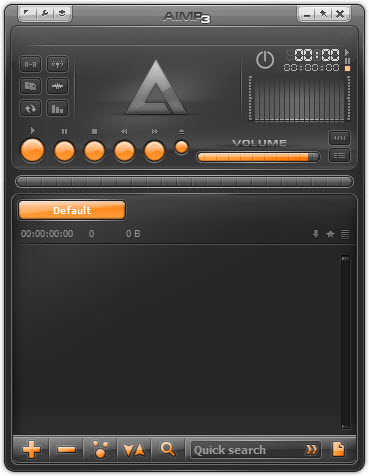
AIMP is an audio player built around one clear priority. It gets the best possible sound out of your music while staying easy to live with day to day. It plays just about every format you’re likely to own, from everyday MP3s to lossless FLAC and more obscure tracker files, and it wraps a genuinely capable audio engine in an interface that’s cleaner than the sprawling media suites and friendlier than the bare-bones purist players. If you care how your music actually sounds but don’t want to configure a spreadsheet’s worth of settings first, this hits a rare middle ground.
The engine is the heart of it. AIMP supports high-resolution audio, gapless playback so albums flow track to track without a jarring silence, and a 32-band graphic equalizer with a stack of built-in DSP effects.
There’s ReplayGain support to even out volume across a messy library, and output through different sound systems for people chasing the lowest-latency, highest-fidelity path to their hardware. It’s the kind of feature set audiophiles look for, delivered without the intimidating setup those players usually demand.
And there’s more here than pure playback. You get a tag editor for cleaning up messy metadata, an audio converter for changing formats, a built-in recorder for capturing sound, and internet radio. It’s closer to a small audio toolkit than a plain player, yet it never feels bloated the way that description might suggest.
Sound quality and the audio engine
Playback is where AIMP makes its case. The 32-band equalizer gives you fine control over the frequency response, far more granular than the five-slider afterthought most players ship with. Beyond that sit the DSP effects, things like reverb, a bass and treble enhancer, and a speed and pitch control that lets you slow a track down without shifting its key, which is a genuine boon if you’re learning an instrument by ear.
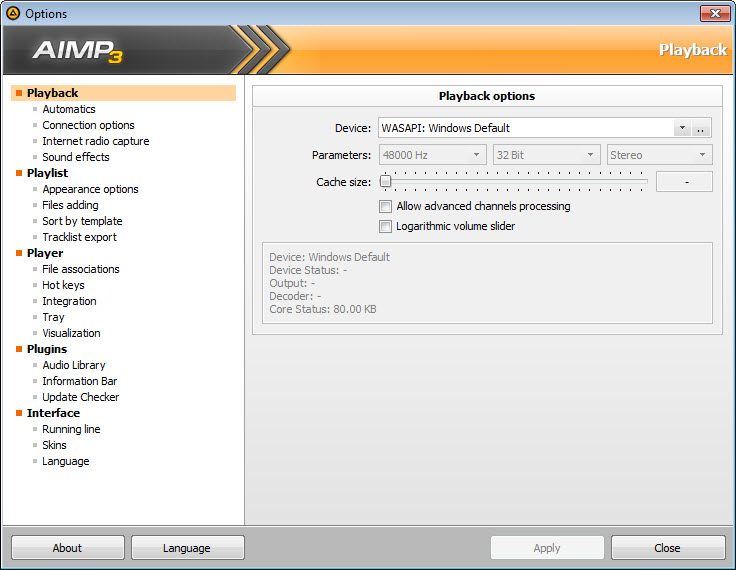
Gapless playback deserves a mention because so many players still botch it. Live albums and concept records that flow continuously play exactly as intended here, with no dead air between tracks. Pair that with support for different audio output methods for a cleaner signal path to your DAC or sound card, and you’ve got a player that takes fidelity seriously.
For even deeper, system-wide equalization that applies to every app rather than just your music, Equalizer APO works alongside it well.
Library, playlists, and getting organized
A good player also has to handle a real collection, and AIMP manages libraries without turning the job into a chore. It builds a music library you can sort and search, supports multiple playlists you can keep open at once, and remembers your playback position so you can pick up where you left off. Drag in a folder and it sorts the contents sensibly rather than dumping everything into one undifferentiated heap.
It’s not trying to be an all-consuming library manager, though, and that’s worth being honest about. If your priority is deep collection management, auto-tagging from online databases, and elaborate smart playlists, a dedicated organizer like MusicBee goes further on that front. This player’s library is competent and quick, but its soul is in playback, not cataloging ten thousand albums.
Why not just use foobar2000?
Anyone shopping for a serious audio player runs into foobar2000, the perennial favorite of the tweaking crowd, and it’s a fair comparison. That player is endlessly configurable but starts life looking stark and demands real effort to shape into something pleasant. AIMP takes the opposite tack. It looks polished out of the box, with skins if you want to change the appearance, and gives you most of the audio quality without the homework.
So the choice comes down to temperament. If you enjoy building your player component by component, the rival rewards that patience. If you want excellent sound and a clean interface working within minutes of installing, this is the easier road.
Both beat the aging classics like Winamp on modern format support and engine quality.
Tags, conversion, and recording
The bundled tools round out the package. The tag editor lets you fix track names, album art, and metadata in bulk, which is a relief when you’ve inherited a folder of files labeled “Track 01.” The audio converter handles moving files between formats, useful for shrinking a lossless collection down for a portable device or standardizing a mixed library.
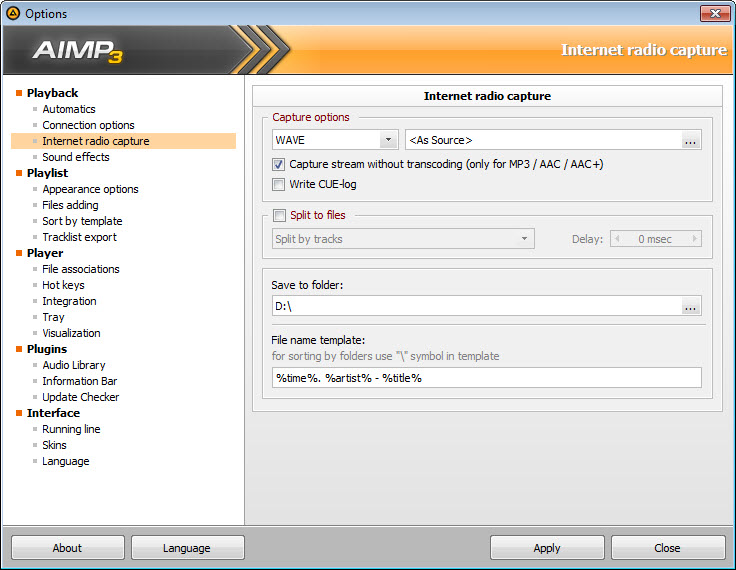
There’s also a sound recorder that captures audio from your system or an input, and internet radio with a directory of stations plus the ability to add your own. None of these extras is best-in-class against a dedicated tool, but having them built into the same window you already play music in saves the clutter of installing three more programs.
That’s the quiet appeal of the whole thing, a lot of capability gathered in one tidy place.
Conclusion
For listeners who want their music to sound its best without turning setup into a weekend project, AIMP is one of the smartest picks around. It pairs a serious audio engine, real equalization, and true gapless playback with an interface that’s clean from the first launch, and it throws in enough extra tools to cover most everyday audio chores. The sweet spot is the person who cares about fidelity but values their time.
It won’t satisfy the die-hard tinkerer who wants to assemble a player from scratch, and its library tools stop short of full collection management. But as a fast, great-sounding, no-fuss audio player with a generous set of built-in extras, it’s hard to beat for the money, which is to say, hard to beat at all.
Features & benefits
Pros & Cons
- Excellent audio engine with high-resolution support and true gapless playback
- 32-band graphic equalizer plus a range of DSP effects
- Speed and pitch control that slows tracks without changing their key
- Clean, skinnable interface that needs no configuration to look good
- Built-in tag editor, audio converter, recorder, and internet radio
- Library management is capable but shallow next to dedicated organizers
- The sheer number of settings and effects can overwhelm casual listeners
- Bundled extras are handy but not as strong as standalone specialist tools
- Less endlessly customizable than the component-based purist players
Frequently asked questions
It plays the common ones like MP3 and AAC alongside lossless formats such as FLAC and APE, plus tracker module files and more. For most collections you're unlikely to find a file it won't open.
Yes, a 32-band graphic equalizer, which is far more precise than the handful of sliders most players offer. On top of that you get DSP effects including bass and treble enhancement, reverb, and a speed and pitch adjustment.
It can. Gapless playback is built in, so continuous live albums and concept records play the way they were recorded, with no silence breaking the flow from one track to the next.
It does. There's a tag editor for cleaning up metadata in bulk, an audio converter for changing formats, a sound recorder, and internet radio, all inside the same application rather than as separate downloads.
Yes. The speed and pitch control lets you reduce playback speed while keeping the original key intact, which makes it useful for picking apart a passage by ear without the music sounding warped.


