

Aegisub
About Aegisub
Aegisub is a subtitle editor built around the audio track. Load a video, and the window shows the picture at the top, a scrolling view of the sound beneath it as a waveform or a spectrogram, and a grid of subtitle lines below that. Timing a line means dragging its start and end markers on the sound until they sit on the edges of the speech, with a keypress to play the selection and another to commit, and a well-practised timer moves through a scene faster than the dialogue plays. That audio-first design is why it became the standard tool for subtitling by hand.
The second thing that defines it is the Advanced SubStation Alpha format. Where SubRip carries text and two timestamps and nothing else, ASS carries fonts, colours, outlines, shadows, positions, rotations, scaling, fades, animated transforms and per-syllable timing for karaoke, all editable here with a visual preview on the video. Aegisub is the editor that format was designed around, and the typesetting tools that drag a sign’s translation into place on screen and match its perspective, or build a karaoke effect that lights syllables as they are sung, exist nowhere else in the same form.
Timing to the waveform
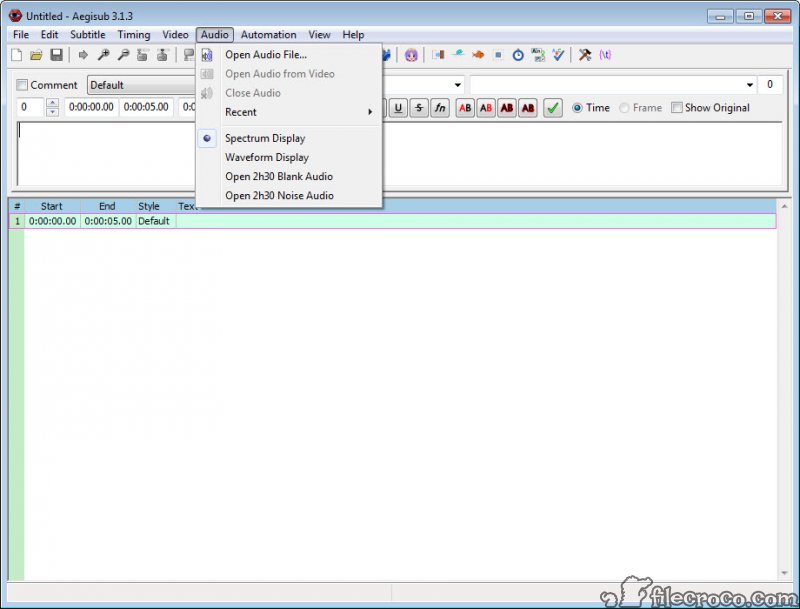
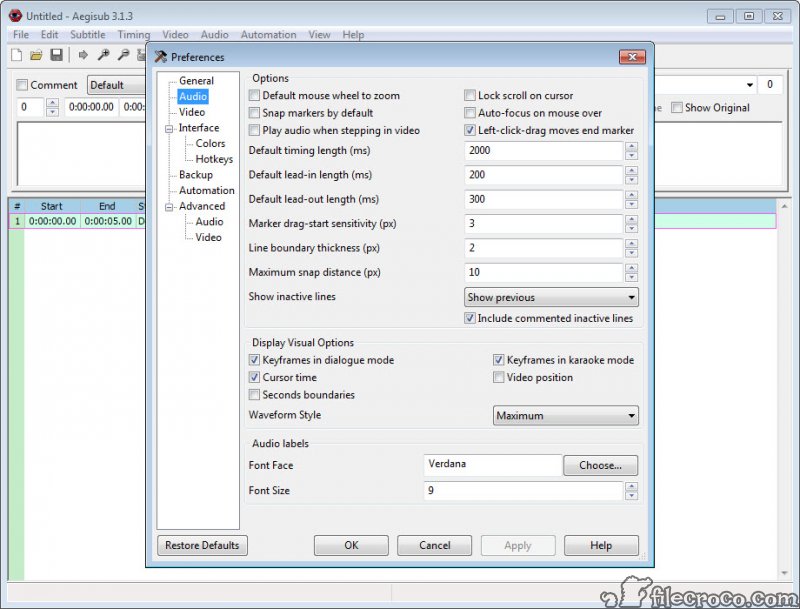
The Aegisub audio display is where the hours go. The waveform shows loudness over time, and the spectrogram shows frequencies, which separates speech from music and effects far better when the mix is busy, so timers switch between them depending on the scene. Each subtitle line appears as a coloured region on the display, with its start and end draggable and keyframes marked so a line can snap to the shot change it should end on. Play the selection or the half-second around it, then adjust it and commit, and the next line is selected automatically.
Several timing modes suit different jobs, from dialogue timing to a karaoke mode that splits a line into syllables and times each one. A timing post-processor then tidies a whole file at once, adding lead-in and lead-out, joining lines that nearly touch and snapping boundaries to keyframes within a tolerance you set, which turns rough timing into something that feels deliberate on screen. Audio is cached in memory as uncompressed sound, so a feature-length file wants a machine with a fair amount of memory.
Styles, and the ASS format
Every line in Aegisub belongs to a style, and a style defines the font, size, colours for fill and outline, for shadow and for karaoke, plus the outline and shadow sizes, margins, alignment and scaling. Change the style and every line using it changes, so a dialogue style, a sign style and a song style keep a long project consistent. The style manager stores styles per script and in a shared catalogue, so a studio’s house look moves between projects, and a styling assistant walks through lines assigning styles with single keys.
Beyond styles, override tags inside a line change anything for that line alone, from a colour shift mid-sentence to a position, a rotation or a fade, and a transform tag animates between states over time. Exporting to SubRip and the other plain formats is a menu choice, and the plain formats keep only the text and the timing, so the styling is for players and containers that understand ASS, which the common desktop players do, and muxing the file into a Matroska container is the job of MKVToolNix.
Visual typesetting on the video
Typesetting in Aegisub is translating the text that appears inside the picture, a sign, a letter, a phone screen, and placing the translation so it looks like part of the scene. The video area carries tools for exactly that. Drag a line to position it, rotate it in three axes to match a tilted surface, scale it, set a clip region so text appears to pass behind an object, and draw vector shapes for masks and backgrounds, all with the result rendered on the frame as you work. A video scrubber steps frame by frame, and the subtitle is drawn by the same renderer the players use, so what the typesetter sees is what viewers get.
Karaoke timing and effects
Aegisub karaoke mode splits a line into syllables, each with its own duration, and the audio display shows the syllable boundaries for dragging. The result is a line whose syllables light up in time with the singing. Effects beyond a simple highlight come from templates, which describe per-syllable animations in a small language and are applied to the timed lines, so a complex effect is written once and generated across a whole song.
Those templates are run by the automation system, and the community has produced a large library of them, from gradients and glows to effects that follow a syllable with particles. For a music video or an anime opening they are the reason the program exists, and everyone else can ignore that part of the window.
Automation with Lua
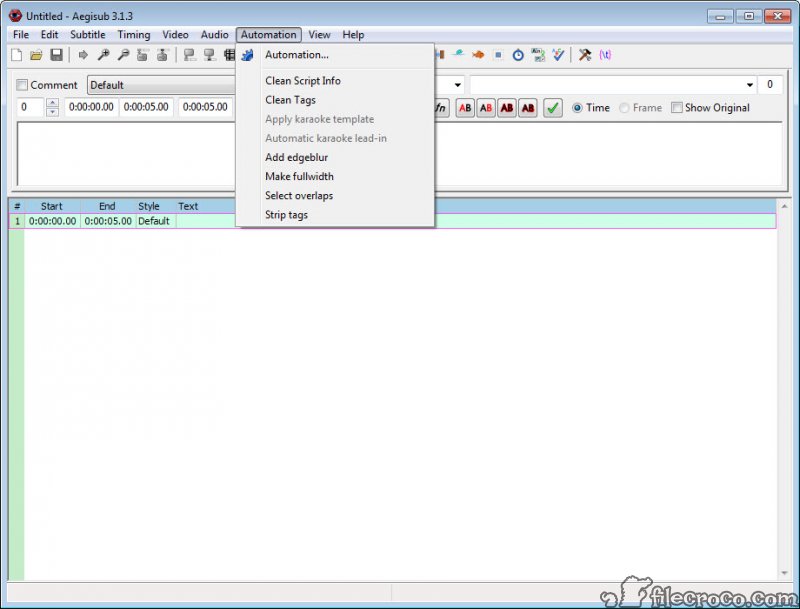
The Aegisub automation menu runs scripts written in Lua, and the scripts reach everything in the subtitle file. Bundled ones handle the karaoke templates, clean up tags and recalculate timing, and the community library adds scripts for gradients, blur, motion tracking data imported from a tracker, line splitting and dozens of typesetting chores. A dependency manager fetches and updates scripts from inside the program.
For anyone who repeats an operation across hundreds of lines, a short script turns an afternoon into a keypress, and the scripting is what makes the typesetting tools scale from one sign to a whole series. It assumes some programming comfort, and the bundled scripts cover the common needs without any. Burning the finished subtitles permanently into the picture is a separate step for a video transcoder, since the editor only writes subtitle files.
Where it asks care
The Aegisub learning curve is real, since the interface is dense and the format has hundreds of tags. There is no speech recognition and no automatic alignment, so a two-hour film is timed by hand or imported from a draft made elsewhere. The audio cache demands memory, multichannel sound is downmixed to mono, and very long files are heavy. For translating, fixing timing and converting formats in bulk with far less to learn, Subtitle Edit is the more general tool, and many people use both.
Conclusion
Aegisub suits translators and fansubbers, and anyone who needs subtitles timed to the frame and styled to match the picture, from a sign in the background to the lyrics of a song. The audio display, the ASS styling and the typesetting tools have no equal, and the automation turns repetitive work into scripts.
It is the wrong choice for someone who wants captions generated from speech or a quick fix to a downloaded file. Learn the timing keys first, let the styles carry the look, and reach for the typesetting and karaoke tools when a project asks for them, because that is where the program leaves everything else behind.
Pros & Cons
- Waveform and spectrogram timing with keyframe snapping and a post-processor
- Full ASS styling with styles, override tags and animated transforms
- Visual typesetting that positions and rotates text on the video frame, with clipping and drawn shapes
- Karaoke syllable timing with template-driven effects
- Lua automation with a community script library and a dependency manager
- Renders with the same engine players use, so the preview matches playback
- Steep learning curve across a dense interface and a tag-heavy format
- No speech recognition or automatic alignment
- Audio is cached uncompressed and needs memory on long files
- Styling survives only in formats and players that support ASS
Frequently asked questions
No. Timing is done by hand against the audio display, or imported from a draft made elsewhere and refined.
ASS carries fonts and colours, positions, animations and karaoke timing, which the editor is built around. SRT keeps only text and timing, so exporting to it drops the styling.
Yes. Karaoke mode times each syllable against the audio, and templates run through the automation system generate the lighting and animation effects.
Audio is decoded and cached uncompressed for instant scrubbing, so a long file occupies a large amount of memory while open.


