

Advanced SystemCare
About Advanced SystemCare
Advanced SystemCare is a maintenance suite built around one large button. Press Scan in AI Mode and it inspects the machine for junk files and leftover registry entries, privacy traces and startup clutter, spyware, and out-of-date software, then proposes a single plan of fixes. Press Fix and it applies them. Everything else in the window, a speed-up tab, a protection tab, a toolbox of more than thirty small utilities and a floating performance monitor, sits around that one-button routine, and the whole design aims at people who want a tidier, quicker computer without learning what each part does.
That audience is the right frame for judging it. For someone who never clears a browser cache or looks at what launches at startup, the first scan finds real clutter and the startup cleanup produces a real improvement in boot time. For someone who already maintains a machine, much of the suite duplicates tools the system includes, and a couple of its features promise more than they deliver.
Advanced SystemCare is also a vehicle for its maker’s other products and its own paid tiers, and the prompts to upgrade and to install companions are part of the experience from the first screen.
AI Mode and manual scanning
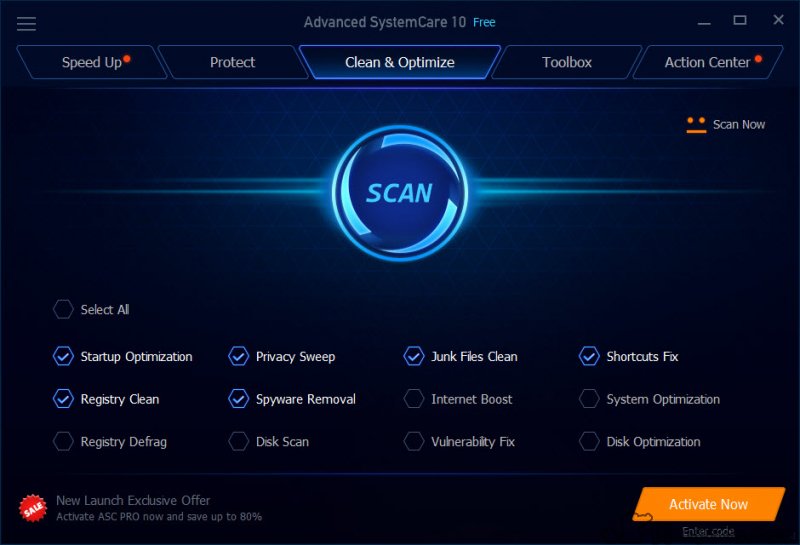
In Advanced SystemCare, AI Mode chooses what to scan and what to fix, building its plan from the state of the machine and from previous runs. Manual Mode lays the categories out as tick boxes, junk files, privacy sweep, startup optimisation, registry cleaning, spyware removal, shortcut repair, internet boost, disk optimisation and software updates, so you can leave out the ones you do not want.
For most people AI Mode is the sensible default, and for anyone cautious, Manual Mode with the registry and internet boxes unticked is the safer habit.
Junk cleaning is the part that works best. Temporary files, update leftovers, browser caches, crash dumps and log files add up, and the first scan on an untended machine usually reclaims several gigabytes.
Much of that is cache that regrows, but the reclaimed space is real. Anyone who prefers a cleaner that shows exactly what it will delete and does nothing else will find a dedicated junk cleaner more transparent.
Registry cleaning, the part to treat carefully
The Advanced SystemCare registry cleaner finds entries that point at files and programs no longer present and removes them. On a modern system that has almost no measurable effect on speed, since a few thousand dead keys in a database of hundreds of thousands make no noticeable difference. It carries a small risk in the other direction, because an entry that looks orphaned can occasionally matter, and user reports of breakage after aggressive registry cleaning are not rare.
The suite takes a backup before it cleans, which is the right safety net, and the restore is a couple of clicks. The honest advice is to untick registry cleaning altogether, or to run it only when a specific problem points at a stale entry.
It is not a performance feature, whatever the marketing implies.
Speed Up, Turbo Boost and startup
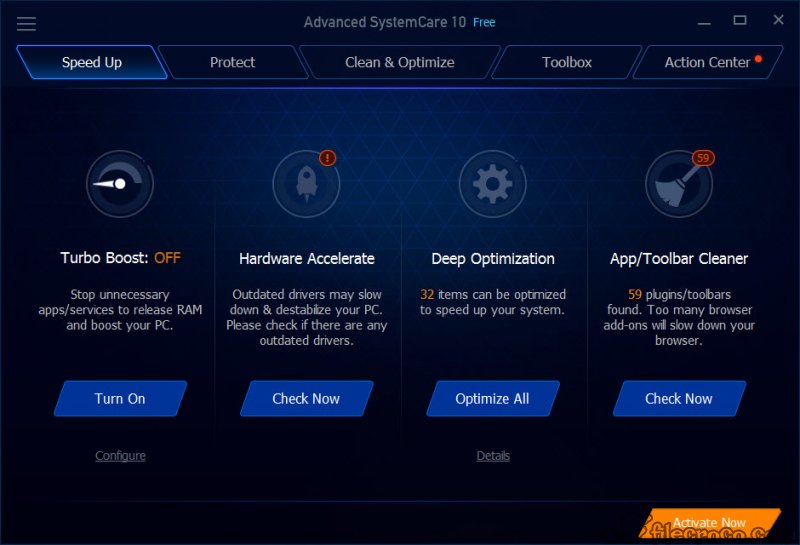
The Advanced SystemCare Speed Up tab is where the measurable gains live. The startup optimiser lists every program that launches at login and lets you delay or disable them, with a rating for each, and on a machine carrying a dozen unnecessary startup entries it shortens boot time noticeably. That gain comes from the startup cleanup, not from any clever acceleration, and the same result can be had by hand in a detailed startup manager for anyone who wants to see exactly what each entry is.
Turbo Boost is the feature to understand before touching. It releases memory and processor time by stopping background services and applications, with Work, Game and Economy profiles, and switching it on before a game can help on a machine short of memory.
It can also stop a service something else relied on, and the effect on a well-configured modern machine is small. The Hardware Accelerator entry looks for driver updates through its sister driver tool, which is where the cross-promotion is most visible.
Protection and the software updater
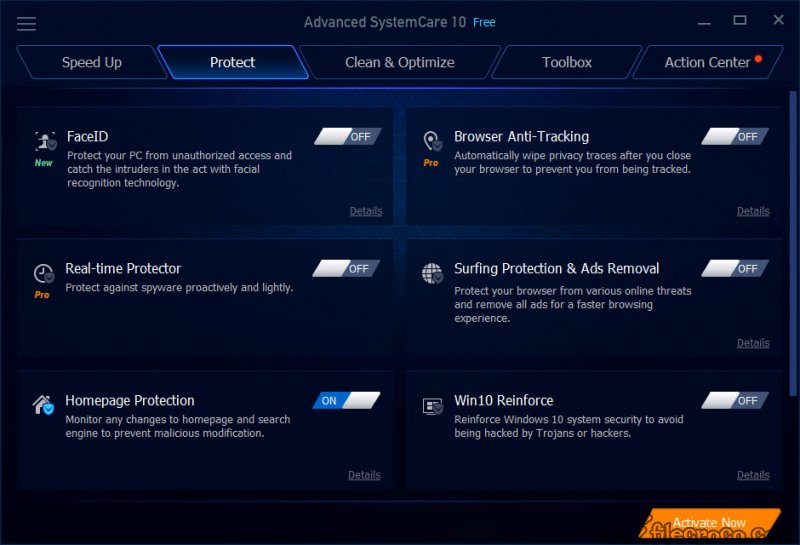
The Advanced SystemCare Protect tab adds browser protection against tracking and malicious sites, anti-tracking cleanup, a firewall shield on top of the built-in one, and a real-time monitor that watches for changes to startup and browser settings. Much of this is useful in principle and some of it sits in the paid tier. It is not antivirus in the sense of a signature engine, and full malware protection belongs to the top edition only.
The software updater lists installed programs with newer releases available and updates them, which is handy, though users report it misses a good share of outdated software. For keeping applications current reliably, a dedicated software updater covers more programs with fewer prompts.
The performance monitor, the toolbox and the prompts
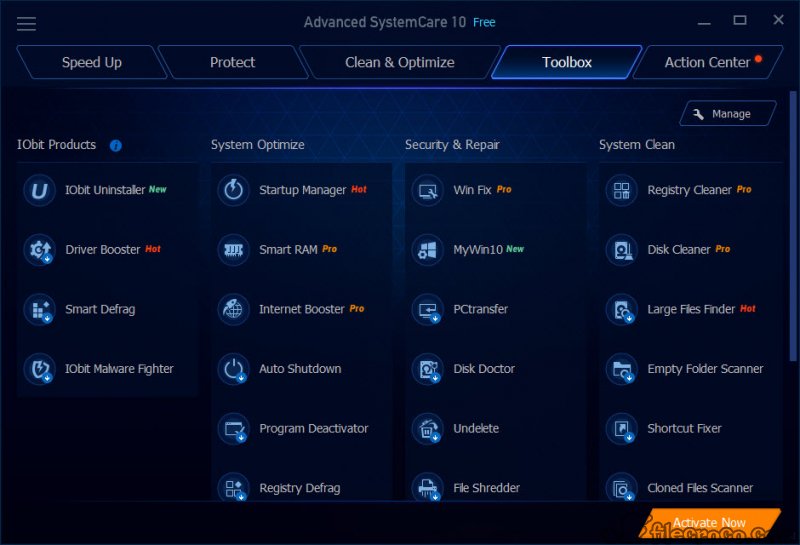
A small Advanced SystemCare monitor floats on the desktop showing memory and processor use, and it expands to show disk and network activity along with temperatures and fan speed. One click releases memory, which gives an immediate number and little lasting benefit. The toolbox holds more than thirty extra utilities, a large file finder, a disk defragmenter, an uninstaller, a file shredder, a driver updater and others, many of them separate programs from the same maker that install when first opened.
That last point is the habit users complain about most. The installer offers companion software, the interface nudges towards upgrades, and opening some toolbox entries installs another product. None of it is hidden, and the offers can be declined, but the suite asks for attention to avoid ending up with more installed than you wanted.
Reading each setup screen before clicking through is simply part of using it.
Conclusion
Advanced SystemCare suits someone who wants one button to tidy an untended machine and is prepared to decline a few offers along the way. The junk cleaner and the startup optimiser deliver real gains on a neglected computer, the AI Mode keeps the process simple, and the automatic backups make the risky parts reversible.
Anyone who already maintains their system will find it largely redundant, and the registry cleaning and Turbo Boost deserve scepticism rather than trust. Run it in Manual Mode with the registry box unticked, watch the setup screens for bundled offers, and it does its best work without its worst habits.
Pros & Cons
- AI Mode runs a whole maintenance pass with one button
- Junk cleaning reclaims real space on an untended machine
- Startup optimiser shortens boot time with clear ratings
- Registry changes are backed up and easy to restore
- Floating monitor shows temperatures and resource use at a glance
- Registry cleaning adds little speed and carries some risk
- Turbo Boost can stop services other software relies on
- Frequent upgrade prompts and bundled companion software offers
- Software updater misses many outdated programs
- Much of the toolbox installs separate programs on first use
Frequently asked questions
Rarely. Removing dead registry keys has almost no effect on speed and a small risk of breaking something. Leave it unticked, or rely on the automatic backup if you do run it.
It stops chosen background services and applications to release memory and processor time, with Work, Game and Economy profiles. Review what it stops, since some services matter to other software.
Read each setup screen and untick the companion offers, and decline prompts to install toolbox utilities you do not need.
No. Its protection tools cover tracking, browser safety and settings monitoring. Full malware protection is limited to the top edition, so keep a proper antivirus.


