

3uTools
About 3uTools
The relationship between Apple and third-party iOS management software has always been adversarial. Apple wants users to manage their iPhones through iTunes (now Finder, on newer macOS versions) or directly through the device, with the rest of the device management ecosystem closed off behind walled-garden restrictions.
Repair shops, power users, and various professionals who work with iOS hardware regularly find iTunes inadequate for their needs, and a small ecosystem of alternative tools has grown up to fill the gap.
3uTools is the most prominent of these alternatives, a Chinese-developed application that has become essential infrastructure in independent iPhone repair shops worldwide.
This tool has been around for many years and continues active development as iOS evolves. The tool is most popular in Asia (Vietnam, Indonesia, India, and Egypt show particularly strong adoption) but has substantial users globally including the United States.
The popularity reflects what the software actually delivers: comprehensive iOS device management, firmware flashing, backup operations, and various utility functions that go well beyond what Apple provides through official channels.
Comprehensive iOS device management beyond what iTunes offers
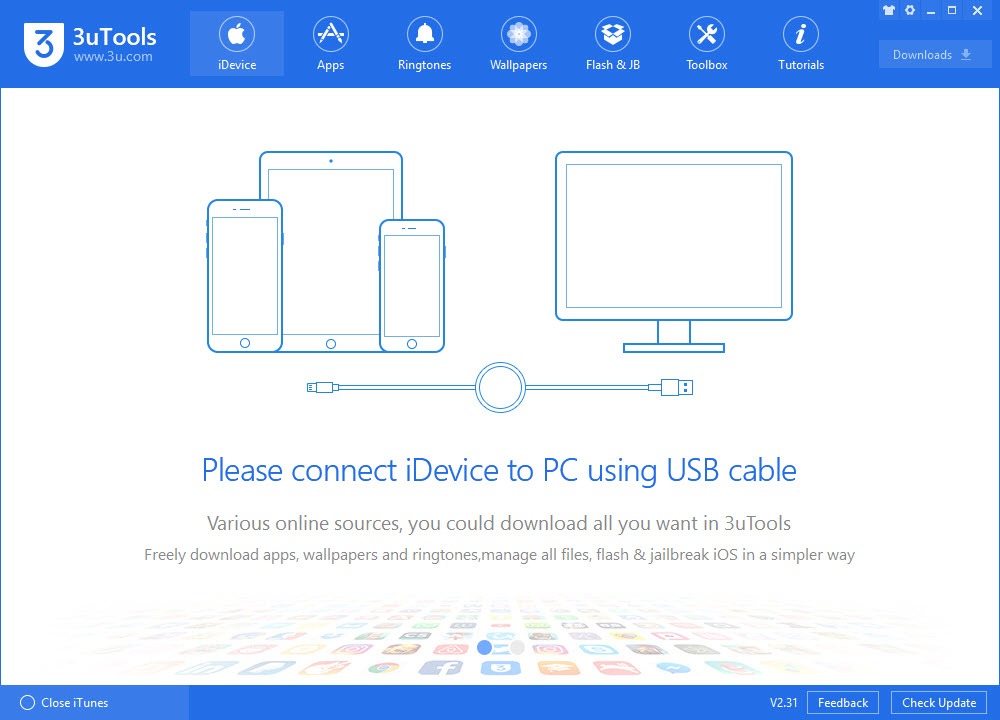
The defining feature of 3uTools is the depth of device management it provides. Connect an iPhone, iPad, or iPod via USB cable, and the application displays a comprehensive overview of the device including hardware specifications, battery health, storage breakdown, activation status, jailbreak status, and dozens of other technical details that iTunes either doesn’t show or buries deep in submenus.
For users buying used iPhones, this overview alone justifies installing the software. The hardware verification check identifies whether components match what Apple originally installed, flagging refurbished devices, replaced screens, swapped batteries, or other modifications that affect device value and trustworthiness. For anyone purchasing used Apple hardware, having this verification capability before completing a transaction prevents expensive mistakes.
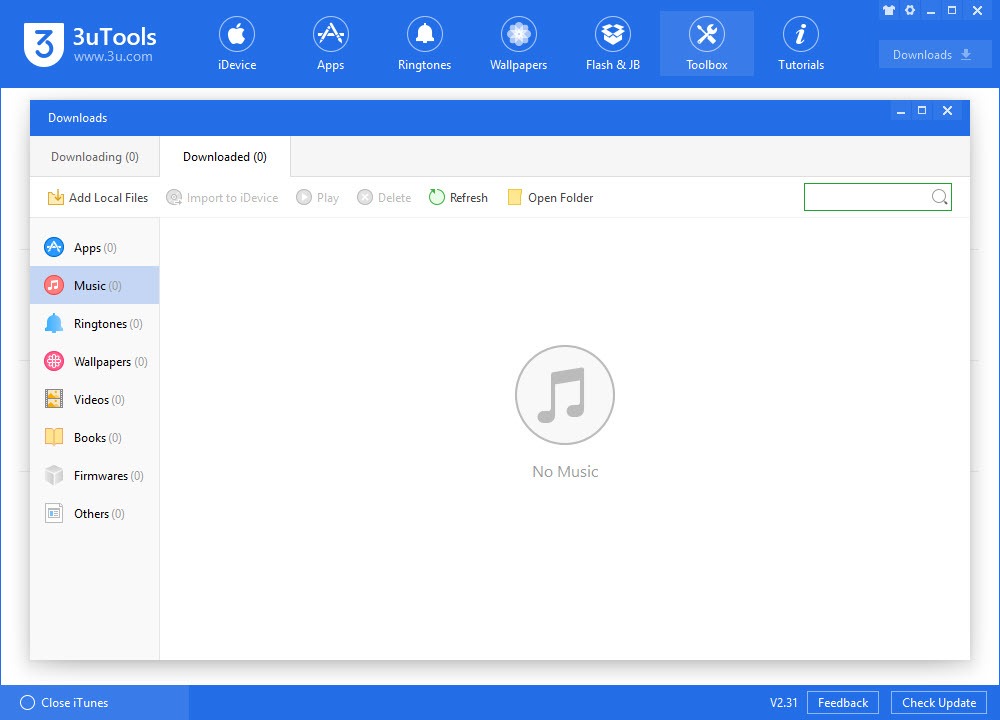
The file management interface lets you access photos, videos, music, contacts, messages, and various other content categories with a clean drag-and-drop workflow.
Where iTunes makes simple file transfers awkward through its forced sync model, 3uTools treats the iPhone more like a regular storage device, letting you copy files in either direction without the orchestrated sync ritual.
Firmware flashing with broader options than iTunes
The flash function is where the software earns its repair-shop reputation. iTunes can restore an iPhone to current iOS versions through Apple’s signed firmware servers, but only those versions Apple is currently signing, which typically means the latest version and occasionally one previous version. 3uTools offers more flexibility through its own firmware database and various flashing modes that handle scenarios iTunes either can’t or won’t.
Pro Flash mode handles standard restoration similar to iTunes but with better progress visibility and error handling. Easy Flash provides a simplified workflow for users who don’t need the technical details. The application also handles the various recovery scenarios that come up with bricked or partially-broken devices, including DFU mode flashing for situations where the device won’t enter normal recovery mode.
The firmware library lets you download iOS firmware files directly through the application rather than hunting them down separately.
The library indicates which versions Apple currently signs (and which therefore can actually be installed) versus older versions that can be downloaded for archival purposes but won’t activate without specific tools.
Backup capabilities that work better than iCloud or iTunes
The backup functionality offers various modes including standard iTunes-compatible backups, encrypted backups with custom passwords, and selective backups that capture specific data categories rather than everything. For users with limited iCloud storage who don’t want to pay for upgrades, having local backup options that work cleanly matters substantially.
The backup viewer lets you browse backup contents directly, extracting specific items rather than restoring entire backups when you need a specific photo, message thread, or contact list. This selective extraction is the kind of practical capability that iTunes lacks completely, requiring full restoration even for trivial recovery needs.
For repair scenarios where a device is being prepared for replacement or service, the comprehensive backup with verification ensures that data preservation actually works.
The application reports which categories backed up successfully, flags any that encountered errors, and provides clear feedback about backup integrity rather than just claiming completion without verification.
Ringtone creation and content management
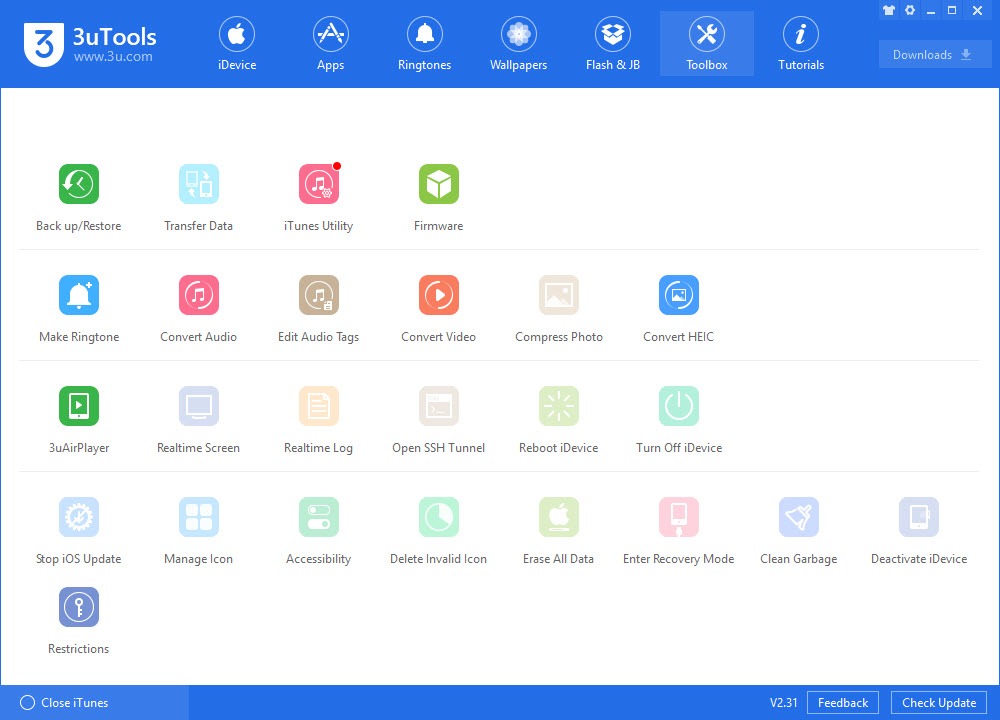
A small but appreciated feature is the integrated ringtone creator that converts audio files into iPhone-compatible ringtones, transfers them to the device, and installs them properly so they appear in the ringtone selection. The Apple ecosystem has historically made custom ringtone installation more cumbersome than it should be, and this integrated workflow eliminates the friction.
The wallpaper management, app installation from local IPA files, and various other content operations follow similar patterns. Where official tools either don’t offer these capabilities or implement them awkwardly, this software treats them as routine operations that complete cleanly through straightforward interfaces.
For users coming from Android backgrounds where this kind of device customization is taken for granted, having these capabilities available on iPhone (even through third-party software) makes the platform substantially more flexible.
The activation lock and iCloud bypass controversy
The most controversial aspect of this software involves the various activation lock and iCloud bypass features. These tools exist for legitimate scenarios where users have forgotten Apple ID credentials for devices they actually own, but they’re also commonly used in less legitimate contexts including unlocking stolen devices or circumventing security on devices acquired through unofficial channels.
The bypass functionality varies in effectiveness based on iOS version, device model, and Apple’s ongoing security improvements. Older devices on older iOS versions are sometimes susceptible to bypass approaches that newer hardware on current firmware completely resists. The arms race between Apple’s security and these bypass tools continues, with success rates fluctuating as both sides adapt.
For users considering this software, the practical advice is straightforward. If you have legitimate ownership of a device with credential issues, the bypass features may help in some scenarios, though success isn’t guaranteed and Apple’s security improvements have made these features less reliable on recent devices.
If you’re considering using the software to unlock devices of questionable provenance, you should probably reconsider, both because the success rate has dropped substantially and because the legal implications can be serious.
Jailbreak support for users on supported versions
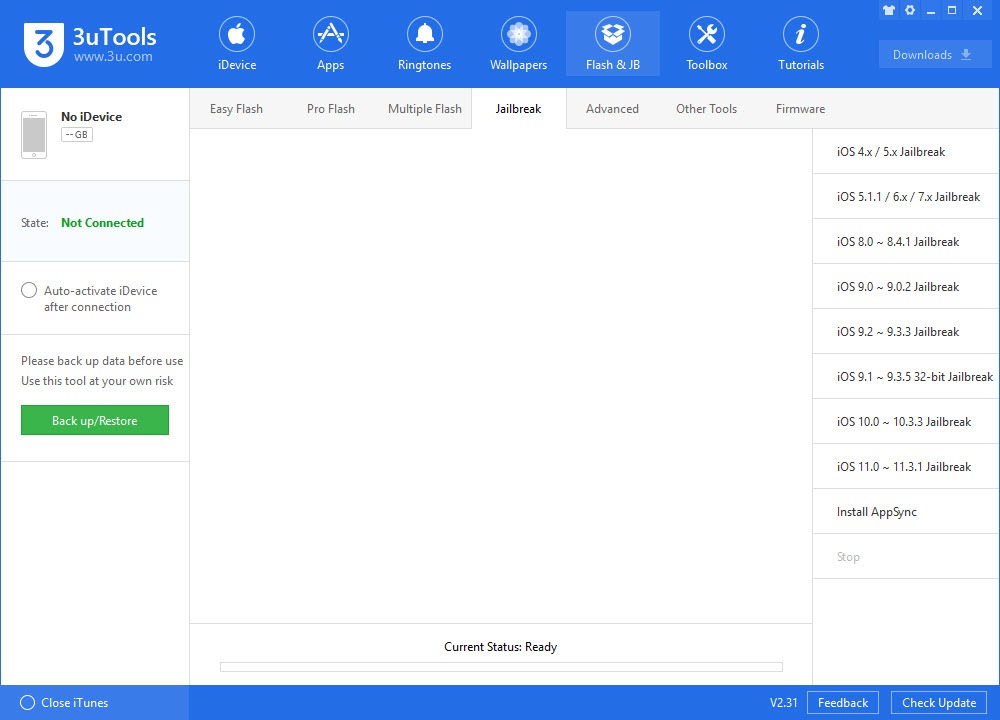
The jailbreak tools integrate various community jailbreak utilities into a single workflow, simplifying the process of jailbreaking devices for users who want that capability. Modern iOS is much harder to jailbreak than older versions, with jailbreaks for current iOS releases often appearing months or years after the iOS version itself, and sometimes never appearing at all.
For users on jailbreakable iOS versions who want the additional customization and software access that jailbreaking provides, 3uTools consolidates the various jailbreak utilities and handles the workflow through a unified interface. The tool doesn’t develop the jailbreaks themselves, but its integration of existing jailbreak utilities makes the process more accessible than running individual tools separately.
Jailbreaking carries its own risks and considerations including void warranty status, security implications, and instability potential that users should understand before proceeding. The software facilitates the process but doesn’t shield users from the inherent tradeoffs of running modified iOS.
The safety question users keep asking
The most-searched question about this software is whether it’s safe to use. The honest answer requires acknowledging multiple dimensions of “safety.” The software itself isn’t malware in the traditional sense, downloads from the official source (3u.com) are legitimate, and the application doesn’t introduce viruses or do obviously malicious things to your computer.
The more nuanced concerns involve the Chinese development origin and what data the software accesses during normal operation. Users who care about data sovereignty and Western regulatory frameworks may have legitimate concerns about the software’s data handling, particularly given that comprehensive device management requires deep access to iOS device data. The application’s privacy practices are documented but rely on user trust in the developer.
For the average user just wanting iPhone management capabilities, the practical safety is acceptable. The software has been used by millions of users for years without major incident reports. For users with specific data sensitivity concerns (corporate data, government work, personal information requiring extra protection), the standard advice applies: minimize unnecessary tools that have access to sensitive systems, regardless of which country develops them.
The third dimension of safety involves Apple’s view of the software, which is fundamentally hostile. Apple actively works to break compatibility between iOS and third-party management tools through ongoing protocol changes, which means features may stop working with iOS updates.
3uTools typically catches up within reasonable timeframes, but users running the latest iOS may occasionally experience temporary functionality gaps.
Free to use without licensing complications
Unlike many comprehensive software tools, 3uTools is genuinely free with no premium tiers, no advertising, no bundled software, and no time limitations. The full feature set is available without payment, which has contributed substantially to its popularity in repair shop contexts where licensing complications would be operational friction.
The funding model isn’t entirely transparent, with the Chinese parent company presumably benefiting in ways that aren’t immediately obvious to Western users. Whether this involves data monetization, ecosystem positioning, or other indirect revenue streams is unclear. For users comfortable with this ambiguity, the free pricing is genuinely accessible. For users who prefer transparent commercial relationships, the lack of clear funding structure is itself a consideration worth thinking about.
Real-time screen mirroring and recording
The Real-time Screen function mirrors the iPhone display to your computer, useful for presentations, demonstrations, recording iOS gameplay or app behavior, and similar scenarios where you want the phone screen visible on a larger display. The mirroring works through the standard iOS screen sharing protocols, with reasonable performance and quality.
The recording capability captures the mirrored screen as video files, which matters for content creators, app developers wanting to record iOS app demos, and various other scenarios. Combined with the audio recording options, this provides a complete capture pipeline for iOS screen content without needing a separate dedicated tool.
Considerations and limitations
The interface is dense, with comprehensive functionality crammed into a tabbed layout that takes some learning to navigate efficiently. New users frequently find specific features harder to locate than expected, with feature discovery requiring exploration rather than being immediately obvious.
The software’s relationship with Apple is fundamentally adversarial, which means specific features may break with iOS updates and require waiting for software updates to restore functionality. Users on the latest iOS versions occasionally encounter capabilities that worked on previous versions but require updates to work on current versions.
Some advanced features assume familiarity with iOS device management concepts that casual users may not have. Terms like DFU mode, ramdisk, ECID, and various other technical specifics appear throughout the interface, with documentation that assumes some background rather than explaining concepts from scratch.
The activation lock and bypass features have legitimate uses but also enable potentially problematic scenarios. Users should understand both the technical limitations (success rates have dropped substantially on modern devices) and the ethical considerations before relying on these specific capabilities.
Conclusion
3uTools has earned its position as essential infrastructure in independent iPhone repair contexts and serious iOS power user toolkits by providing capabilities that Apple’s official tools simply don’t offer. The combination of comprehensive device management, firmware flexibility, content tools, and verification capabilities delivers genuinely useful functionality for users who want more control over their iOS devices than the official ecosystem provides.
It’s not the right choice for everyone. Casual users who are happy with iTunes for the limited management they need won’t find much reason to install something more complex, and users with specific privacy concerns may prefer staying within Apple’s ecosystem despite its limitations.
But for repair shops, technicians, content creators, and power users who regularly work with iOS devices in ways that exceed what Apple’s tools accommodate, 3uTools delivers exactly that, with the kind of comprehensive capability that has kept it the dominant alternative iOS management tool across many years and iOS versions.
Pros & Cons
- Comprehensive iOS device management beyond what iTunes provides
- Hardware verification check identifies refurbished or modified devices
- Firmware library with multiple flashing modes for various scenarios
- Backup capabilities including selective extraction from existing backups
- Integrated ringtone creator and various content management tools
- Real-time screen mirroring and recording for iOS content
- Free to use without premium tiers, advertising, or time limitations
- Genuinely useful for repair shops and serious iPhone users
- Chinese development origin raises data sovereignty concerns for some users
- Activation lock bypass features have legitimacy concerns and dropping success rates
- Interface density requires learning curve for efficient navigation
- Apple's ongoing protocol changes occasionally break specific features temporarily
- Some advanced features assume technical familiarity with iOS internals
- Funding model isn't entirely transparent regarding how free software is sustained
Frequently asked questions
This software is a comprehensive iOS device management application that handles iPhone, iPad, and iPod operations including firmware flashing, backup and restore, file management, ringtone creation, jailbreak workflows, hardware verification, and various other capabilities that go beyond what Apple's official tools provide. It's particularly popular in repair shop contexts where the depth of capabilities matters daily.
The software includes various activation lock and bypass features, but their effectiveness varies substantially based on iOS version and device model. Older devices on older iOS versions sometimes work, while modern devices on current iOS generally resist these approaches due to Apple's ongoing security improvements. These features have legitimate uses for owners with credential issues but are also commonly misused for unlocking stolen devices, with corresponding legal implications worth considering.
iTunes handles basic iPhone management for typical users, with strong integration into Apple's ecosystem but limited capabilities beyond what Apple wants users to do with their devices. This software offers substantially more depth for power users, repair scenarios, and unusual operations that iTunes simply doesn't support. The tools complement each other rather than competing directly, with most serious iPhone users having both available depending on the immediate need.
Yes, the software is actively developed and supports current iOS versions including iOS 18, with compatibility for the latest iPhone models. Apple's ongoing protocol changes occasionally cause temporary gaps where specific features break with new iOS releases, but updates typically restore functionality within reasonable timeframes after each major iOS version.
Yes, this is a common and legitimate use case. The backup functionality creates comprehensive local backups that capture device contents for preservation before factory resets or device transitions. The backups can be browsed and selectively restored, which is useful for moving specific data to a new device rather than restoring entire backups that might bring along data you no longer need.


