

1by1
About 1by1
Music players have spent two decades convincing us that listening requires a library, a database that scans your drives, indexes your tags, and greets you with albums it decided you own. 1by1 is the quiet refusal of all that.
It’s a directory player, a couple of hundred kilobytes of program that opens your folder tree, shows the audio files exactly where you keep them, and plays a folder top to bottom as if it were a playlist, because for anyone who organizes music in folders, it already is one.
The size isn’t a gimmick, it’s the argument. The player starts instantly, idles on almost nothing, and runs contentedly on machines that modern players would bring to their knees, and yet it hides features its weight class has no right to, gapless playback, crossfading, and a resume function that reopens exactly where you stopped, mid-file.
The folder is the playlist
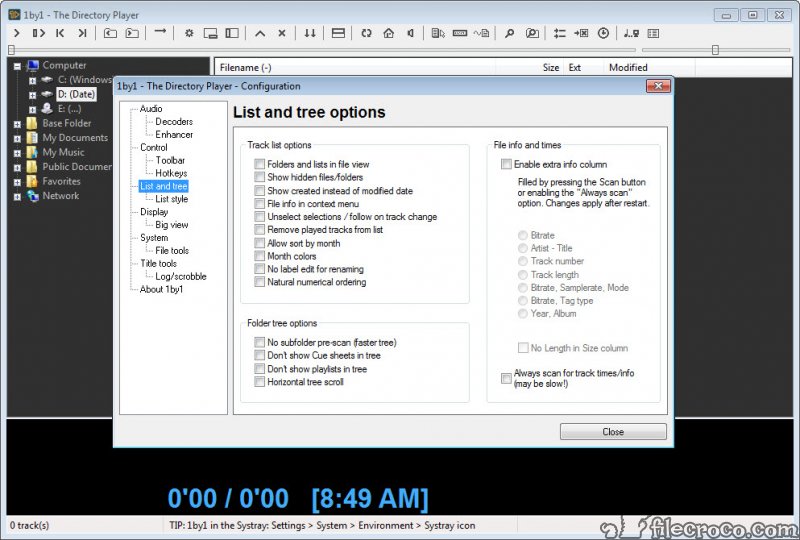
The window is two panes, your directory tree on one side, the current folder’s files on the other, and that’s the entire mental model. Navigate to an album folder and it plays in order. Point at the artist folder above it and everything below plays through.
There’s no import, no scan, no waiting while a library “updates”, and no possibility of the player’s idea of your collection drifting from the reality on disk. What the folder contains is what plays, immediately, always.
For collections built with care, artist folders, album folders, numbered tracks, this model isn’t a compromise, it’s the native language. The tagging-and-database world solves a problem folder people never had, and this player is where they’ve quietly gathered for years. F
ixing the folder names and tags themselves remains a job for Mp3tag when a collection needs grooming, after which this player simply reflects the tidied result.
Gapless, crossfade, and the resume that remembers
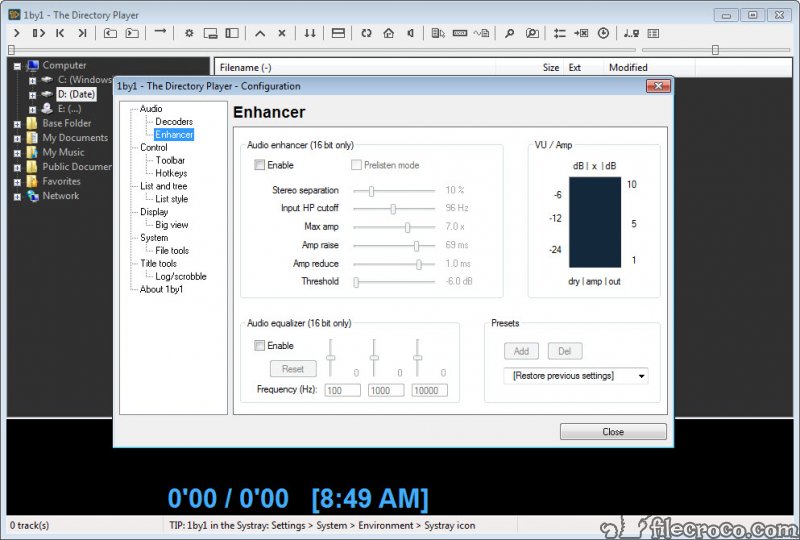
The playback engine outperforms the file size comically. Gapless playback joins continuous albums, live recordings, and DJ mixes without the amateur click between tracks, and adjustable crossfading blends transitions for those who prefer the radio feel. A simple enhancer and silence trimming round out the processing, modest tools, sensibly implemented.
Resume is the sleeper feature that earns 1by1 a devoted audience. Close the player mid-file, reopen it tomorrow, and playback continues from the exact position, which turns the tiny program into one of the better audiobook and long-mix players anywhere.
No bookmark ceremony, no library of positions, just the assumption that you meant to continue, honored automatically.
Small player, borrowed ecosystem
Out of the box the player is MP3-native, decoding with a quality engine of its own. The reach beyond comes through a clever inheritance, support for the classic input plugins of Winamp, the vast ecosystem that generation of players left behind, which extends playback to FLAC, OGG, and the wider format world by dropping in the corresponding plugin files.
It’s an unusual arrangement by modern standards, a one-time setup step per format, and it keeps the core program tiny while borrowing three decades of decoder work.
The honest limits sit exactly where expected. There’s no metadata browsing, no album art wall, no smart playlists, no streaming, no podcast anything, and the interface is a functional artifact of an earlier design age. People who want a library experience have real ones to choose from, with MusicBee as the polished full-service home.
Tinkerers who want minimal weight with maximal configurability keep foobar2000 as their kingdom.
This player competes with neither. It competes with the idea that playing a folder of files should require anything more than this.
Who the smallness serves
Draw the audience honestly. The folder organizer whose collection structure is the interface. The audiobook and mix listener who lives on resume. The owner of an aging laptop or a minimal setup where every megabyte of memory matters.
The person with a USB stick of music and a hundred borrowed computers. And the minimalist on principle, who counts every background process and wants a player that costs nothing to keep.
For all of them, the daily experience is identical, the player opens before the thought finishes, the folder plays, the machine doesn’t notice, and nothing ever scans, updates, phones home, or asks. Software that small has nowhere to hide problems, and this one doesn’t need the hiding places.
Conclusion
1by1 is for the listener whose folders are already perfect. The careful organizer, the audiobook devotee, the old-laptop owner, and the minimalist who resents every process a computer runs without permission are all its people. For them, this is the endpoint, a player that reflects the collection instead of rebuilding it, and costs nothing to exist.
Library lovers and streamers were never the audience and lose nothing by passing. Everyone else should try opening a folder with it once, if only to remember how fast playing music used to feel.
Features & benefits
Pros & Cons
- Plays folders directly with no library, scanning, or import
- A few hundred kilobytes, instant start, negligible resource use
- Gapless playback and crossfading despite the tiny size
- Resumes mid-file exactly where you stopped, ideal for audiobooks
- Winamp plugin support extends formats beyond native MP3
- Collection on disk and collection in player can never disagree
- No metadata browsing, album art, or smart playlists
- Formats beyond MP3 require adding plugin files
- Interface design from a much earlier era
- Nothing for streaming, podcasts, or online anything
Frequently asked questions
It doesn't, and that's the design. Your folder structure is the organization, the tree pane navigates it, and whatever folder you select plays in order as an implicit playlist.
Yes, through classic Winamp input plugins. Drop the plugin file for a format into place once, and the player gains it permanently while staying tiny.
Yes, to the second, mid-file. Reopening the player resumes exactly where playback ended, which makes it quietly excellent for audiobooks and long mixes.
Yes, continuous albums and mixes play without gaps between tracks, and adjustable crossfading is available for blended transitions instead.
About as light as functional software gets, a footprint measured in hundreds of kilobytes and memory use that aging machines barely register.


